5 Installation/ Commissioning
23 of 50
KSB Guard
4079.83/01-EN
The Set-up mode can be repeated any number of times.
ü KSBGuardGateway has been fitted and the indicated signal strength for mobile
reception at KSBGuardGateway is sufficient.
1. Press the pushbutton (1) at the Transmission and battery unit for 2-3seconds.
Release the pushbutton as soon as the status LEDs A and B of the Transmission
and battery unit light up simultaneously.
2. Watch the signal strength of the KSBGuardGateway connection (see level LEDs)
in order to find a suitable position near the pump set.
ð After the Set-up mode has been activated, it remains active for 10minutes
and then stops automatically. The Set-up mode can be stopped at any time
by briefly pressing the pushbutton (<1s).
When a sensor unit is connected, the device changes to the Automatic Measuring
Operation operating mode. (ðSection6.1,Page31)
If no sensor unit has been connected, the device reverts to its as-supplied condition.
(ðSection6.1,Page31)
5.2.3 Establishing a connection between the sensor unit and the transmission and
battery unit
1. Connect the connecting cable of the sensor unit to the transmission and battery
unit.
If the wireless connection between the transmission and battery unit and
KSBGuardGateway is poor, check the position of the transmission and battery unit.
Change its position if necessary. If required, use an extension cable.
(ðSection5.2.4,Page23)
5.2.4 Using an extension cable
DANGER
Improper installation of extension cables
Explosion hazard!
▷ Use original KSB extension cables only.
▷ Never use extension cables longer than 10m.
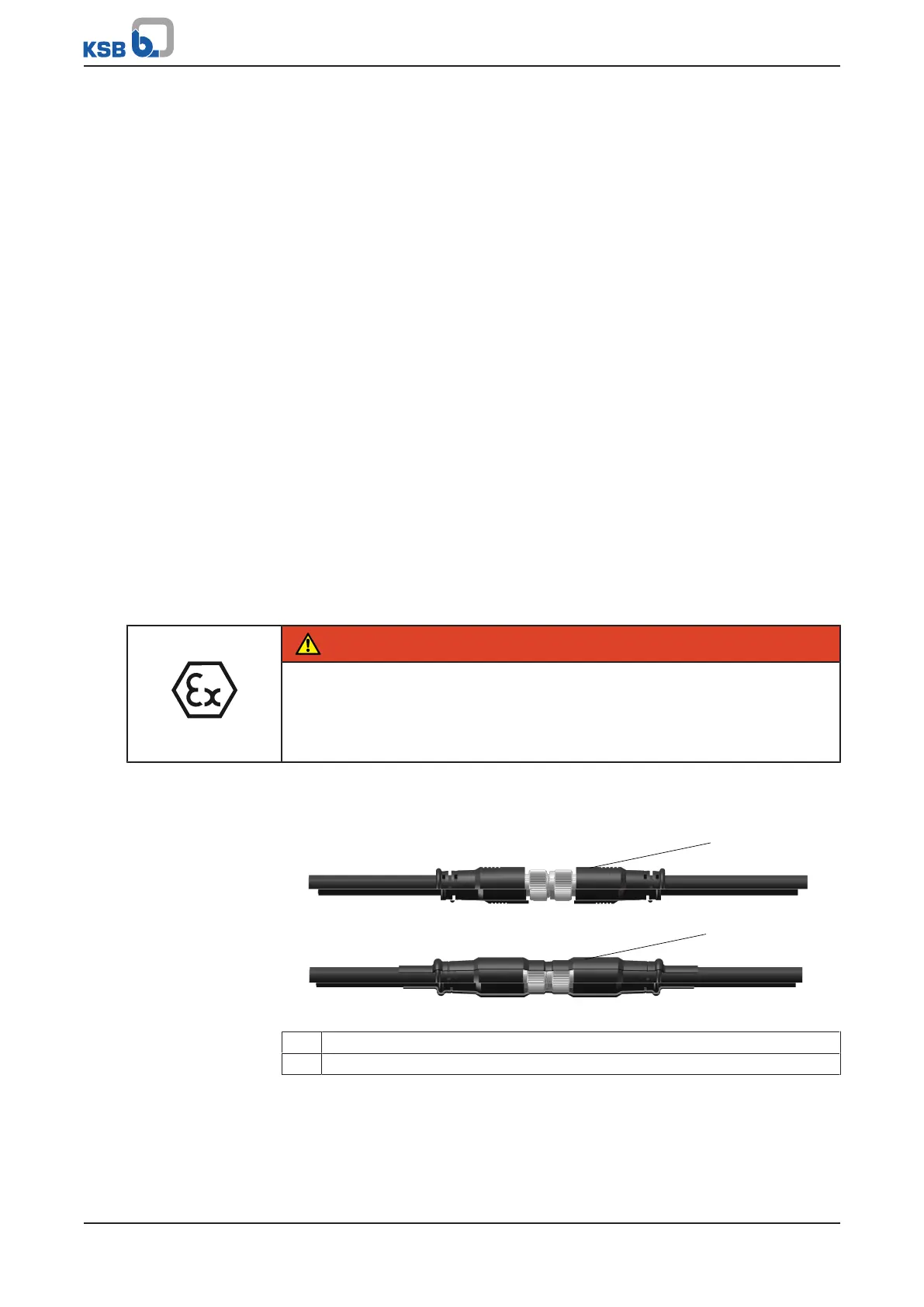
A heat shrink tube is supplied with every sensor unit and every extension cable. It has
to be used to insulate the connection between two cables. Only use heat shrink tubes
supplied by KSB. Insulate the connection as shown in (ðFig.11) .
Fig.11: Fitting the heat shrink tube
1 Without heat shrink tube
2 With heat shrink tube



 To Next Page