7 Servicing/Maintenance
35 of 50
KSB Guard
4079.83/01-EN
7.2 Replacing the sensor unit
DANGER
Improper replacement/ use of devices in potentially explosive atmospheres
Explosion hazard!
▷ Only use devices designed for use in potentially explosive atmospheres.
▷ When replacing a device, verify that the new device has got the same explosion
protection marking as the old one.
1. Shut down the Transmission and battery unit (ðSection6.4,Page32)
2. Disconnect the connecting cable between the sensor unit and the Transmission
and battery unit. (ðSection5.2,Page18)
3. Remove the sensor unit.
4. Install a new sensor unit. (ðSection5.2.5,Page24)
5. Connect the connecting cable between the sensor unit and the Transmission and
battery unit.
6. Restart Transmission and battery unit (ðSection5.4,Page29)
7. Have the pump set with new Sensor ID assigned by the KSB Guard Customer
Service. (ðSection9,Page38)
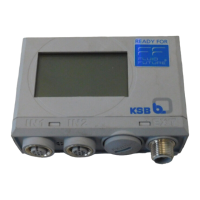
7.3 Replacing the transmission and battery unit
DANGER
Improper replacement/ use of devices in potentially explosive atmospheres
Explosion hazard!
▷ Only use devices designed for use in potentially explosive atmospheres.
▷ When replacing a device, verify that the new device has got the same explosion
protection marking as the old one.
1. Shut down the Transmission and battery unit (ðSection6.4,Page32)
2. Disconnect the connecting cable between the sensor unit and the Transmission
and battery unit.
3. Remove the Transmission and battery unit from the place of installation.
To remove the adhesive pad from the pump set, slide a thin wire underneath
the Transmission and battery unit or use a lever tool.
4. Fit a new Transmission and battery unit. (ðSection5.2.5,Page24)
5. Start up the Transmission and battery unit (ðSection5.4,Page29)
7.4 Replacing KSBGuardGateway
DANGER
Improper replacement/ use of devices in potentially explosive atmospheres
Explosion hazard!
▷ Only use devices designed for use in potentially explosive atmospheres.
▷ When replacing a device, verify that the new device has got the same explosion
protection marking as the old one.
1. Disconnect KSBGuardGateway from the power supply.
2. Remove KSBGuardGateway from the place of installation.
3. Fit a new KSBGuardGateway.
4. Connect the power supply.



 To Next Page