17 POWERPACK HV, BATTERY CHARGER
116
F03148-10
(Option: Battery charger 2)
– Connect the power plug for the battery charger to the
mains connection.
–
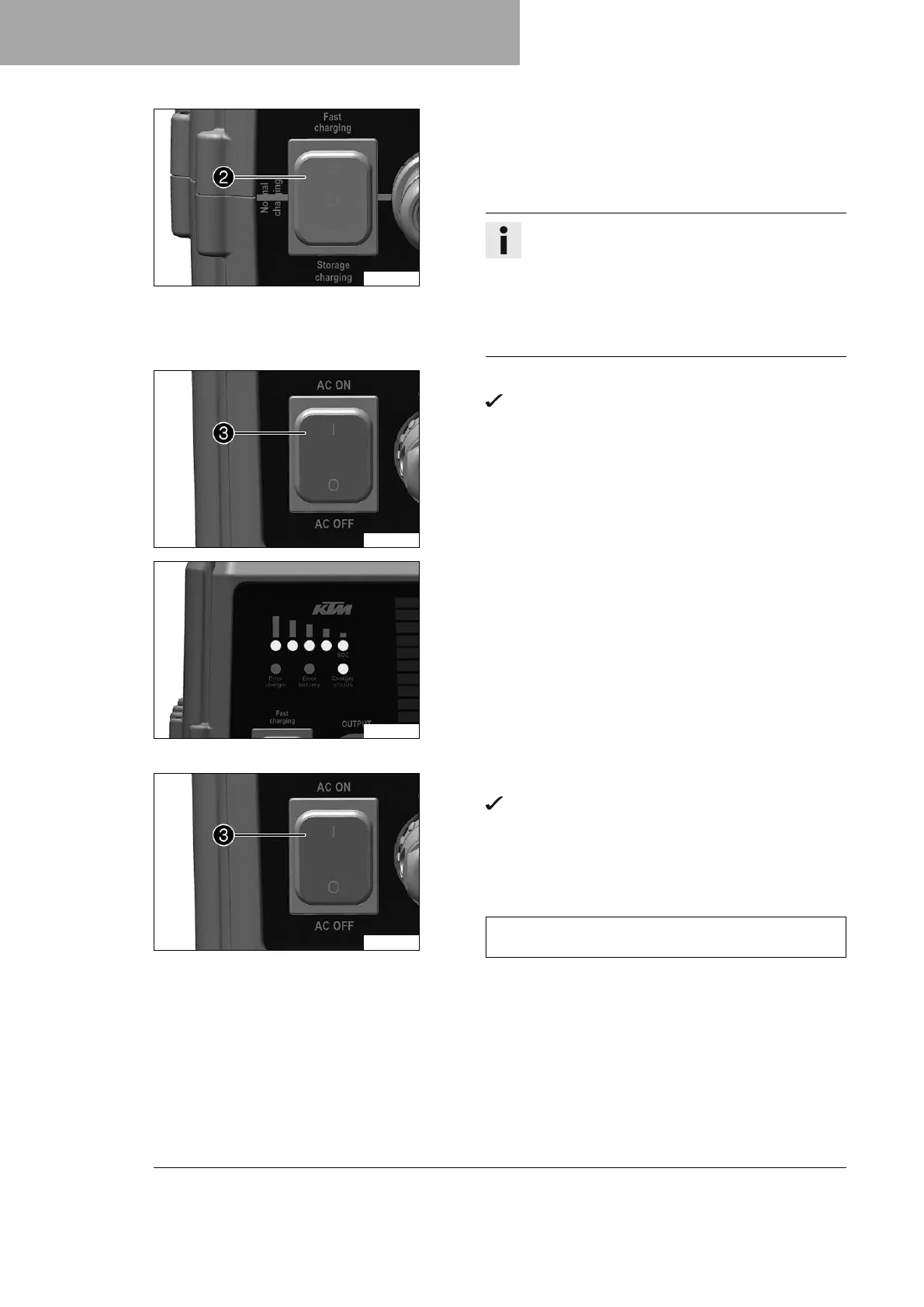
Set the charging mode switch
2
to the Fast position
or Normal position.
Info
In charging mode Fast, the Powerpack HV is com-
pletely charged after approx. 105 minutes. The
power consumption is higher than in charging mode
Normal.
In charging mode Normal, the Powerpack HV is
completely charged after approx. 135 minutes.
F03147-10
–
Switch on the battery charger using switch
3
.
Charging starts automatically. The status indicator
flashes during the charging process.
F03149-02
– Monitor the charging level of the Powerpack HV via the
LEDs.
LED 1: 20 %
LED 2: 40 %
LED 3: 60 %
LED 4: 80 %
LED 5 flashes beginning with approx. 95% until 100% is
reached.
Once the charging process is complete, all five LEDs light
up and the status indicator goes out.
F03147-10
–
Switch off the battery charger using switch
3
.
After several seconds, all LEDs on the battery charger
go out.
– Disconnect the battery charger power plug from the mains
connection.
– Disconnect the charging cable from the Powerpack HV.
Guideline
Pull on the structured part of the plug. Do not pull on
the cable.
– Check the seal on the charging socket protection cap.
» If the seal is dirty:
– Clean the seal without using water or compressed
air.
» If the seal is damaged or worn:
– Change the seal.
– Mount the charging socket protection cap.





 To Next Page