EXCAVATOR OPERATION40
C Checking the settings of each action mode
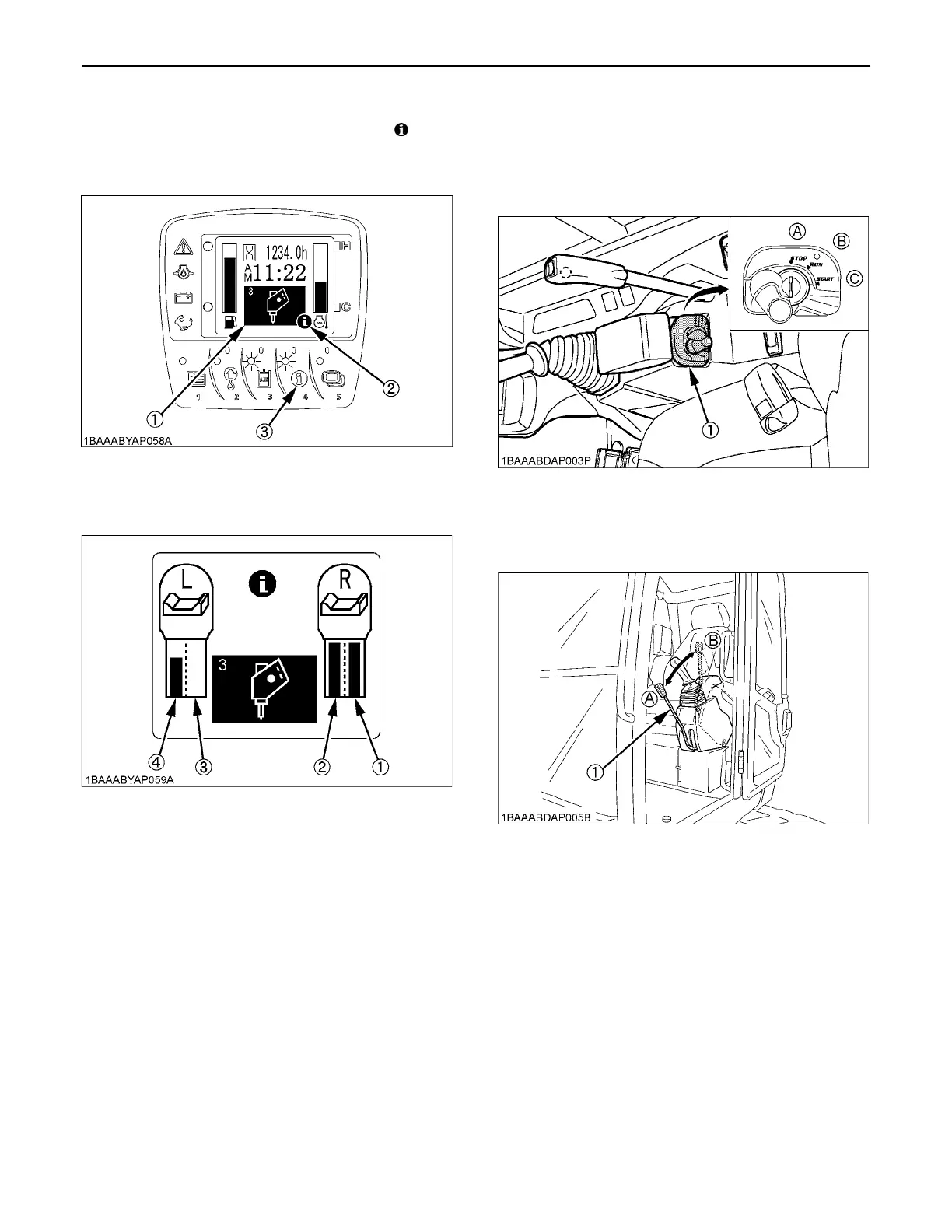
When an action mode is selected and the " " mark
appears at the lower right of the icon, the flow volume
setting gets displayed by pressing the switch 4.
[Display in AUX 1 and 2 modes]
BAUX Port Handling Procedure
1. Turn the starter key to the "RUN" position.
Let the engine warm up after start-up for approx. 10
minutes under no load conditions.
2. Lower the pilot control lock lever (UNLOCK).
(1) Icon
(2) Information mark
(3) Information switch (Switch 4)
(1) AUX Port 1
(2) AUX Port 2
(3) AUX Port 3
(4) AUX Port 4
(1) Starter switch (A) "STOP"
(B) "RUN"
(C) "START"
(1) Pilot control lock lever (A) "Unlock"
(B) "Locked"



 To Next Page