EXCAVATOR OPERATION52
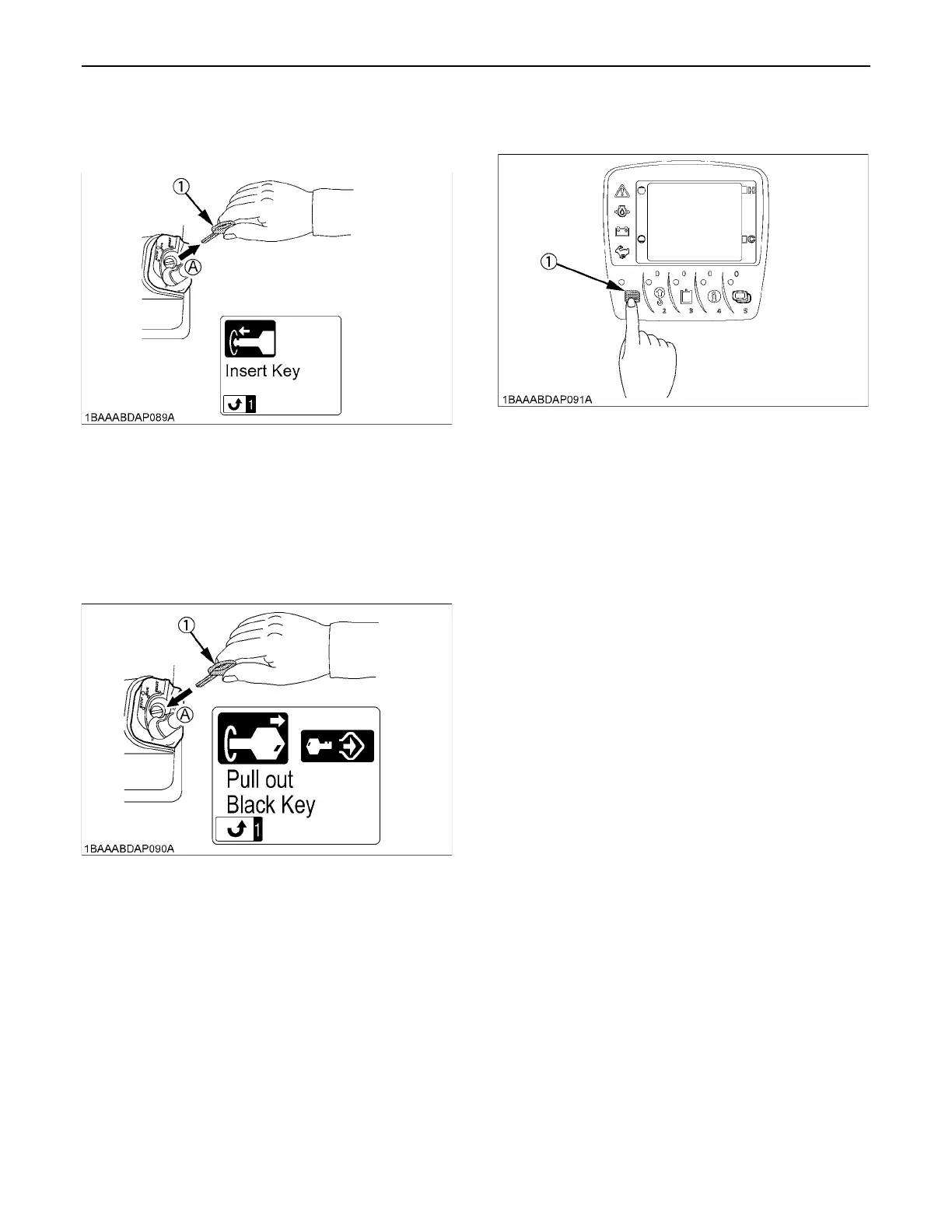
3. Pull out the red key from the key switch, and then the
message "Insert the key" appears on the LCD
display.
4. Insert the black key into the key switch.
(* Do not turn the inserted key. If the key is turned to
the "RUN" position, return it to the "STOP" position
and return to the step 1.) Then the message "Pull out
black key" appears on the meter panel after a while.
With this message displayed, the black key has been
registered with the machine.
5. When all registration operation has been finished,
push the user setting switch.
(1) Red key (A) Pull out
(1) Black key (A) Insert
(1) User setting switch



 To Next Page