INTELLIPANEL(TM) CONTROL60
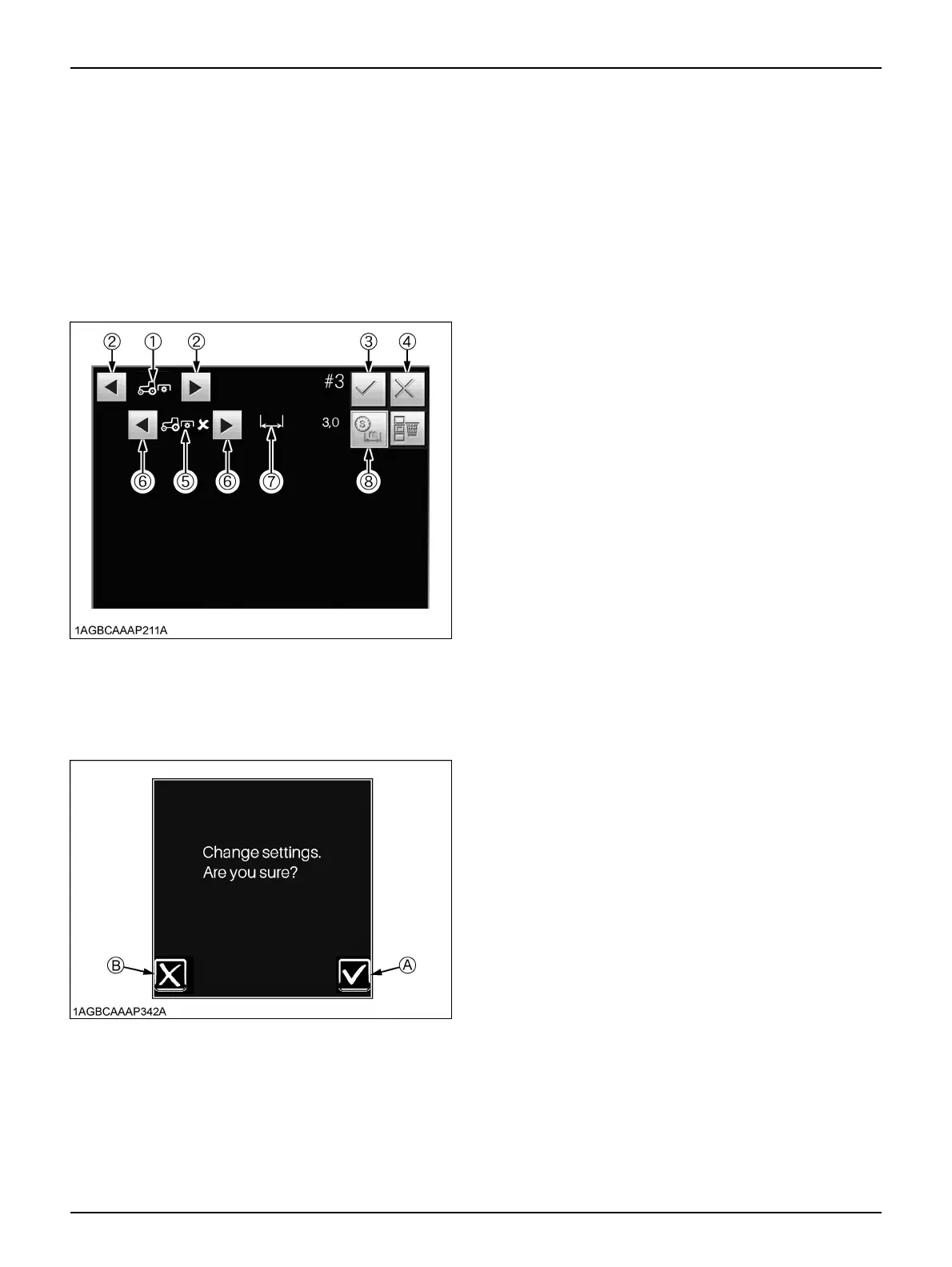
9. Touch the save switch (3).
The [Change settings. Are you sure?] message
appears.
If "YES" is selected, the program will be modified and
the previous screen will show up again.
10.Go back to Step 3. Using the scroll switch (5 or 6) to
select the differential lock subcategory icon (10) first
and then touch the edit switch (4).
11.The editing screen shows up. Now change the
differential lock program to the PTO program.
[Editing screen]
(1) PTO-related main category
icon
(2) Main category scroll switch
(3) Save switch
(4) Cancel switch
(5) Subcategory icon
(6) Subcategory scroll switch
(7) Pre-program distance icon
(8) Distance/time select switch
(A) "YES"
(B) "NO"



 To Next Page