8
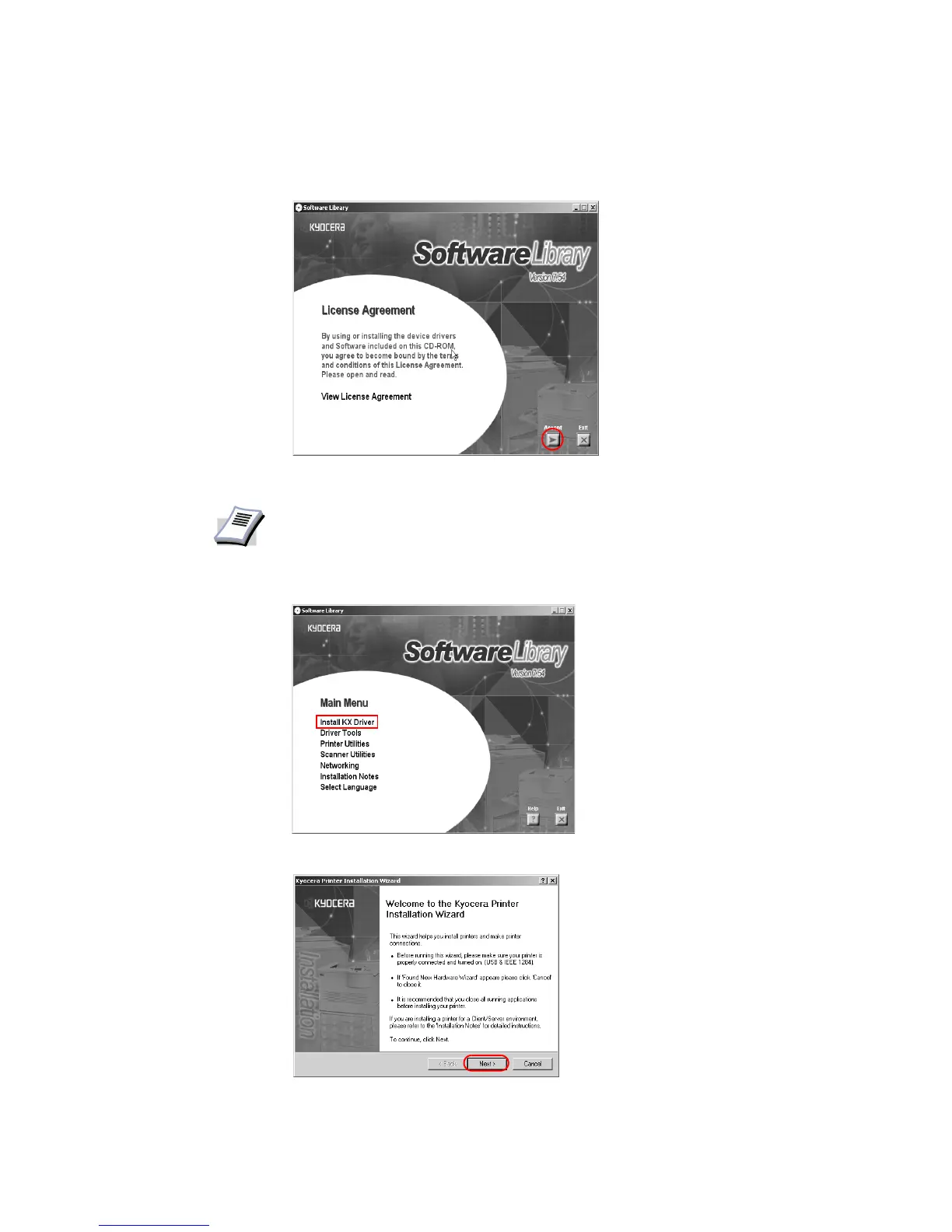
4 Once the installation program launches, the
License Agreement dialog box appears. Click
View License Agreement to display and read the License Agreement.
5Click
Accept to proceed to the Main Menu dialog box.
6Click
Install KX Driver.
7 The
Welcome to the Kyocera Printer Installation Wizard dialog box appears. Click Next.
NOTE
If the installation program fails to launch after inserting the CD-ROM into the CD
drive, navigate to Windows Explorer, access the CD-ROM, and double-click the
Setup.exe file.














 To Next Page