2M2/2M3
2-4-5
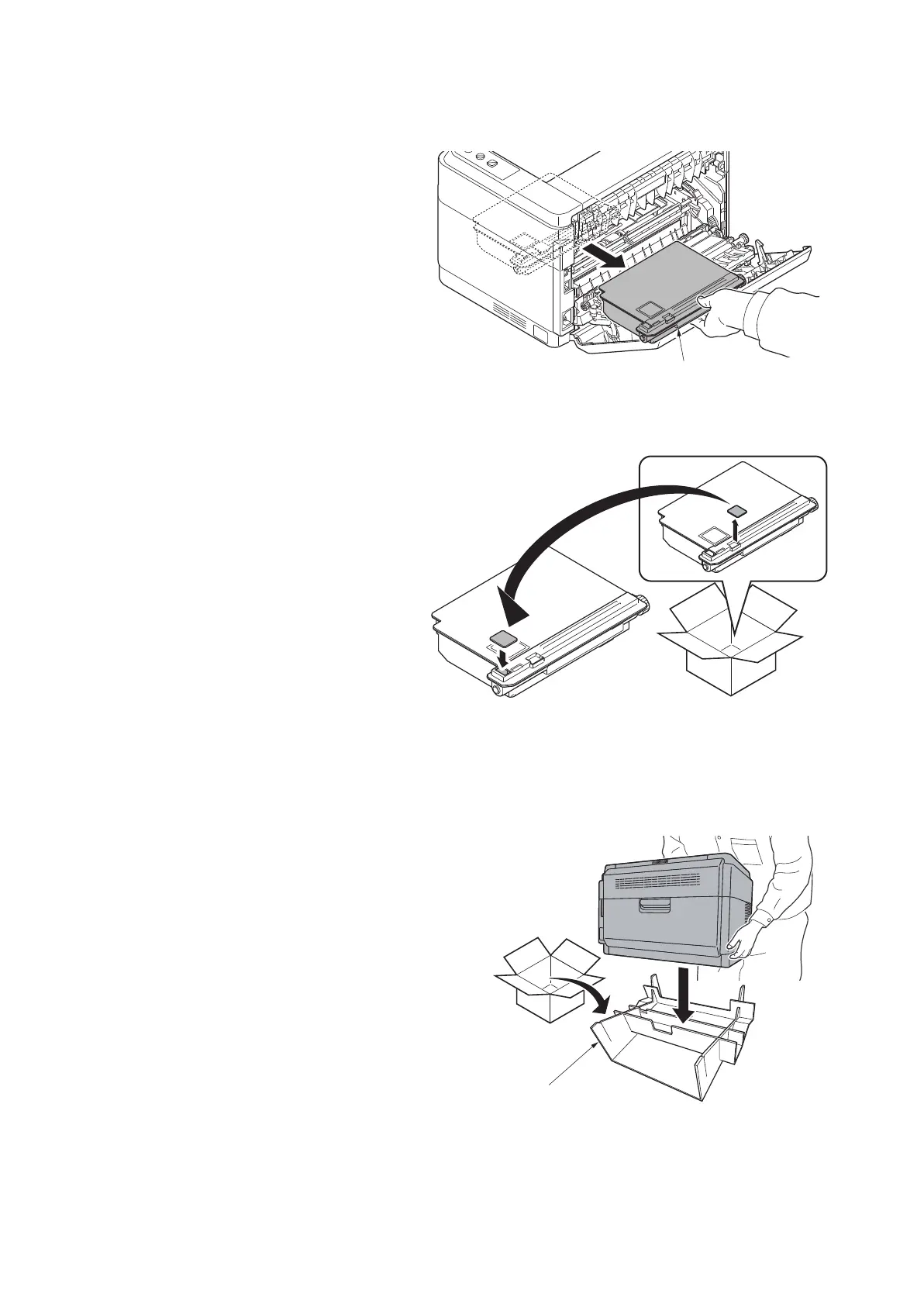
(4) Detaching the toner disposal box
Procedure
1. Take out the waste toner box by holding
it in the middle.
Figure 2-4-10
2. Produce the new waste toner box from
the MK kit, remove its sealing cap, and
fit the sealing cap to the old waste toner
box.
Figure 2-4-11
(5) Detaching and refitting the paper feed pulley and lower paper feed guide
Procedure
1. Close the rear cover.
2. Take out the paper-feed replacement
unit from the maintenance kit.
3. Lift the unit and place it on the replace-
ment unit with the front side facing
down.
Figure 2-4-12
Toner disposal box
Paper-feed replacement unit



 To Next Page
 Loading...






