2M2/2M3
2-4-11
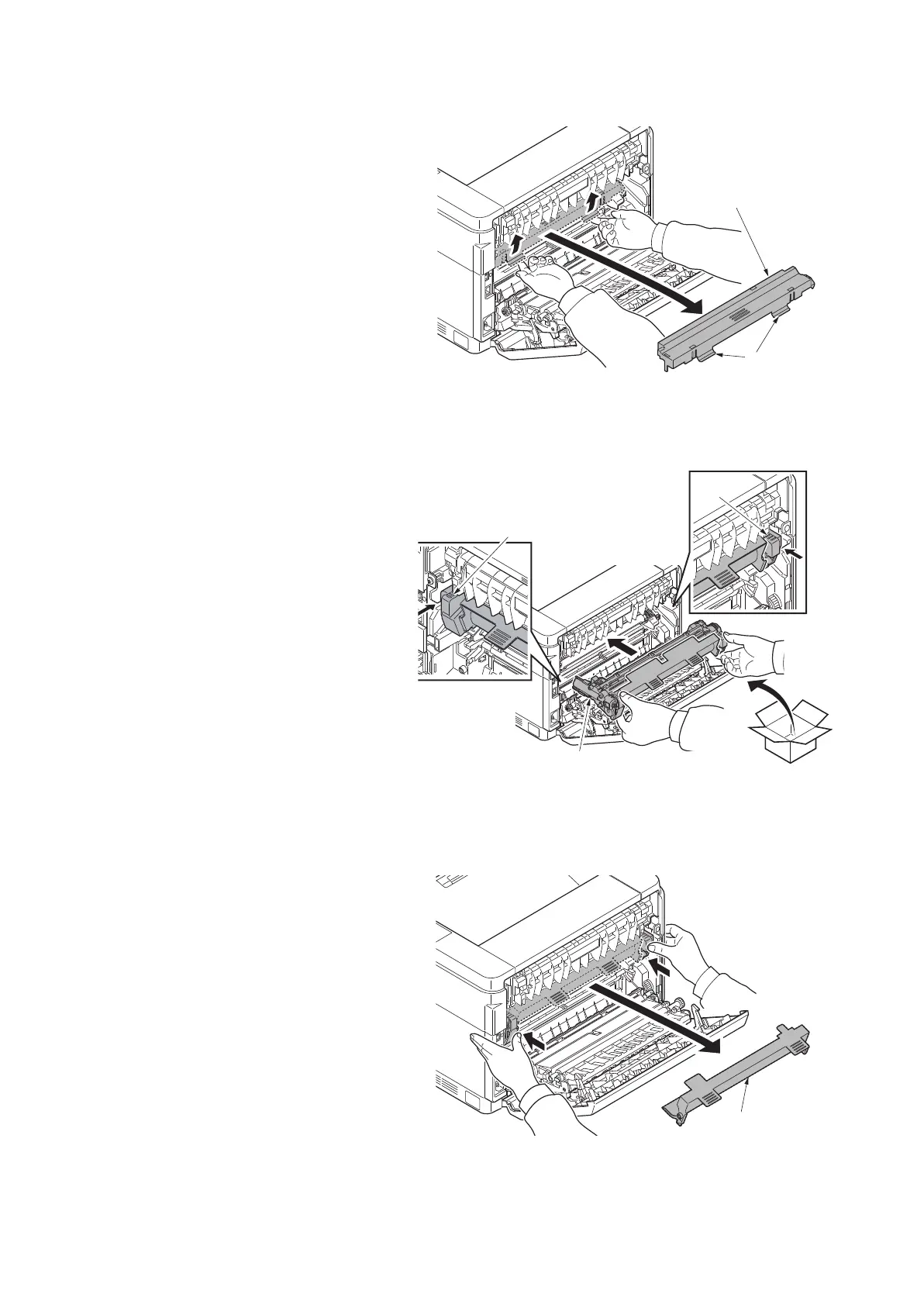
2. Remove the developer cover by raising
the levers on it.
Figure 2-4-23
(8) Refitting the drum unit
Procedure
1. Install the new drum unit in the machine
by holding both of its ends.
Insert the unit along the guides on both
sides.
Figure 2-4-24
2. Seat the drum unit in position by
pressing the knobs on its ends and
remove the drum cover.
Figure 2-4-25
developer cover
Lever
Drum cover


 To Next Page
 Loading...







