2M2/2M3
1-2-5
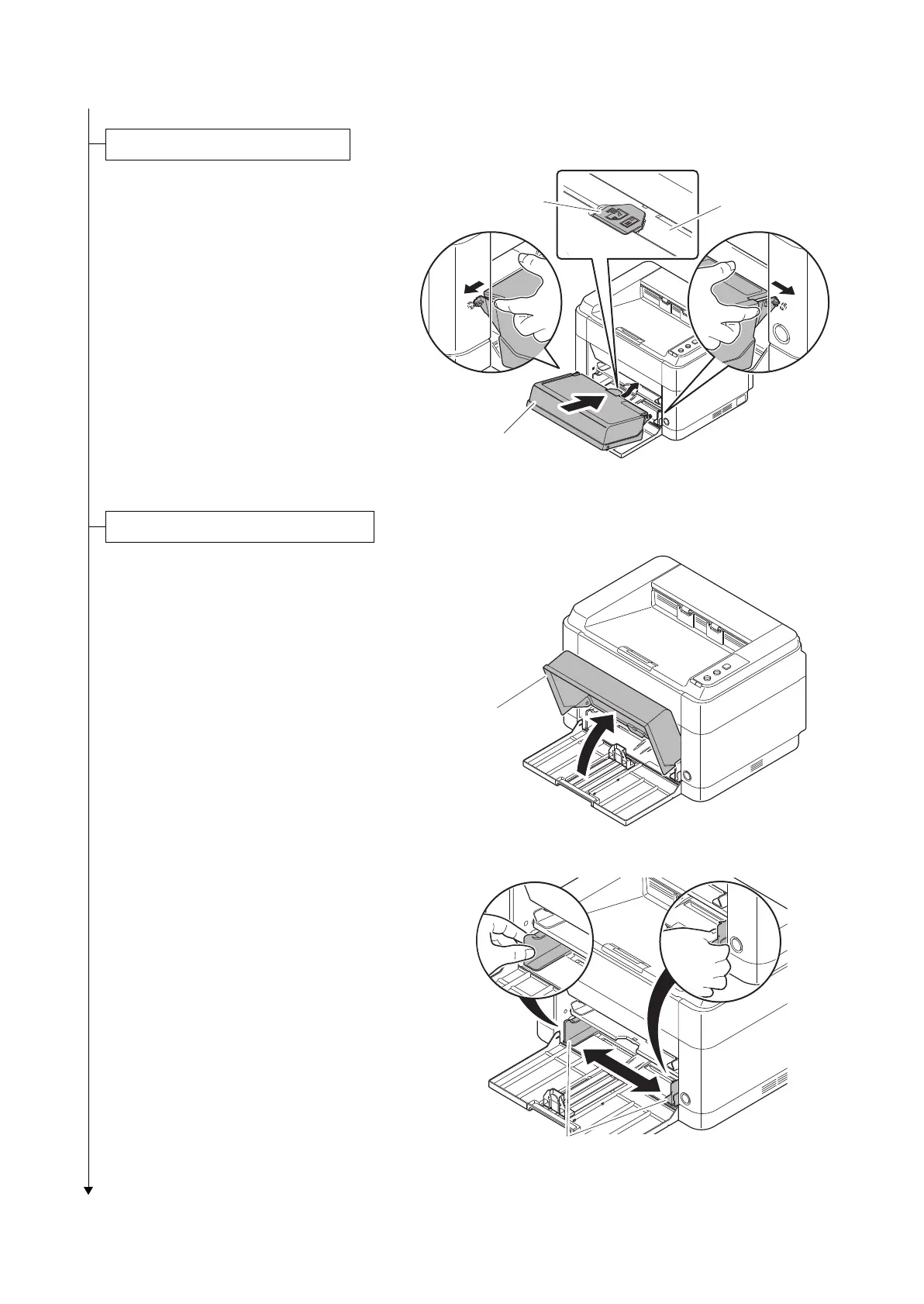
1. Attach the cassette cover.
Attach the cassette cover so that its
right and left-side pins and the boss on
the machine frame mate with each
other.
*: If performing installation in a 25 ppm
model, install the cassette cover so that
its guide at the top is positioned above
the MF base.
Figure 1-2-6
1. Open the cassette cover.
Figure 1-2-7
2. Adjust the position of the width guides
located on the left and right sides of the
cassette.
*:
Paper sizes are marked on the cassette.
Figure 1-2-8
Installing the cassette cover
Cassette cover
MF base
Guide
Cassette cover
Paper width guides


 To Next Page
 Loading...







