Camera and Video 90
Camera and Camcorder
You can use the camera or camcorder to take and share pictures and videos. Your phone
comes with a 5.0 megapixel back camera and 1.3 megapixel front-facing camera with an
autofocus feature that lets you capture sharp pictures and videos.
Take Pictures
Open the Camera
►
Touch Home > > Camera.
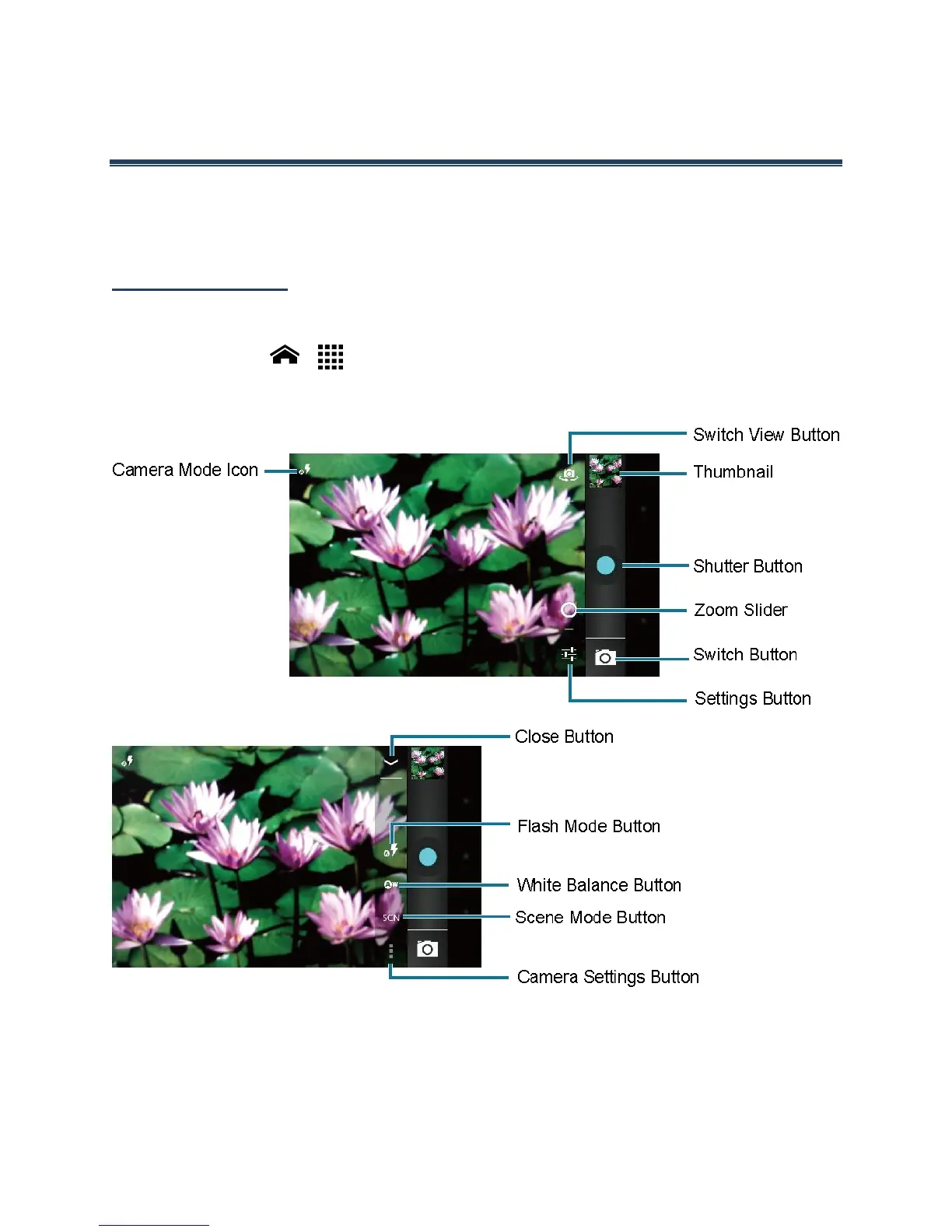
Camera Viewfinder Screen
●
Camera mode icon: Displays the current camera modes.
●
Switch View Button: Touch to switch between the back camera lens and the front-
facing camera lens (for self-portraits, video chatting, etc.).












 To Next Page