Phone Basics 5
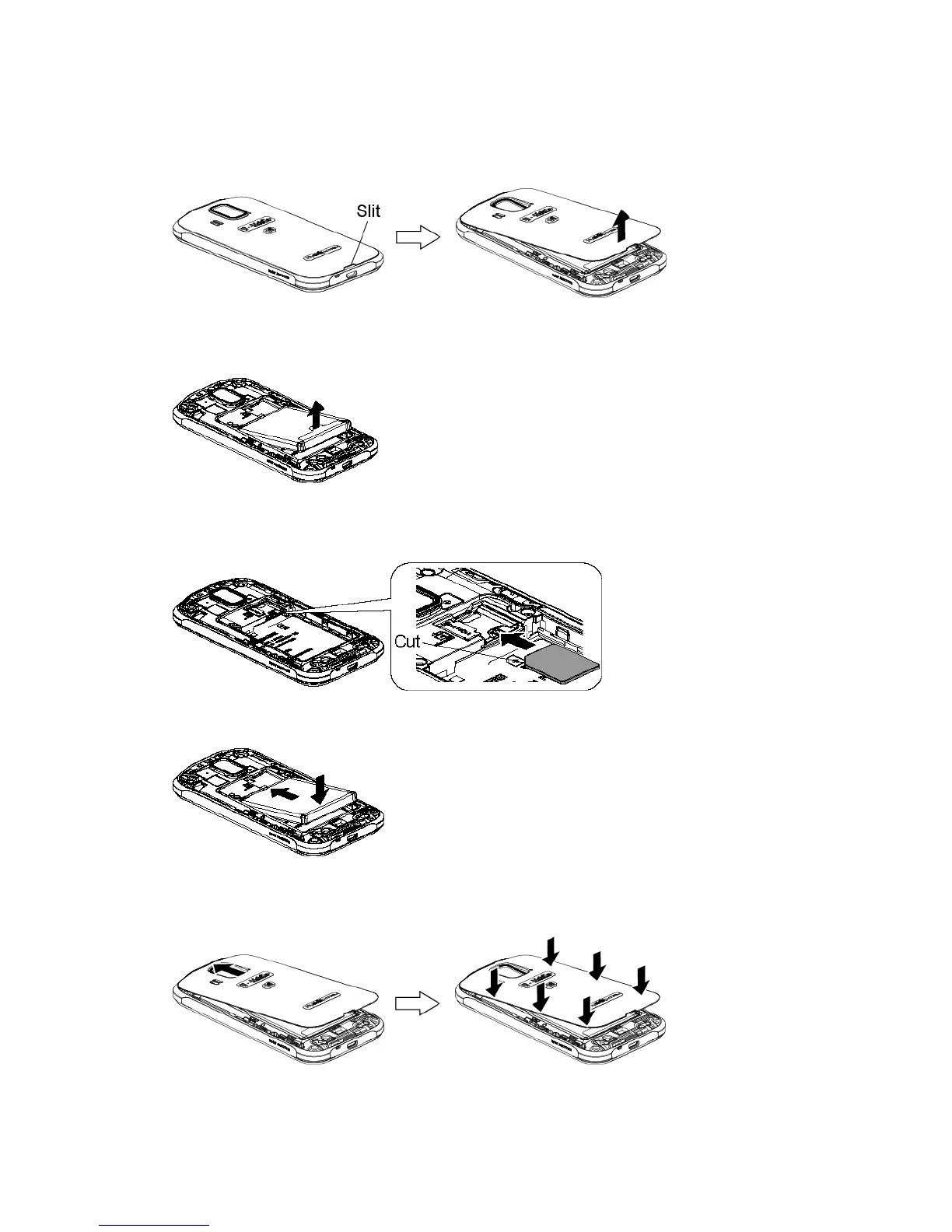
Insert the SIM Card
1.
Insert your thumbnail or fingernail into the slit and lift the battery cover.
2.
Grasp the white pull-tab extending from the battery pack and pull the battery out of
its compartment.
3.
Hold the SIM card so that the metal contacts on the SIM card face down and the cut
off corner points to the top and left. Insert the SIM card into the SIM card holder.
4.
Insert the battery, contacts end first, and gently press into place.
5.
Replace the cover, applying equal pressure from the top down on both sides and
making sure all the locking tabs of the cover are seated with no gaps.












 To Next Page