Text Entry 19
Text Entry
Touchscreen Keyboard
Two types of keyboards are available on your phone: Google keyboard and Swype. Simply
touch a text field where you want to enter text to call up a keyboard. You can turn the phone
sideways to bring up a bigger keyboard. See Auto-Rotate Screen.
To switch the keyboard from Settings:
1.
Touch Home > > Settings > Language & input.
2.
Touch Default.
3.
Touch Google keyboard or Swype.
To switch the keyboard when a keyboard is displayed:
1.
Drag the Notifications panel down and touch Choose input method.
2.
Touch Google keyboard or Swype.
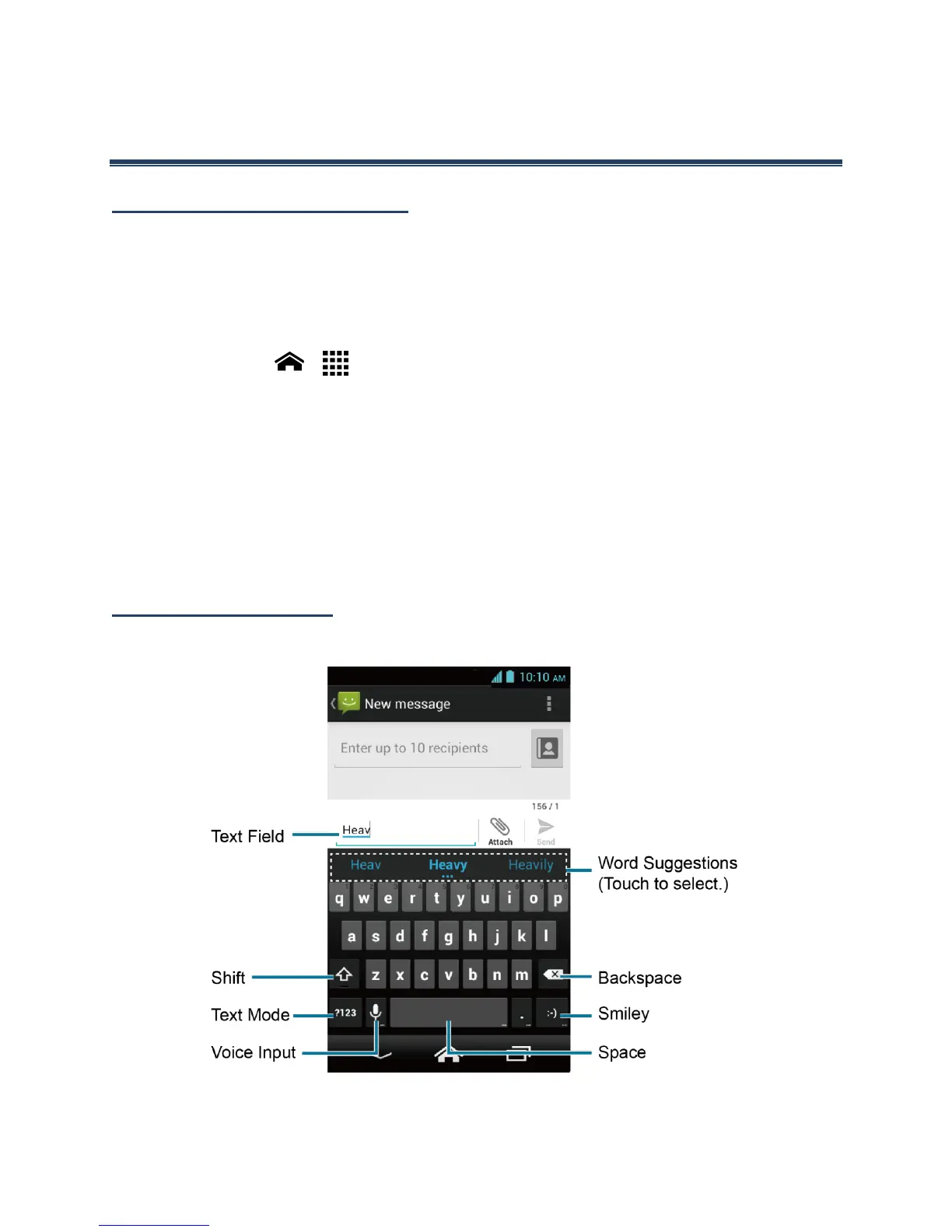
Google Keyboard
Google Keyboard Overview
Note: Key appearance may vary depending on the selected application or text field.












 To Next Page