Tools and Calendar 119
2.
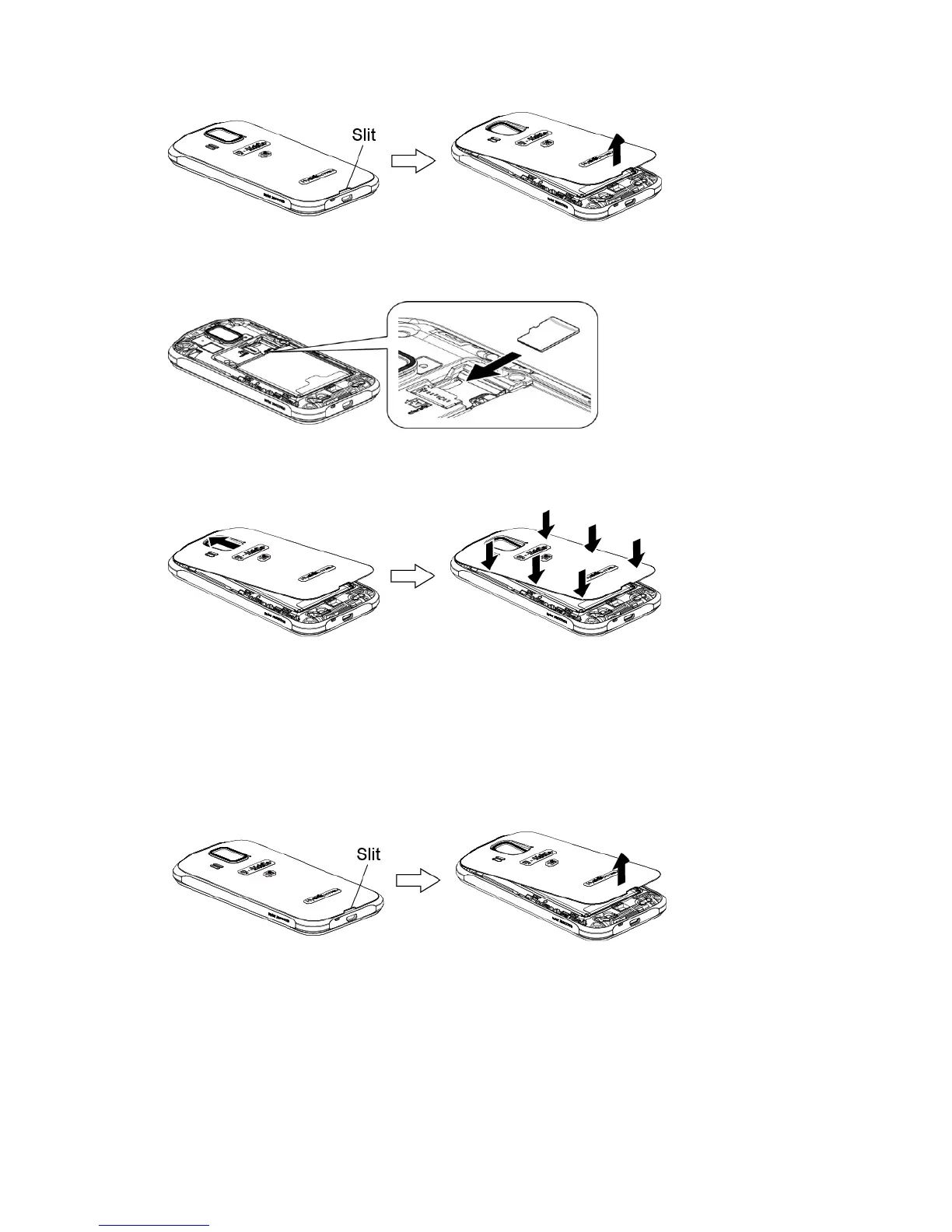
Insert a microSD card into the microSD card holder with the gold terminals facing
down. Gently push the card in until it snaps into place.
3.
Replace the cover, applying equal pressure from the top down on both sides and
making sure all the locking tabs of the cover are seated with no gaps.
Remove the microSD Card
Before removing your phone’s microSD card, use the Storage settings menu to unmount the
card.
1.
Unmount the microSD card. See Unmount the microSD Card.
2.
Insert your thumbnail or fingernail into the slit and lift the battery cover.
3.
Gently pull the microSD card out of the microSD card slot.












 To Next Page