Phone Basics 4
Get the Phone Ready
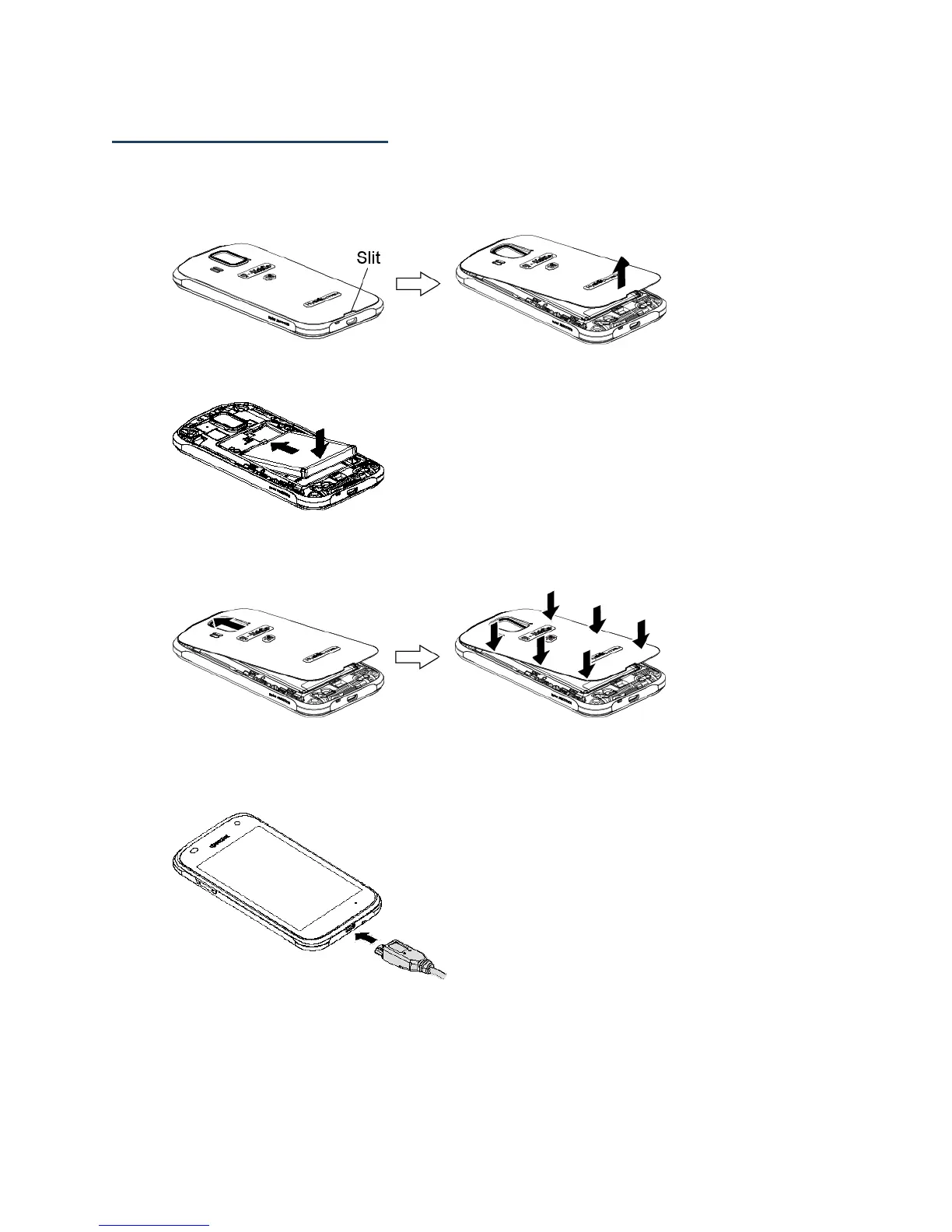
Insert the Battery
1.
Insert your thumbnail or fingernail into the slit and lift the battery cover.
2.
Insert the battery, contacts end first, and gently press into place.
3.
Replace the cover, applying equal pressure from the top down on both sides and
making sure all the locking tabs of the cover are seated with no gaps.
Charge the Battery
1.
Plug the smaller end of the micro-USB cable into the phone’s charger/accessory jack.
2.
Plug the other end of the USB cable into the charger, and then plug the charger into
an electrical outlet.
Note: Your phone’s battery should have enough charge for the phone to turn on and find a
signal, set up voicemail, and make a call. You should fully charge the battery as soon
as possible.












 To Next Page