People 43
People
The People application lets you store and manage contacts from a variety of sources,
including contacts you enter and save directly in your phone as well as contacts synchronized
with your Google account or compatible email programs.
Display People
►
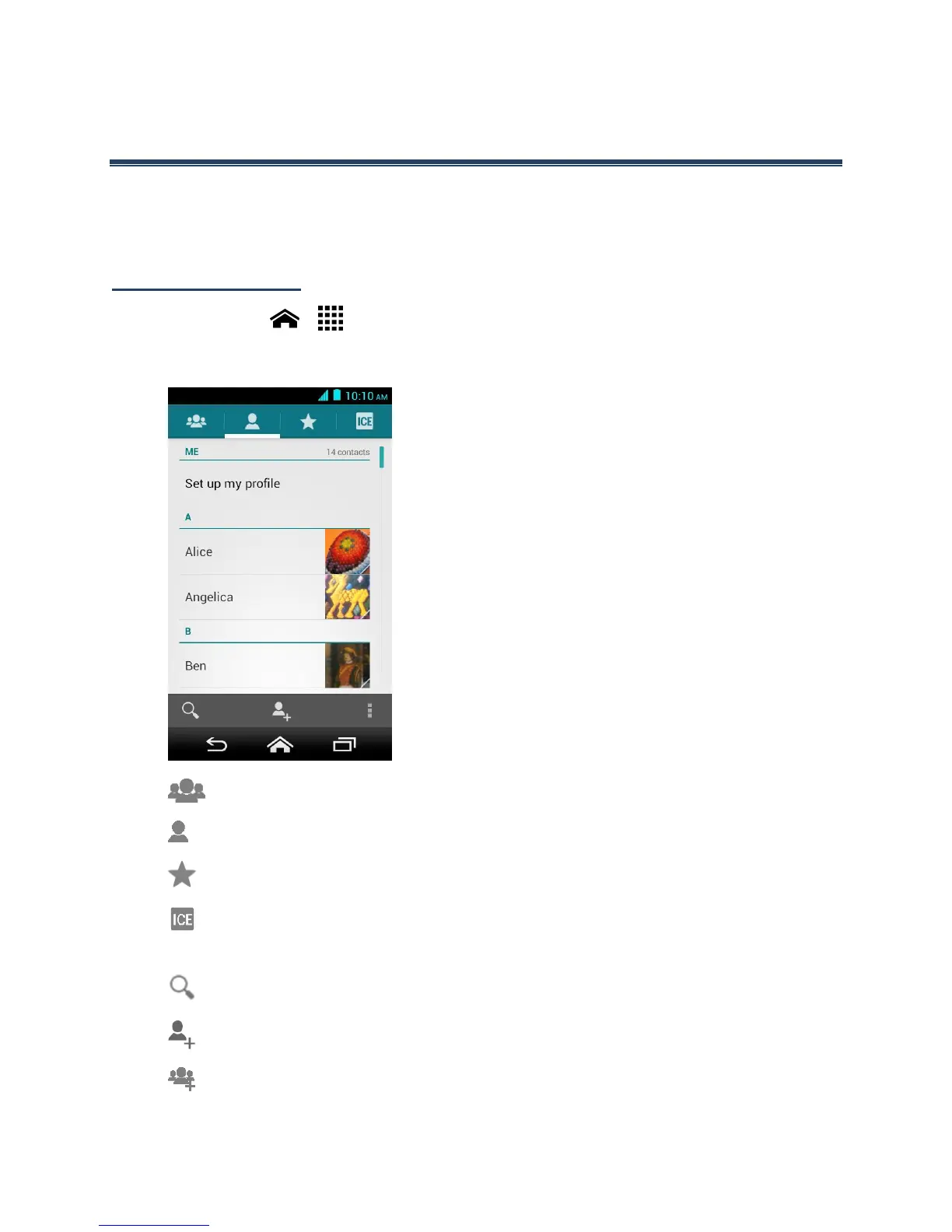
Touch Home > > People. You will see the Contacts list.
Contacts List
●
Group: Touch to display the group contacts.
●
Personal: Touch to display the individual contacts.
●
Favorite: Touch to display your favorite contacts.
●
ICE: Touch to display your ICE (in case of emergency) contacts and your
information. See ICE (In Case of Emergency).
●
Search: Touch to search a contact.
●
Add contact: Touch to add a contact. See Add a Contact.
●
Add group: Touch to add a group contact. See Add a Group Contact.












 To Next Page