Tools and Calendar 120
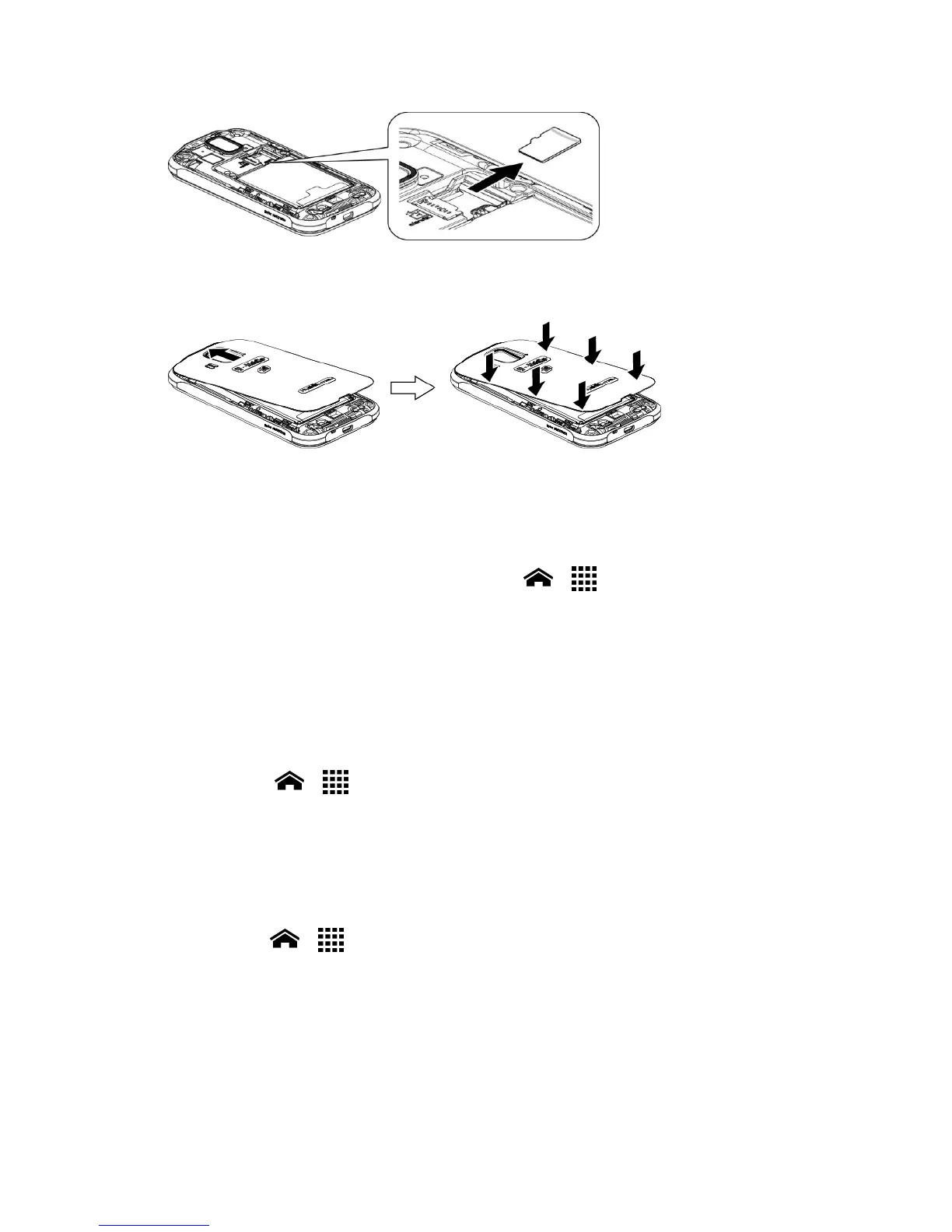
4.
Replace the cover, applying equal pressure from the top down on both sides and
making sure all the locking tabs of the cover are seated with no gaps.
View the microSD Card Memory
The Storage settings menu gives you access to your microSD card memory information. See
Memory Information.
1.
With the microSD card inserted, touch Home > > Settings > Storage > User
storage.
2.
Scroll down the screen to see the information under SD CARD.
Unmount the microSD Card
Unmount the microSD card first before removing it to prevent corrupting the data stored on it
or damaging the microSD card.
1.
Touch Home > > Settings > Storage > User storage.
2.
Touch Unmount SD card > OK.
The microSD card will be mounted automatically when inserted. See Insert a microSD Card.
Format the microSD Card
1.
Touch Home > > Settings > Storage > User storage.
2.
Scroll down the screen, and touch Erase SD card > Erase SD card > Erase everything.
Note: The formatting procedure erases all the data on the microSD card, after which the
files CANNOT be retrieved. To prevent the loss of important data, please check the
contents before you format the card.












 To Next Page