Phone Calls 29
Phone Calls
Make Phone Calls
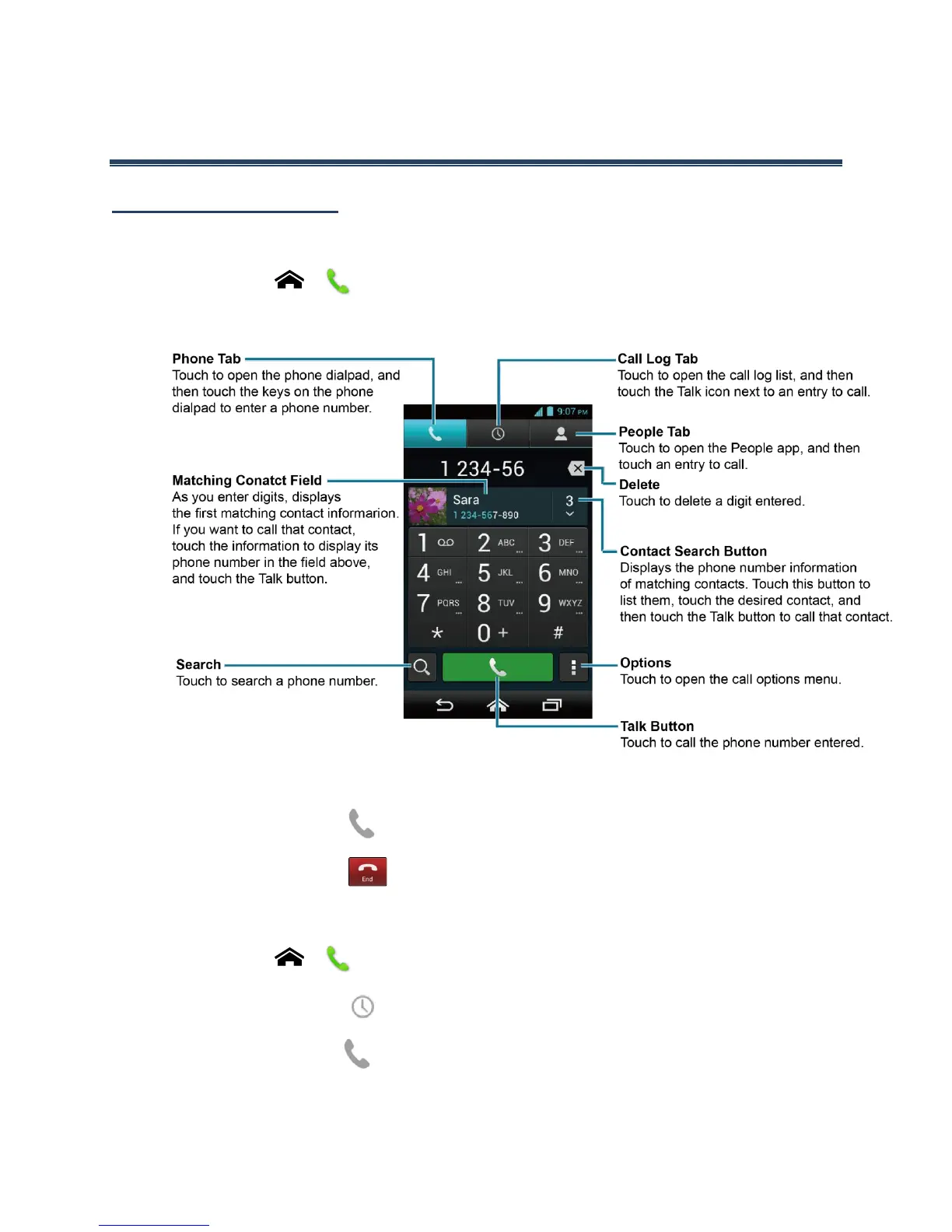
Call Using the Phone Dialpad
1.
Touch Home > .
If the dialpad is not displayed when the Phone app launches, touch the Phone tab.
2.
Touch the number keys on the phone dialpad to enter the phone number.
3.
Touch the Talk button at the bottom of the screen to call the number.
4.
To end the call, touch .
Call from Call Log
1.
Touch Home > .
2.
Touch the Call log tab to display the Call log list.
3.
Touch the phone icon next to the name or number you want to place a call.
For additional options, touch the name or number.












 To Next Page