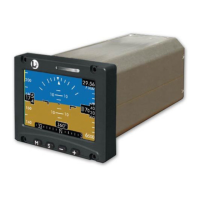
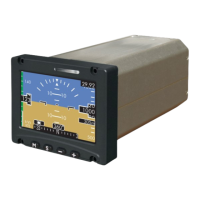
ESI-2000
Pilot’s Guide4-2
Troubleshooting
Corrective Actions (continued)
CONDITION CAUSE/CORRECTIVE ACTION
Airspeed Awareness
Color Band removed
and SPD message
displayed
Indicates loss of airspeed conguration
data.
Cycle power to the ESI-2000.
If airspeed conguration data is not re-
stored, ESI-2000 may be defective. Have
ESI-2000 checked by certied service
center.
Blank display Brightness level may be low. Press and
hold the Menu M button for at least 5 sec-
onds. Brightness of display should be ob-
served.
ESI-2000 may be defective. Have ESI-
2000 checked by certied service center.
“BATT WORN OUT...
REPLACE” message
is displayed on screen
during startup
Message will be displayed at startup and
remain on screen for 90 seconds.
The battery can no longer hold a state of
charge greater than 1 hour and requires
replacement.
Have ESI-2000 checked by certied ser-
vice center.
Battery Failed Indicator Cycle power to the ESI-2000.
If the red battery failed indicator continues
to be observed after power cycle, battery
system has failed and requires replace-
ment.
Have ESI-2000 checked by certied ser-
vice center.


 To Next Page