EasyManua.ls Logo

Labconco Purifier Logic+ 30241 - User Manual

Default Icon
174 pages
Print Icon
To Next Page IconTo Next Page
Loading...
1
Original instructions
Technical Manual
and Specifications
First Generation: 2013-2018
(Model Numbers ending in -00)
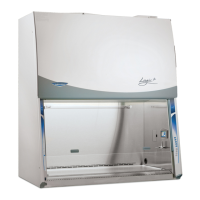
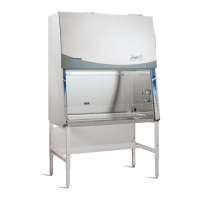
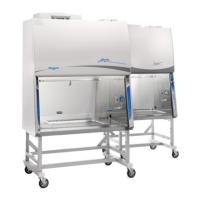
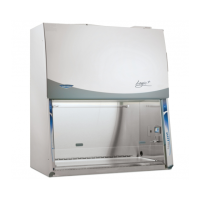
Purifier
Logic
+
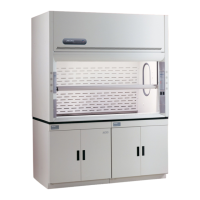
Type A1 Biosafety Cabinet Models
30132 30142 30152 30162
Type A2 Biosafety Cabinet Models
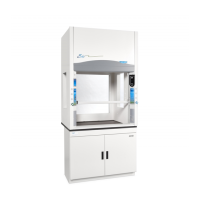
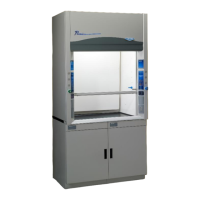
30231 30241 30251 30261
30238 30248 30258 30268
Type B2 Biosafety Cabinet Models
30348 30368
Purifier
Cell Logic
+
Type A2 Biosafety Cabinet Models
32239 32249 32259 32269
33239 33249 33259 33269
34239 34249 34259 34269
PuriCare
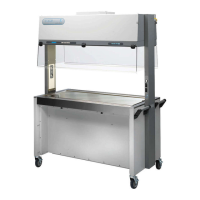
Procedure Stations
Procedure Station Models
31142 31162
31240 31260

Table of Contents

Questions and Answers

  • M
    Meghan LynchAug 9, 2025
    What to do if the Labconco Purifier Logic+ 30241 cabinet blower and lights won’t turn on?
    • J
      Jorge RussoAug 10, 2025
      If the cabinet blower and lights aren’t working, first, ensure the unit is plugged into the appropriate electrical outlet. Then, check if the System Reset Switch is turned on. Also, reset the circuit breakers. If problems persist, run keypad diagnostics and check connections and raise the sash.
  • W
    William WatkinsAug 15, 2025
    Why is the fluorescent light not working on my Labconco Purifier Logic+ 30241 Laboratory Equipment?
    • B
      Brooke MerrittAug 15, 2025
      If the fluorescent light is not working, first, make sure that the sash is open, because the fluorescent lights will not work with the sash closed. If the sash is open, replace any defective lamps. Inspect the lamp wiring and replace the lamp ballasts if they are defective. Also, run keypad diagnostics and check connections.
  • V
    Victoria SmithAug 21, 2025
    What to do if the UV light is not working on my Labconco Laboratory Equipment?
    • S
      Suzanne PayneAug 21, 2025
      If the UV light isn't working, ensure the sash is closed, as the UV light will not function when the sash is open. Replace any defective lamps, including those at the end of their operating lifetime. Inspect the lamp wiring and replace the lamp ballast if defective. Finally, run keypad diagnostics and check connections.
  • S
    Scott JordanAug 27, 2025
    Why is the blower only running at low speed on my Labconco Purifier Logic+ 30241 Laboratory Equipment, but the lights work?
    • B
      Brenda RodriguezAug 27, 2025
      If the blower runs only at low speed while the lights are working, test the output voltages on the Power Supply board. Also, run keypad diagnostics and check connections. Measure the motor output signal voltage and inspect the signal wiring and connections. Also, test output voltages on the Power Supply board.
  • W
    william91Sep 2, 2025
    Why is the fluorescent light dim or flickering in my Labconco Purifier Logic+ 30241 Laboratory Equipment?
    • R
      Rebecca RushSep 2, 2025
      If the fluorescent light is dim or flickering, replace any defective lamps. Inspect the lamp wiring and replace the lamp ballast if it's defective.

Summary

Logic+ Filter Life Gauge Calibration

Certification Documentation

Logic+ Data Plate

Information on the data plate required for certifying the unit.

Final Inspection and Test Report Form

Details about the attached Final Inspection and Test Report.

ECM Motor and Electronics

Installation Requirements

Prerequisites

Steps to prepare the site for installation, including requirements.

Electrical Requirements

Table detailing electrical requirements for different cabinet models.

Installation Procedures

Unpacking the Biosafety Cabinet

Procedures for safely removing the cabinet from its shipping pallet.

Moving and Lifting the Cabinet

Guidelines and cautions for moving and lifting the biosafety cabinet.

Utility Connections

Connecting the Biosafety Cabinet to Utility Service Lines

Step-by-step guide for connecting utility service lines to the cabinet.

Initial Operation of the Logic+

Alarm Screens

Explains various alarm conditions and their meanings.

Starting the Biosafety Cabinet

Procedures for starting the cabinet for Type A and Type B2 models.

Logic+ User Interface

Configuring the Logic+

Steps to configure Smart-Start, Night-Smart, and UV light options.

Certification Procedures

Accessing the Certifier’s Menu

Steps to access the menu for certification tasks.

Adjusting the blower speed

Procedure to adjust blower speed during certification.

Adjusting the optional inflow and downflow values

Calibrating inflow and downflow values if an airflow sensor is installed.

Type A HEPA Filter Leak Test Information

Overview of HEPA filter leak testing for Type A models.

HEPA Filter Leak Test Procedures

If the Logic+ is Uncontaminated (Establishing an Upstream Concentration)

Procedure for establishing upstream concentration for uncontaminated units.

Type B HEPA Leak Test Information

Overview of HEPA filter leak testing for Type B models.

Type B Supply HEPA Filter Leak Test

Instructions for the Type B supply HEPA filter leak test.

Type B2 Exhaust HEPA Filter Leak Test

Instructions for the Type B2 exhaust HEPA filter leak test.

Air Velocity Measurements

Downflow Velocities

Information and specifications for measuring downflow velocities.

Inflow Velocity Calculation - Primary Method

Method for calculating average inflow velocity using a DIM.

Inflow Velocity Calculation - Secondary Method

Alternative method for calculating inflow velocity using thermal anemometer.

Type B2 Specific Procedures

Type B2 Total Exhaust Volume

Procedure for determining the total exhaust volume for Type B2 cabinets.

Type B2 Exhaust (Inflow) Alarm Setpoint

Procedure for setting the exhaust alarm setpoint.

Safety Feature Testing

Sash and Damper Adjustments

Type A Exhaust Damper Adjustment

Procedure to adjust the exhaust damper for airflow control.

HEPA Filter Maintenance

Type A HEPA Filter Replacement

Important cautions and procedures for replacing HEPA filters.

Type B2 Specific Maintenance

Type B2 HEPA Filter Replacement

Cautions and procedures for replacing HEPA filters on Type B2 cabinets.

Motor and Blower Service

Motor;Blower Replacement

Cautions and steps for replacing the motor/blower assembly.

Specialty Procedures

Electronics Module Service

Power Supply and Display Board

Motor Service Operations

Motor Testing

Procedures for testing the ECM motor's electrical connections and voltages.

Wiring Diagrams

Purifier Logic+ Accessories

Accessory Calibration and Configuration

Calibration of the Unit with a Canopy Connection

Steps to calibrate inflow and downflow air with canopy connection.

Reconfiguring the Unit for Operation with a Canopy Connection

Steps to reconfigure the Logic+ for operation with a canopy.

Air Flow Sensor Installation

Airflow Sensor Calibration

Calibration Procedure-

Instructions for calibrating the airflow sensor.

Confirming Calibration Procedure-

Steps to confirm the airflow sensor calibration is successful.

UV Lamp Kit Installation

Vacu-Pass Cord & Cable Portal Installation

RS-232 Connection Kits and Usage

Logic+ Relay Contact Outputs

Miscellaneous Troubleshooting

Troubleshooting

Table of common problems, causes, and corrective actions.

Replacement Parts

Labconco Purifier Logic+ 30241 Specifications

General IconGeneral
Width48 inches
Filter TypeHEPA
Filter Efficiency99.99% at 0.3 microns
UV LightOptional
CertificationsNSF/ANSI 49
TypeClass II, Type A2 Biosafety Cabinet
Electrical Requirements115 V, 60 Hz
Noise Level≤ 63 dBA
MotorECM motor

Related product manuals