4-12 Echo Liquid Handler User Manual
6. Click the V
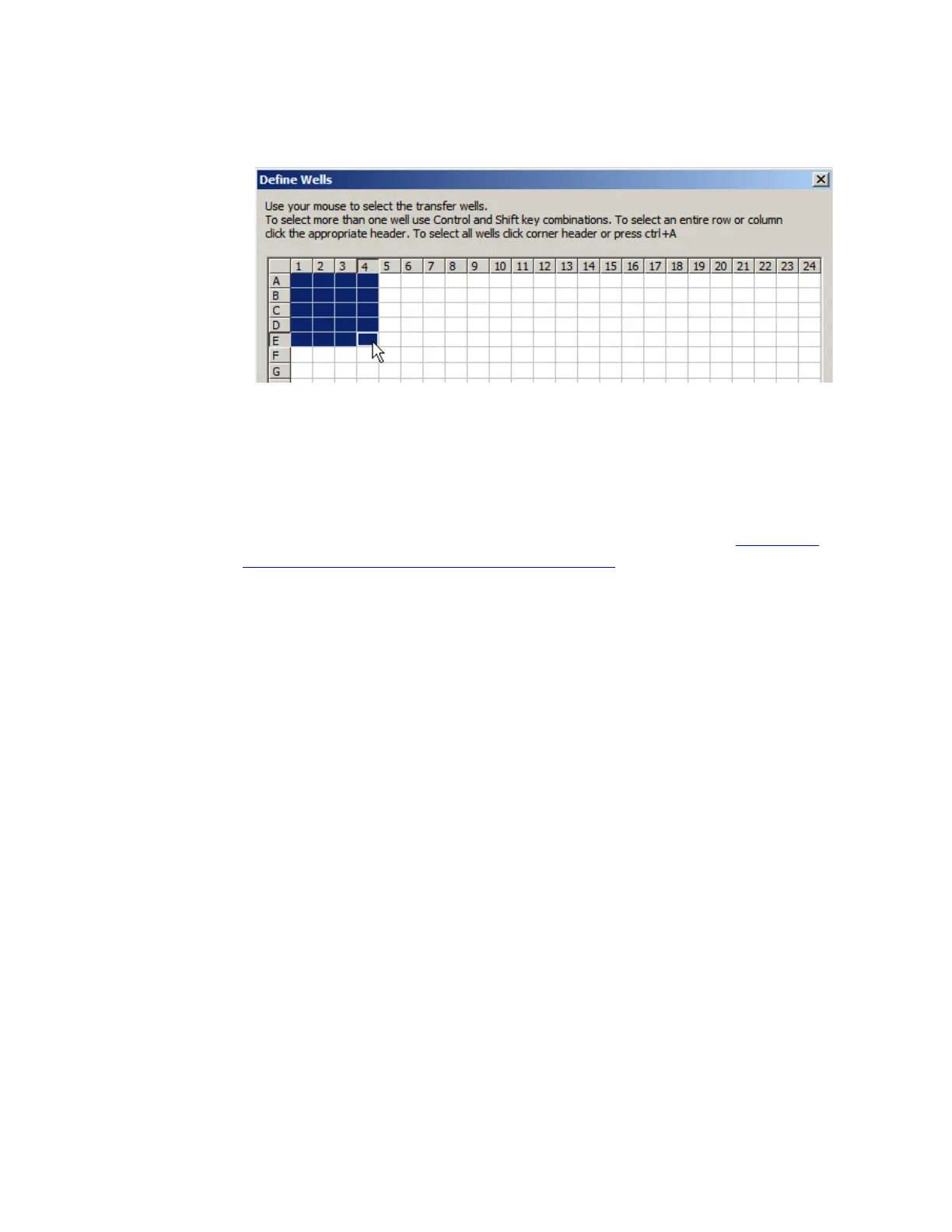
IEW/DEFINE button to display the DEFINE WELLS window.
Figure 4.9 Defining transfer wells
7. Specify the source wells from which to transfer fluid. To define the
region A1 through E4, click cell A1 and drag the mouse pointer to
cell E4.
8. Click the OK button to return to the previous window.
9. Click the FINISH button to store your new protocol definition.
For more information about creating a 384-well protocol, see “Create a
new 384:384 protocol definition” on page 5-5.



 To Next Page