LaCie 12big Rack Storage Server
User Manual page 64
Gem Enclosure Firmware
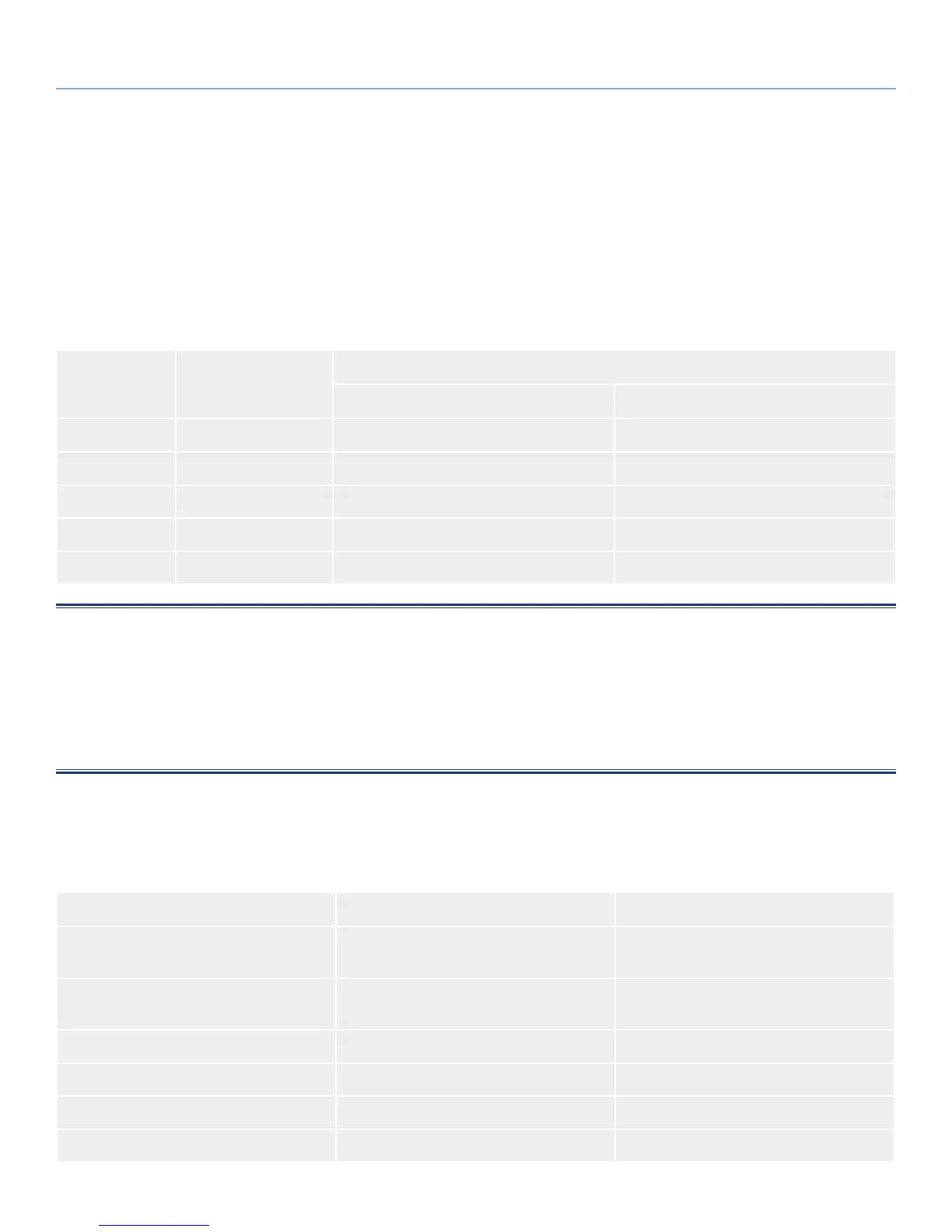
9.1. Alarm States
The GEM firmware supports the following alarms states:
Table 67 - Alarm States
Alarm State Mode Action
Without Mute Button Pressed With Mute Button Pressed
S0 Normal Mode Silent Beep twice
S1 Fault Mode One second on, one second off Transition to S2 or S3 (see notes)
S2 Remind Mode Intermittent beep None
S3 Muted Mode Silent None
S4 Critical Fault Mode Continuous alarm None: Mute not active
NOTES:
1. When in state S1, if the Mute button is not pressed within 2 minutes, the enclosure will automatically move to state S2 or S3.
2. Once a fault is resolved, the system will move back to alarm state S0.
3. The critical fault state S4 can be entered directly from any other alarm state.
4. The beep will only sound if enabled for the configuration.
9.2. Alarm Conditions
The conditions listed in Table 68 will cause an alarm.
Table 68 - Alarm Conditions
Status Severity Alarm State
PSU Alert - Loss of DC power from a single
PCM
Fault - no loss of redundancy S1
PSU Alert - Loss of DC power from a single
PCM
Fault - loss of redundancy S1
Fan Fail Fault S1
EM Card detected PSU fault Fault S1
PSU removed Configuration Error None
Enclosure Configuration Error (VPD) Fault - Critical S1
9. Gem Enclosure Firmware


 To Next Page