SmartShop|Maker Owner’s Manual
15
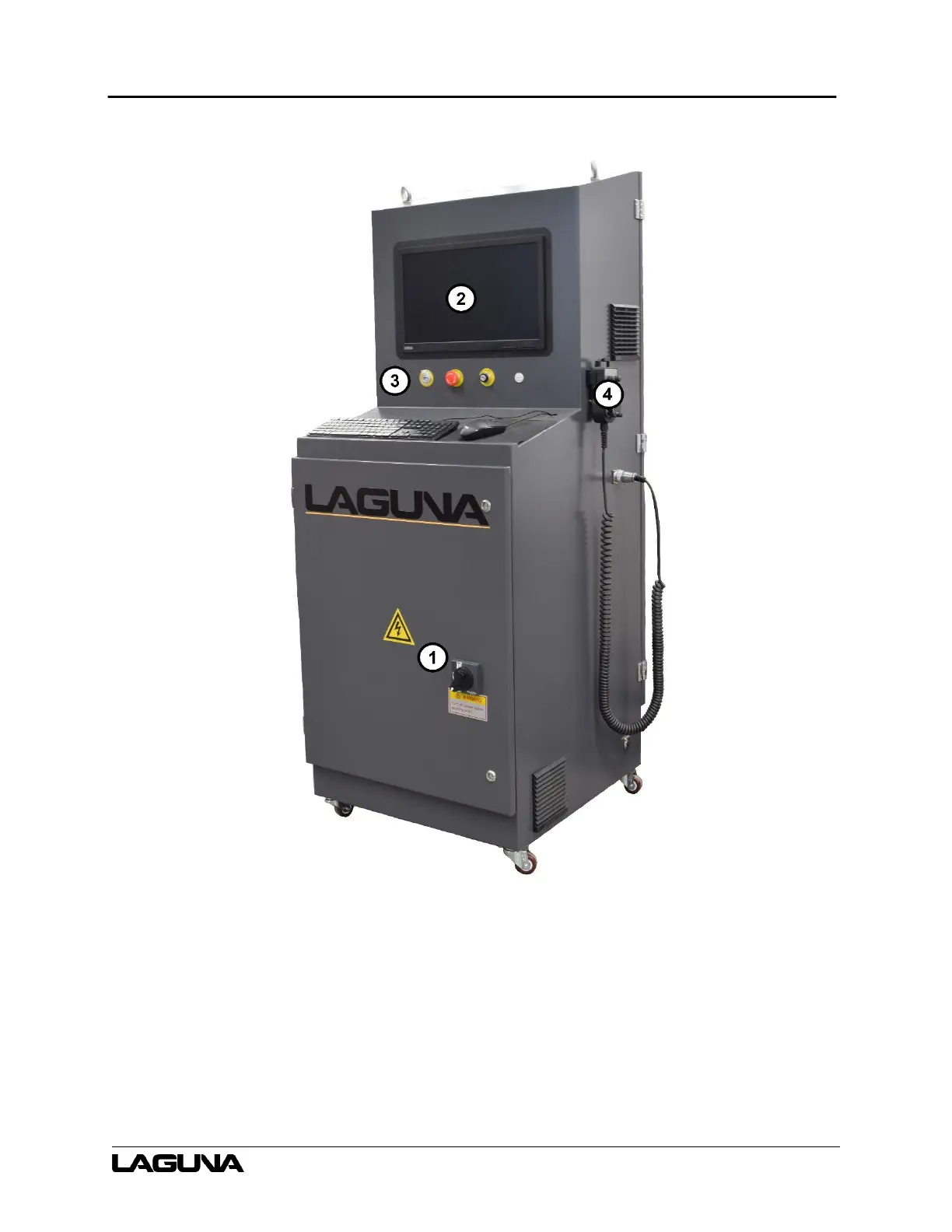
3.3 Electrical Cabinet and Control Panel
1. Main Disconnect Switch – Turn clockwise to turn on the machine power. Turn
counterclockwise to turn off power to the machine.
2. Control Display Screen – The operator’s screen, soft keys, and keypad.
3. Control Panel – Machine controls including the USB port, the EMERGENCY STOP (E-
STOP) button, and the SWITCH ON/OFF.
4. Manual Pulse Generator (MPG) – A remote allowing the operator to manually control the
tool gantry and spindle.



 To Next Page