SmartShop|Maker Owner’s Manual
29
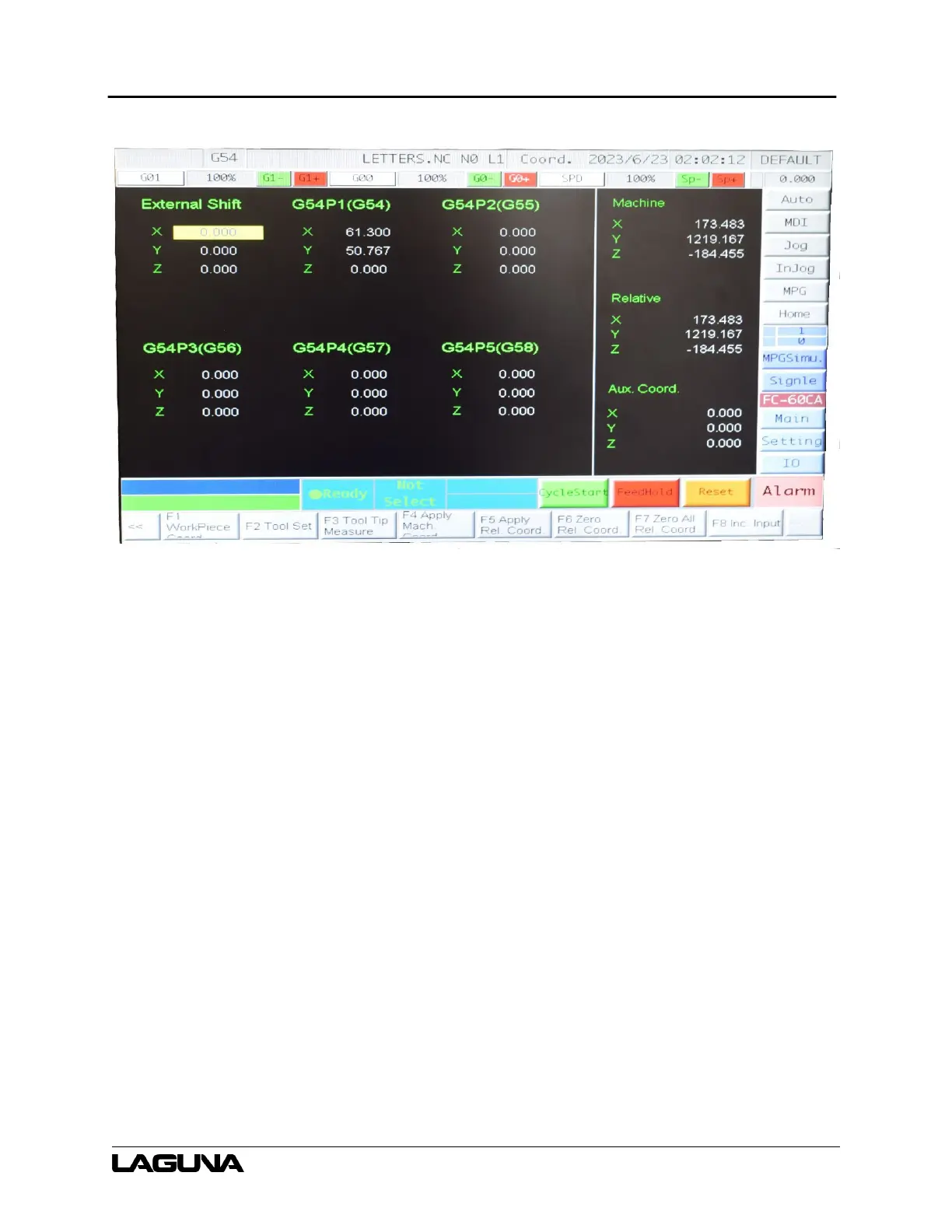
Figure 6-3: Offset/Settings Screen
6.6 Processing Speed Adjustment
Press G1- or G1+ to reduce and increase the processing speed.
6.7 Idle Speed Adjustment
Press G0- or G0+ to decrease and increase the Speed Spindle speed adjustment.
Press SP- or SP+ to decrease and increase the rotation speed of the spindle.
6.8 Power Off
1. Before the machine stops, press the E-Stop button.
2. Exit the System Operation Interface.
3. Shut down the personal computer (PC) off by pressing the POWER OFF button.
4. Turn the Power Switch on the electric cabinet door counterclockwise.



 To Next Page