SmartShop|Maker Owner’s Manual
30
6.9 Emergency Stop
In case of a safety emergency, press the Emergency Stop button and all the machine parts
except for the controller will be disconnected from the power supply to ensure individual and
machine safety.
6.10 Methods
After the system self-check is complete, it will open to the main screen. Release the Emergency
Stop switch (1/4 turn clockwise to the right). The system will prompt navigating to Home. All Axis
must be homed before beginning to operate the machine.
Click on the Auto Go Home button and Cycle Start button, the Z-Axis will go home.
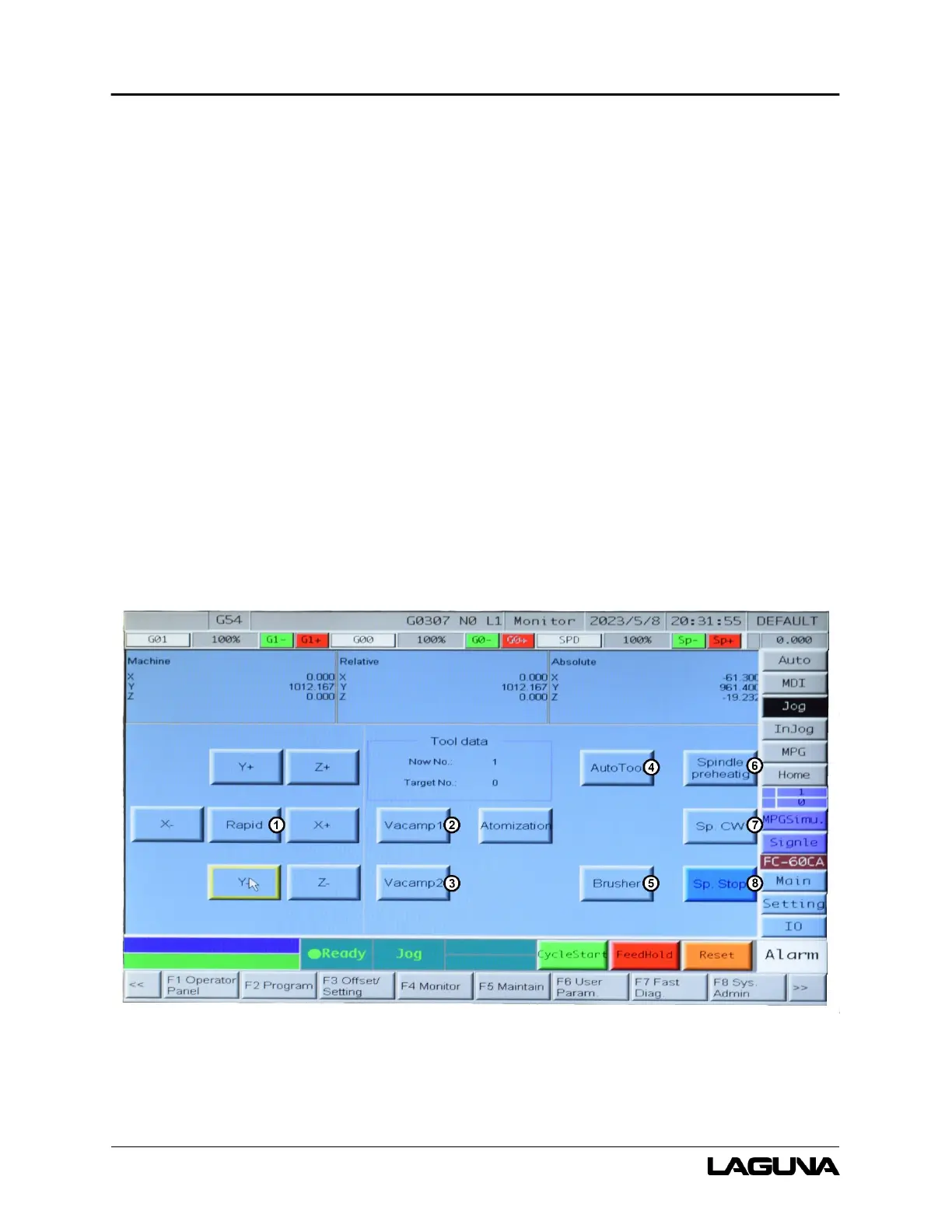
6.10.1 Jog
Figure 6-4 illustrates the Jog interface screen and commonly used buttons.
Figure 6-4: Jog Screen



 To Next Page