SmartShop|Maker Owner’s Manual
35
7.0 Running a Program
Secure project material to the worktable. The SmartShop|Maker is ready to load and run a
program.
7.1 Transferring a Program from a Flash Drive
1. Insert a Flash Drive.
2. Click F2 Program.
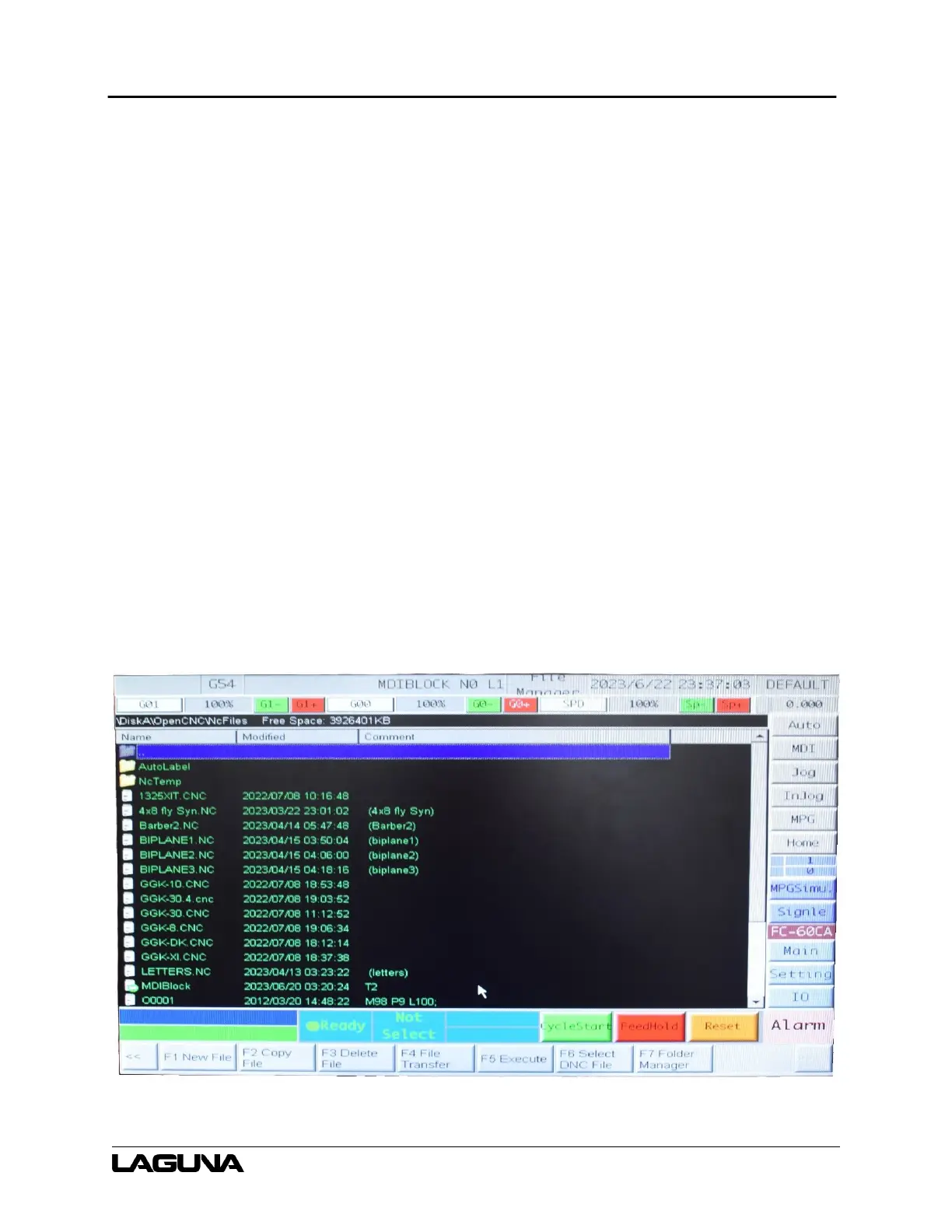
3. Click F8 File Manager.
4. Click F4 File Transfer.
5. Highlight the file.
6. Click F1 File Import.
7. Highlight the file and click F2 Select.
8. Click F1 Copy.
9. Click F8 Exit.
Figure 7-1: File Manager Screen



 To Next Page