SmartShop|Maker Owner’s Manual
25
6.0 Operation
6.1 Power On
1. Turn on the circuit breaker knob on the electric cabinet door clockwise to switch on the
power.
2. Release the EMERGENCY STOP (E-STOP) button and switch on the PC. The main interface
opens following the auto check.
6.2 Main Interface
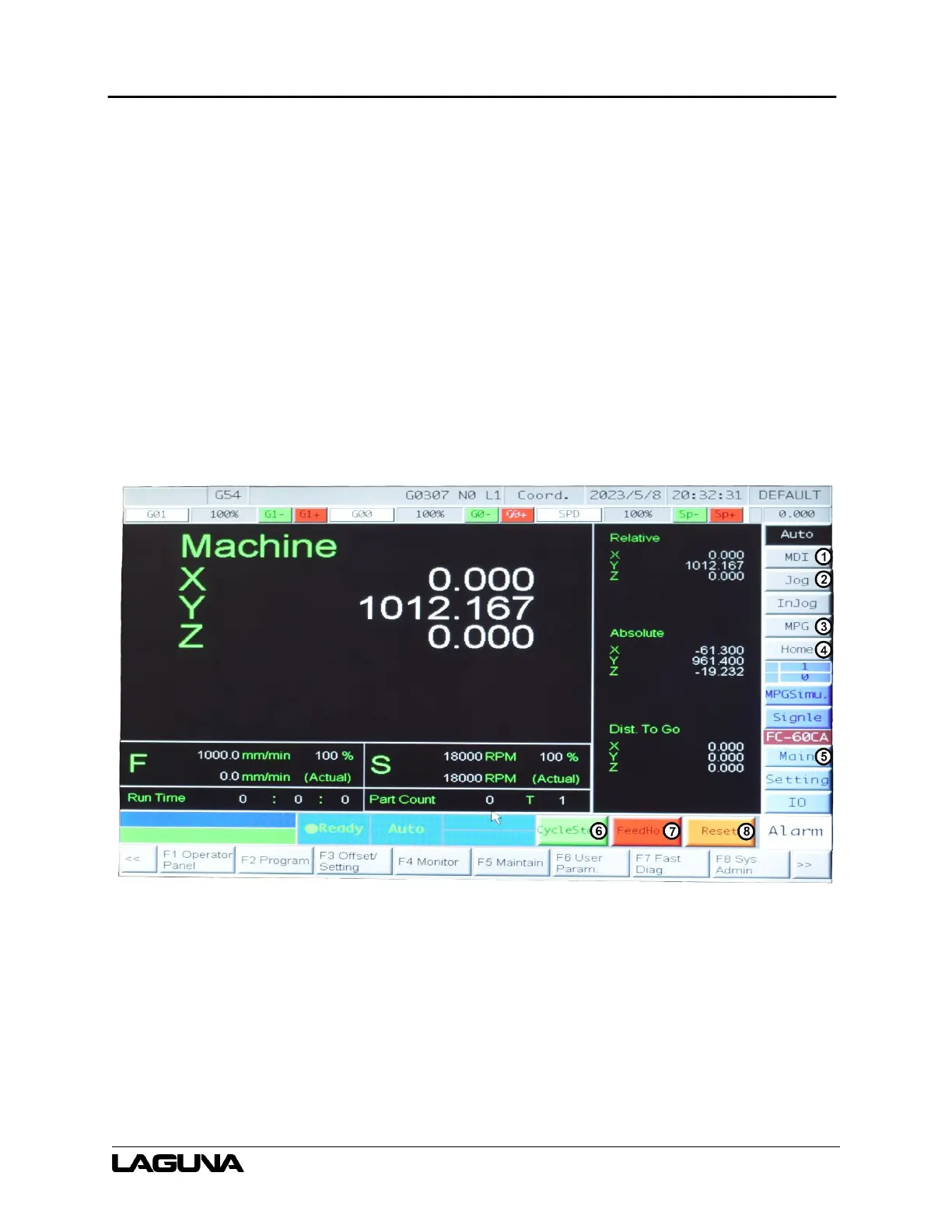
Figure 6-1 illustrates the Main interface screen and some commonly used buttons.
Figure 6-1: Main Screen
1. MDI – Selects Manual Data Input mode.
2. Jog – Select to jog the machine manually.
3. MPG – Select to operate the machine with the Manual Pulse Generator.
4. Home – Select and click CycleStart to home the machine.



 To Next Page