25
90024570rev00
12 • EXTRA
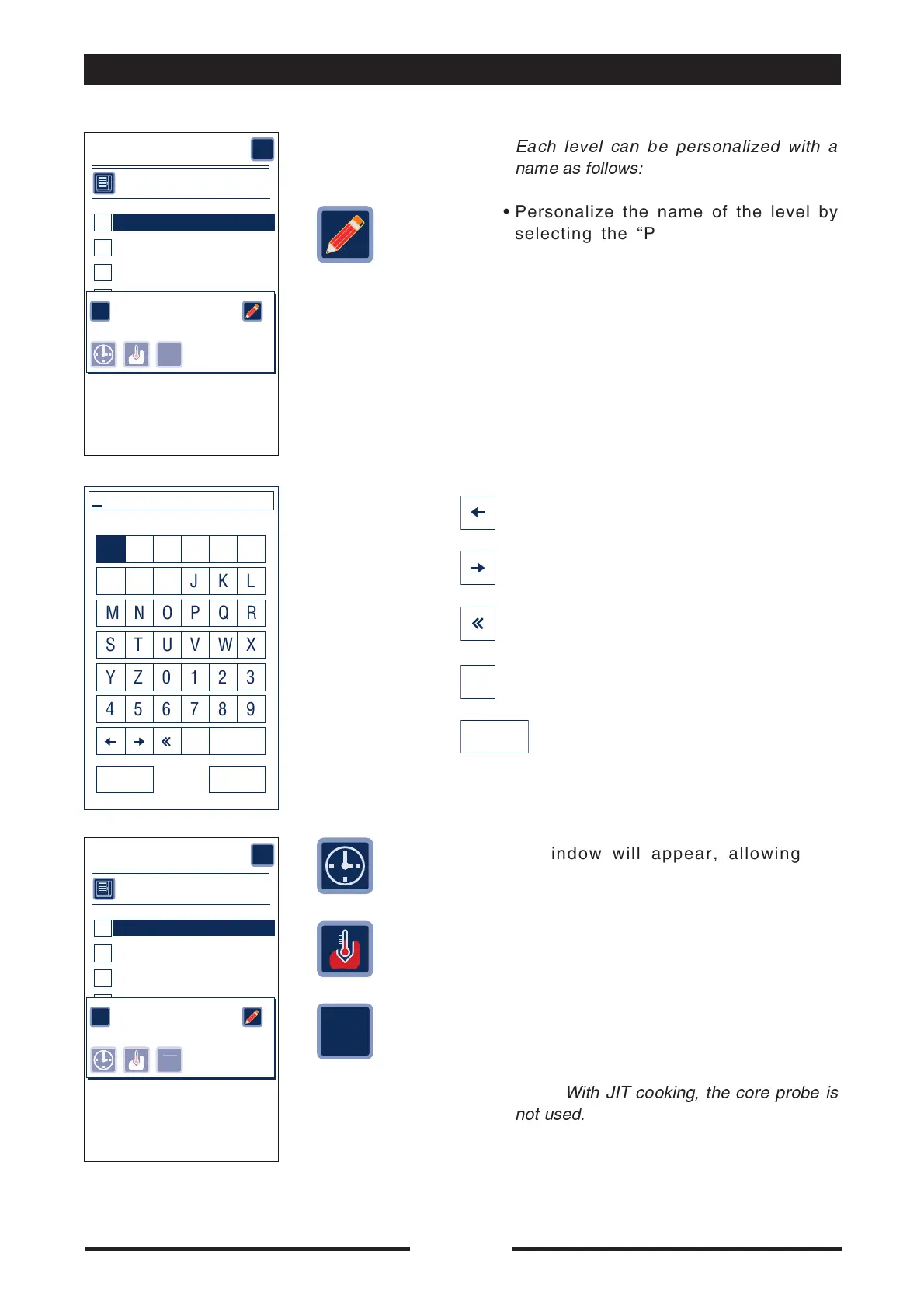
Each level can be personalized with a
name as follows:
•
Personalize the name of the level by
selecting the “Pencil” symbol on the
display.
Enter the name of the new recipe and
confirm by pressing ENTER.
Multilevel
Cooking parameters
Level 01
1
Level 02
2
Level 03
3
Level 04
4
Level 05
5
Level 06
6
?
1 - Nivel 01
OK
IT
0'
A BCDEF
GHI J KL
MNOPQR
STUVWX
YZ0123
456789
canc SPACE
ENTERESC
Enter name of product
Moves the cursor one space to the left
Moves the cursor one space to the right
Cancels the character immediately to the
left of the cursor
Cancels the character immediately to the
right of the cursor
Inserts a blank space
canc
SPACE
Multilevel
Cooking parameters
Level 01
1
Level 02
2
Level 03
3
Level 04
4
Level 05
5
Level 06
6
?
1 - Nivel 01
OK
IT
0'
JIT
•
A window will appear, allowing the
operator to select the type of cooking to
be carried out on that level.
Select the type of cooking for that level:
- Timed
- with core probe
- “JIT” Just in time
by pressing the relative symbol.
Note:
With JIT cooking, the core probe is
not used.





 To Next Page