33
14 • PROGRAMS
90024570rev00
•
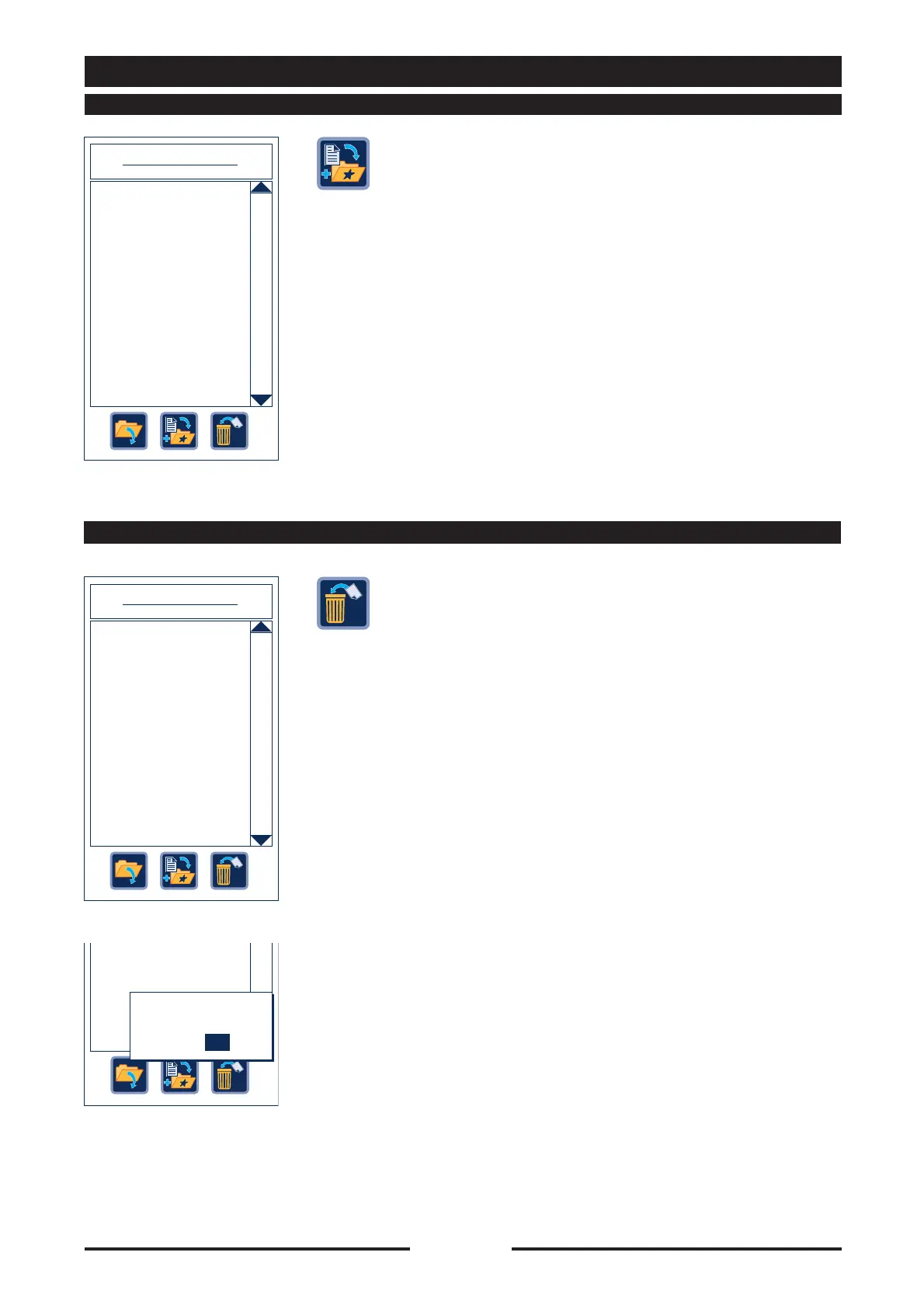
Select the desired recipe directly on the
touch screen or turn the Scroller+ to the
desired recipe, then press the “Add to
favourite” key to add the recipe to the list
of favourite recipes in the main menu.
•
Select the desired recipe directly on the
touch screen or turn the Scroller+ to the
desired recipe, then press the “Delete”
key.
•
A window will appear prompting the
operator to confirm elimination of the
recipe.
Confirm elimination by pressing “YES”.
14.2 - ADDING PROGRAMS TO FAVOURITES
USER PROGRAMS
Programs 004 / 400
Crepes-flan (001)
Roasts 1 - probe
Large cream puffs (001)
Bread 2
14.3 - ELIMINATING USER PROGRAMS
USER PROGRAMS
Programs 004 / 400
Crepes-flan (001)
Roasts 1 - probe
Large cream puffs (001)
Bread 2
The program will be
lost. Continue?
YES NO





 To Next Page