75
90024570rev00
75
90024570rev00
23 • OVEN MANAGEMENT
23.2.2 - DOWNLOADING HACCP LOG
HACCP
Save HACCP on USB stick
Download log
HACCP
Scarica log
Has the USB stick
been inserted?
YES NO
Save HACCP on USB stick
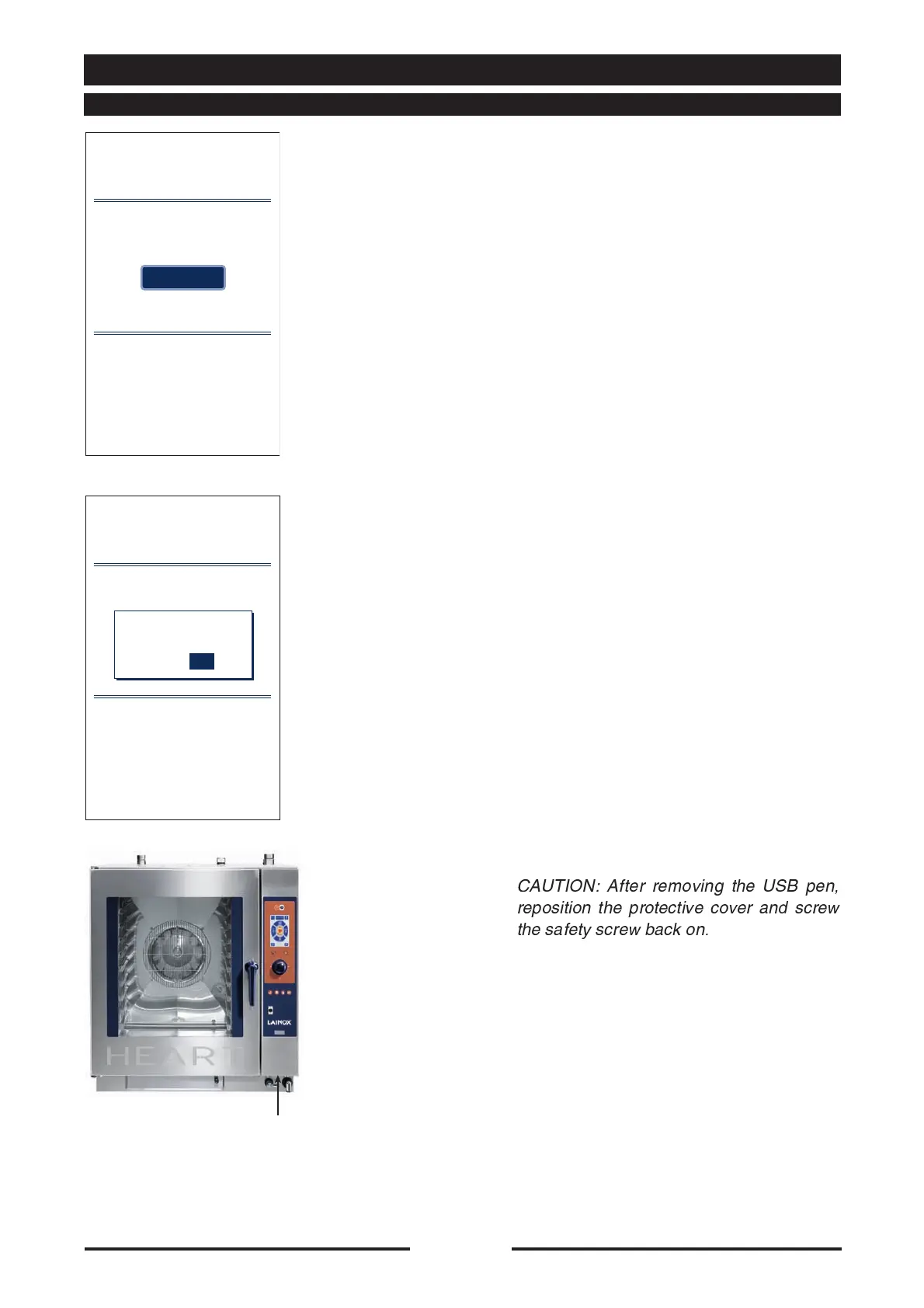
USB port
connection
•
Press the “Download log” key.
•
A screen will appear asking the operator
to insert a USB pen.
Unscrew the protective screw of the USB
port until the protective cover is turned
through 90°, allowing access to the USB
port.
Insert the pen in the oven’s USB port (see
figure).
Confirm you wish to save the data by
selecting “YES” directly on the touch
screen.
CAUTION: After removing the USB pen,
reposition the protective cover and screw
the safety screw back on.





 To Next Page