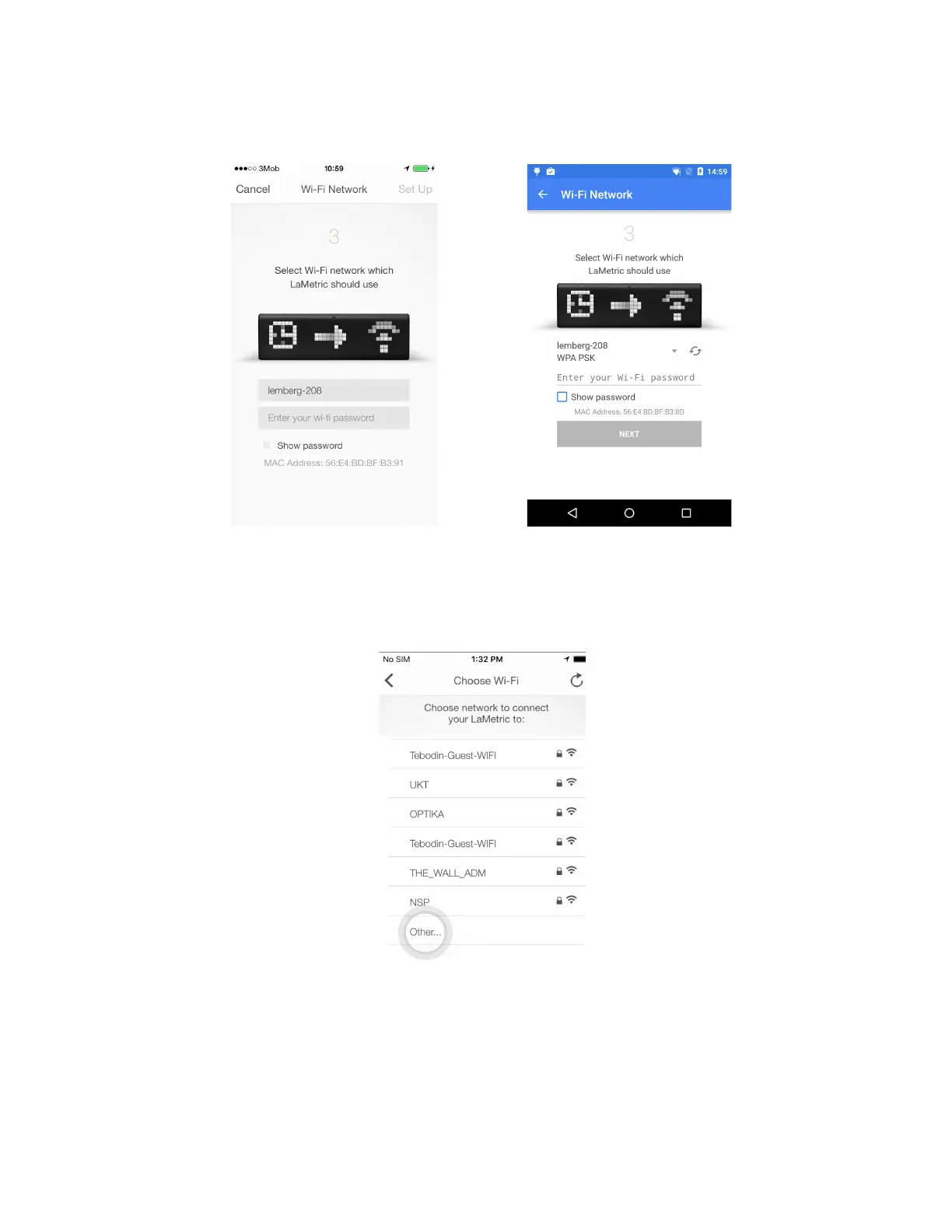
3. Connect LaMetric to home/office Wi-Fi network. Select your home or office Wi-Fi network, which
you usually use, to connect LaMetric to and enter the password. Tap Set up in the right corner on
iPhone, or tap Next on Android smartphone to continue.
iOS Android
If you wish to connect your LaMetric to the hidden Wi-Fi access point please choose 'Other' network
like on the following screenshot:
If you wish to connect you LaMetric to Enterprise network you’ll need to enter username and password:
8



 To Next Page