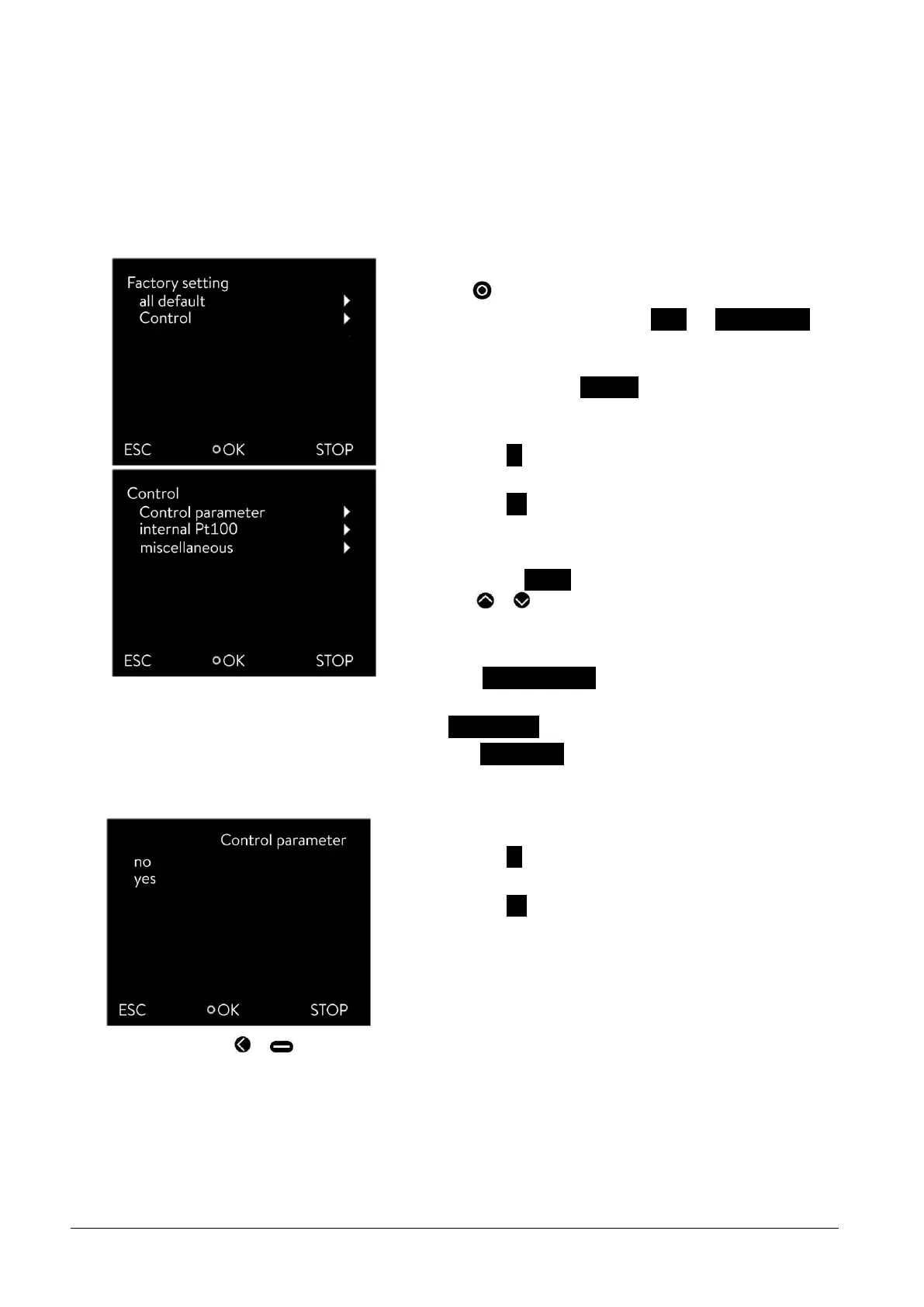
- Access to the main menu level is obtained by pressing the enter
key .
- Selection and confirmation of Setup Factory Setting.
The adjacent menu window appears.
- Select the menu item all default.
Select one of the following options:
- Selecting no returns to the previous display without making any
changes.
- Selecting yes restores the factory settings if you confirm this
with the enter key.
- By selecting Control you can select the displayed parameters
with or .
Select the appropriate menu item in the parameter list.
- The internal and the external control parameters can be reset
using Control parameter.
- The settings for the internal sensor can be reset with
internal Pt100.
- With miscellaneous the following can be reset: set value, pump
level, max. current consumption, control to internal and auto-
start to "auto".
Select one of the following options:
- Selecting no returns to the previous display without making any
changes.
- Selecting yes resets the selected parameter if you confirm this
with the enter key.



 To Next Page