98 / 134 ECO Gold 09/2021
16 External control
The devices can also be optionally controlled via an external Pt100 temperature sensor, which can be connected at the
back of the control head. It is necessary to install an external Pt100/LiBus module ( 6.7) for external control (
18.2). The module is available as an accessory ( 9).
Furthermore, the signal coming from an analogue or serial module can also be controlled. Analogue module and con-
tact modules are available as accessories ( 9).
16.1 Activating external control (external Pt100)
- Access to the main menu level is obtained by pressing the enter key
.
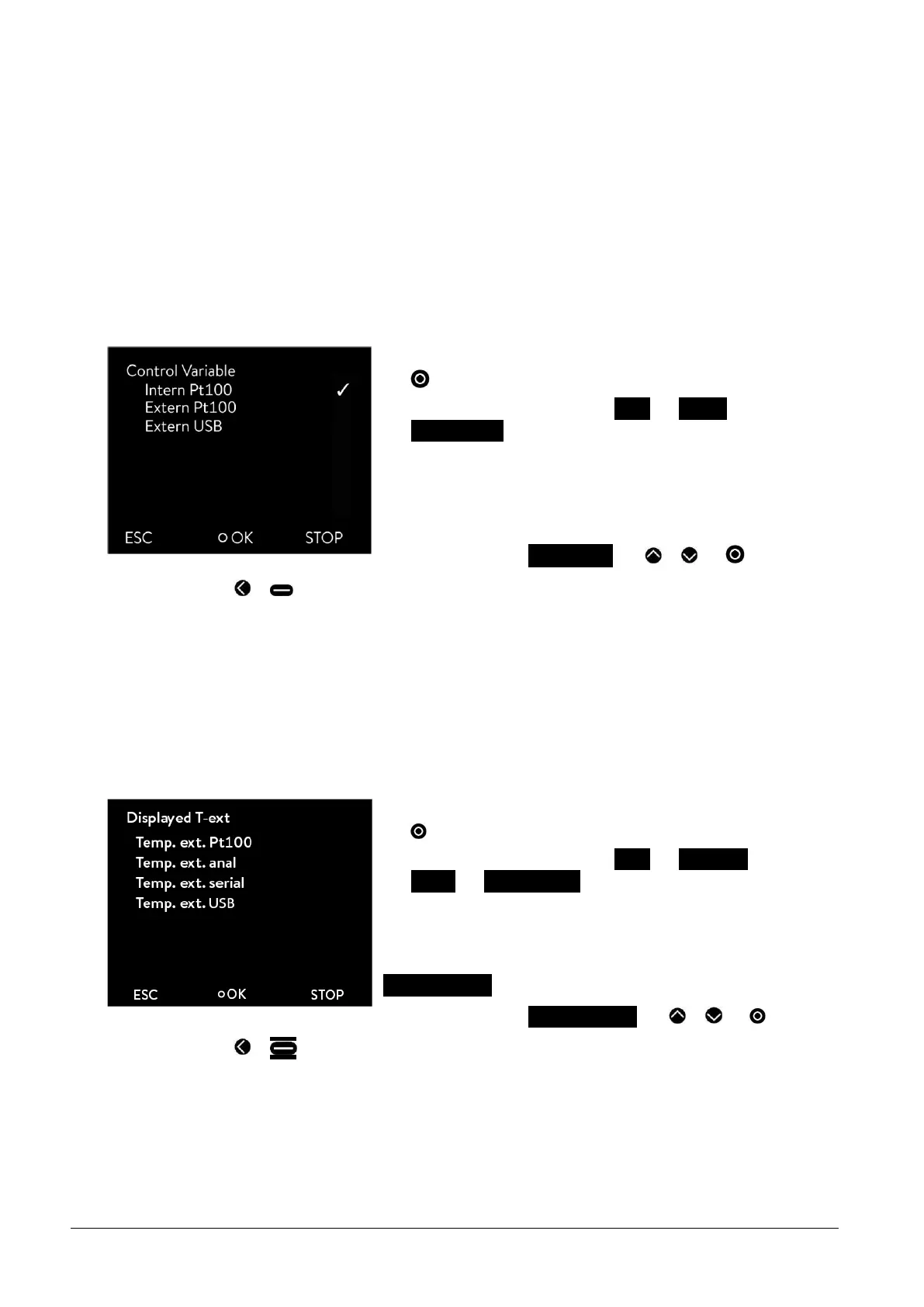
- Selection and confirmation of Setup Control
Contr. Variable.
The adjacent menu window appears.
- The menu item extern Pt100 only appears when the module for an
external connection is available. A temperature sensor has to be
connected to the module
- Select and confirm extern Pt100 with or and .
-
By pressing or (ESC) you are returned to the menu level without any change.
Note: To show the selected control variable on the display, carry out chapter ( 16.2).
Connection of the external Pt100 to Lemo socket 10S ( 19.5)
16.2 Show the selected control variable (external temperature) on the display
Note: This setup must be done so that the control variable (which was selected in chapter 16.1) is displayed in the
basic window.
- Access to the main menu level is obtained by pressing the enter key
.
- Selection and confirmation of Setup Basic setup
Display Displayed T-ext.
The adjacent menu window appears.
The different menu items only appear when the module is available (e.g.
Temp. ext. Pt100).
- Select and confirm Temp. ext. Pt100 with or and .
-
By pressing or (ESC) you are returned to the menu level without any change.



 To Next Page