09/2021 ECO Gold 87 / 134
13.2 Setting the volume of the acoustic signals
The ECO GOLD thermostats sound alarms and faults as a two-tone acoustic signal. Warnings a signaled as a continuous
tone,
Access to the main menu level is obtained by pressing the enter key
.
Selection and confirmation of Setup Basic setup Sounds.
Choose Alarm, Warn or Error.
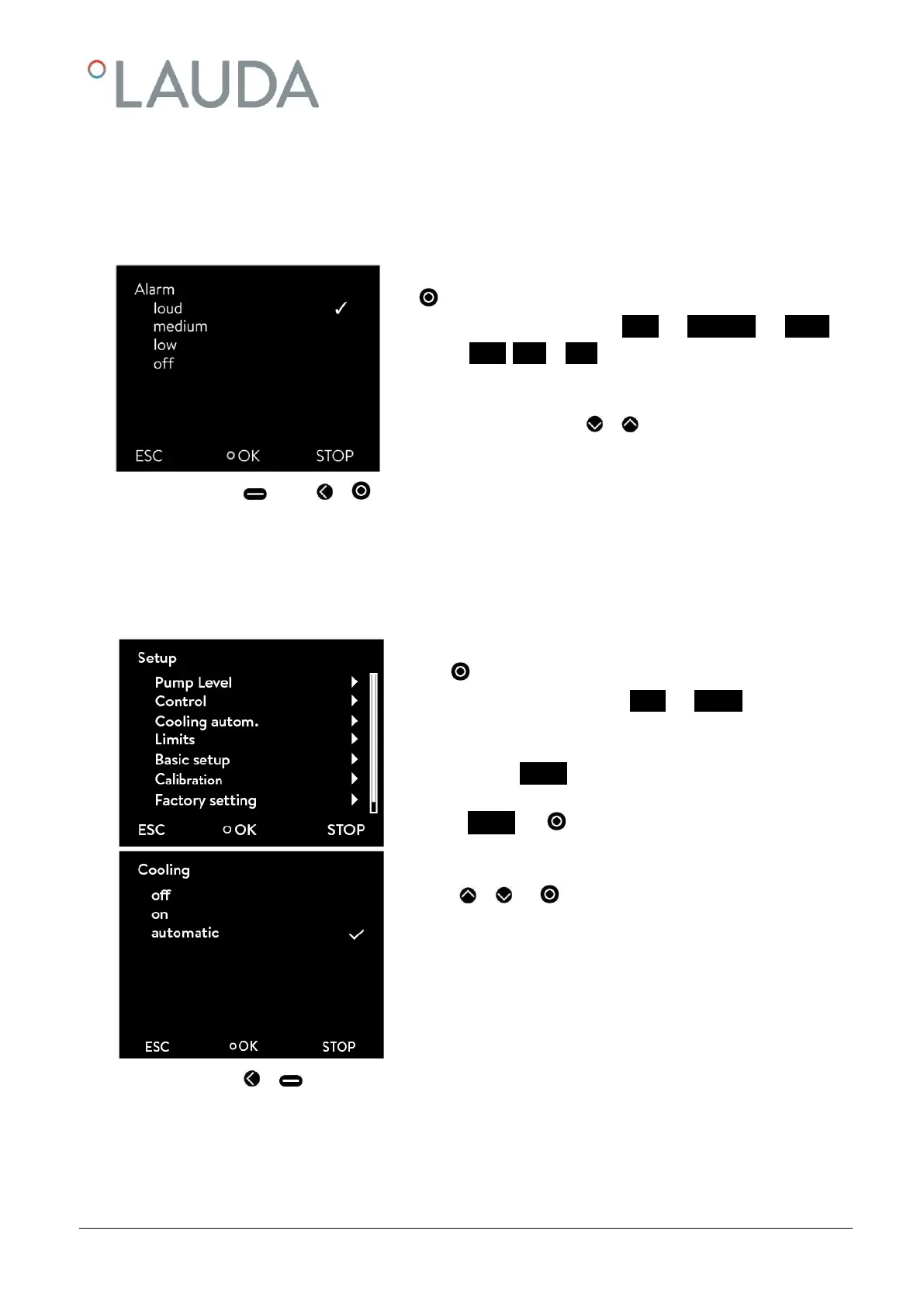
The adjacent menu window appears.
The volume is selected with or . The selected level is immediately
active without confirmation.
-
By pressing (ESC), or you are returned to the menu level without any change.
13.3 Setting the chiller
The chiller of the cooling thermostats is operated in the "automatic" operating mode as standard. Here, the cooling unit
switches on or off automatically depending on the temperature and operating status. However, you can also switch the
cooling unit on or off manually.
Access to the main menu level is obtained by pressing the enter
key .
Selection and confirmation of Setup Cooling.
The adjacent menu window appears.
- (As well as Cooling the current operating mode is stated. This
is "off", "on" or "automatic".)
Select Cooling with .
With or and you select and confirm the operating status
"off", "on" or "automatic".
In the menu the set operating status is displayed by a tick .
-
By pressing or (ESC) you are returned to the menu level without any change.
Note: When the cooling unit is switched off, it can take up to two minutes before it switches on again.



 To Next Page