LAUNCH
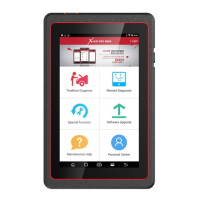
X-431 PADII
User's Manual
41
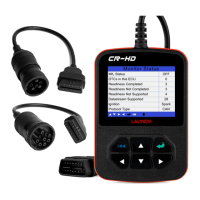
10.3 Download and Install X-431 HD Module App
Visit the LAUNCH website and download the application 1.
corresponding to X-431 HD module;
Note: If downloading using X-431 PADII, please make sure Wi-Fi has
good or strong signals.
2. Follow the on-screen instructions to install it. Once installation is
complete, an application icon will appear on the HOME screen.
10.4 Activate X-431 HD Module
After purchasing X-431 HD module, you have to activate it before use.
Follow the steps below to proceed:
Launch the application, and tap 1.
to enter;
Tap “Profile” from the pull-down menu, and then tap “Activate 2.
Connector”;
Input the Serial Number and Activation Code, which can be found 3.
in the included password envelope. Tap “Activate”.
10.5 Download Diagnostic Software
Before diagnosing heavy-duty trucks, you have to download the
diagnostic software.
Tap 1. and then tap “Prole” to enter. Choose the serial number for
X-431 HD module;
Tap 2.
and then tap “Update” to enter diagnostic software
download interface;
Tap “Select All” to select all, and then tap “One-Click Update” to 3.
start downloading and installing.
Note: Tap the triangle next to the software version to view all available
versions. To deselect the desired one, just uncheck the box.
10.6 How to diagnose
Diagnosing a heavy-duty truck has same operation procedures
as DEMO program. For details, please refer to Chapter 5.6 “Start
Diagnosing”.


 To Next Page