44
LAUNCH
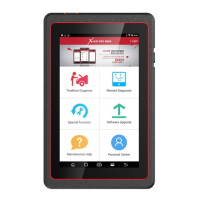
X-431 PADII
User's Manual
history.
Enter main menu screen, tap 1. Browser to launch the browser.
Tap 2.
> Settings > Privacy & security.
Tap “Clear history”.3.
11.3 Using Bluetooth
Bluetooth connection is supported on X-431 PADII. Using it, you
can connect X-431 PADII to other compatible devices for data
transmission.
Note: Bluetooth connection is likely to be disturbed by other
objects, such as walls or other electronic devices.
11.3.1 Open Bluetooth
Enter main menu screen, tap “Settings” --> “Bluetooth”. 1.
When the Bluetooth switch is ON position, it indicates it is already 2.
on and a corresponding Bluetooth icon will appear on the status bar
of X-431 PADII.
11.3.2 Allow other devices to search for X-431 PADII
Enter main menu screen, tap “Settings” --> “Bluetooth”. Tap 1. and
choose “Visibility timeout”.
Set the desired visibility option.2.
11.3.3 Search other devices and pair it with X-431 PADII
Before transmitting data with other Bluetooth devices, you have to pair
it with X-431 PADII.
Check and ensure Bluetooth is ON. 1.
Enter main menu screen, tap “Settings” --> “Bluetooth”.2.
X-431 PADII starts scanning all Bluetooth devices. 3.
Choose the desired one from the search result to pair it with X-431 4.
PADII.
11.3.4 Send le via Bluetooth
You can send pictures, videos, audio les or test reports to others for
sharing and review via Bluetooth.
To transfer les via Bluetooth, please proceed with the following steps
described below:
Enter main menu screen, and tap “File Manager”.1.
Access the corresponding folder and choose the desired picture, 2.
video or audio le.
Tap 3.
and choose “Bluetooth” from the pull-down menu.
Tap the target Bluetooth device you want to transmit les. 4.
11.4 Camera
11.4.1 How to take a picture
Enter main menu screen, tap Camera.



 To Next Page