A
A
C
C
S
S
6
6
0
0
6
6
D
D
i
i
g
g
i
i
t
t
a
a
l
l
A
A
C
C
S
S
e
e
r
r
v
v
o
o
d
d
r
r
i
i
v
v
e
e
M
M
a
a
n
n
u
u
a
a
l
l
R
R
e
e
v
v
1
1
.
.
0
0
Tel: (86)755-26434369 44 Website: www.leadshine.com
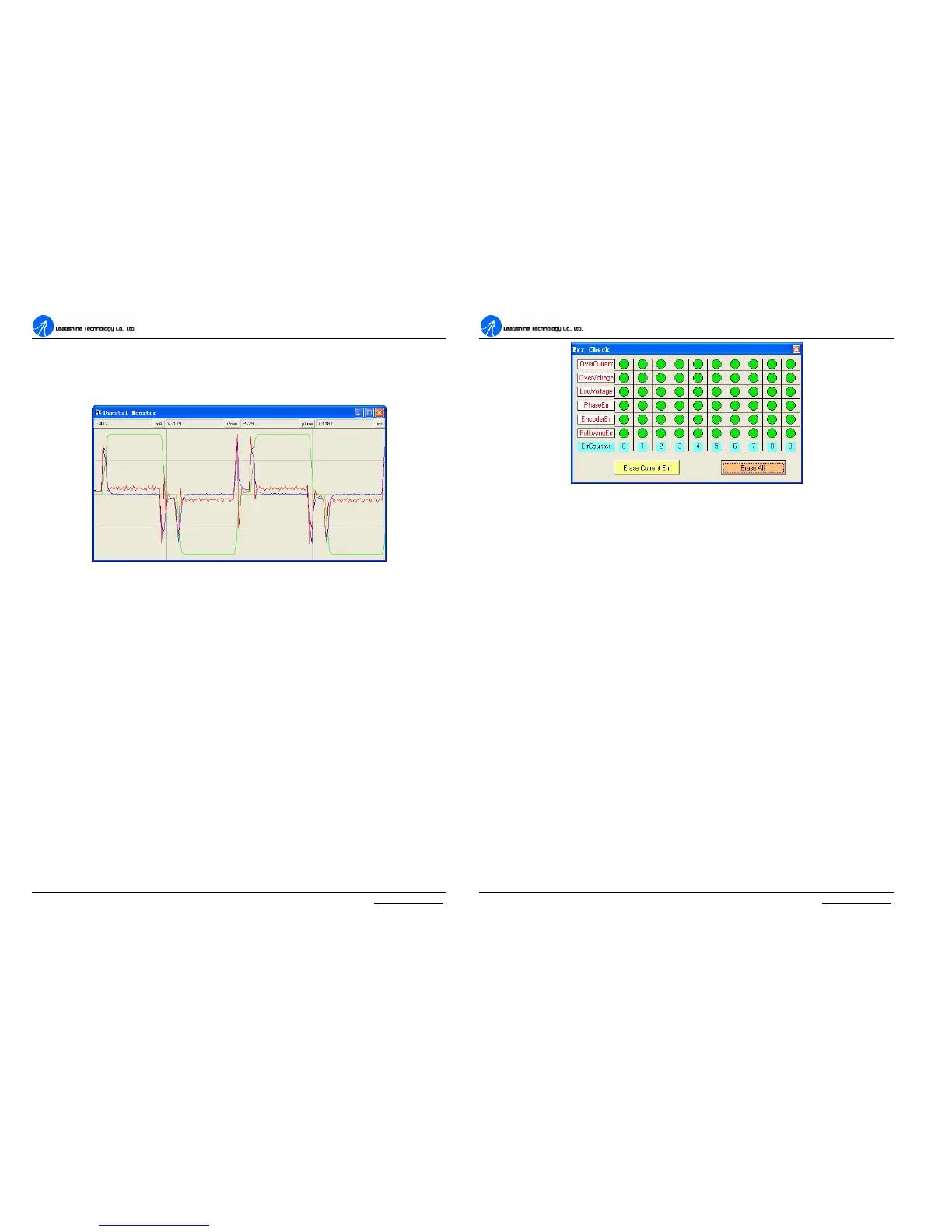
Digital Scope Window
Digital monitor can display curves and dynamic values of different point of different
curves. Click DigitalMonitor in the main menu will open this window.
Figure 48: Digital scope window
I: Current. Displays dynamic values for Current related curve(s). Dynamic value will
change with mouse focus changes. Its unit is mA.
V: Velocity. Displays dynamic values for Velocity related curve(s). Dynamic value
will change with mouse focus changes. Its unit is r/min.
P: Position. Displays dynamic values for Position related curve(s). Dynamic value
will change with mouse focus changes. Its unit is pulse (count).
T: Time. Displays dynamic values for Time. Dynamic value will change with mouse
focus changes. Its unit is ms.
Error Check Window
Click Err_check in the main menu will open this window. This window shows both
the present status of each error event and their history. Current error event(s) can be
reset by clicking Erase Current Err! button, and all error events can be reset by
clicking Erase All! button.
A
A
C
C
S
S
6
6
0
0
6
6
D
D
i
i
g
g
i
i
t
t
a
a
l
l
A
A
C
C
S
S
e
e
r
r
v
v
o
o
d
d
r
r
i
i
v
v
e
e
M
M
a
a
n
n
u
u
a
a
l
l
R
R
e
e
v
v
1
1
.
.
0
0
Tel: (86)755-26434369 45 Website: www.leadshine.com
Figure 49: Error check window
OverCurrent: Over-current Protection. Protection will be activated when
continuous current exceeds 24A.
OverVoltage: Over-voltage Protection. When power supply voltage exceeds 90±
1.5 VDC, protection will be activated.
LowVoltage: Under-voltage Protection. When power supply voltage is lower than
18±1.5 VDC, protection will be activated.
PhaseErr: Phase Error Protection. Motor power lines wrong & not connected and
encoder or hall sensors feedback signals wrong connected will activate this protection.
EncoderErr: Encoder Error Protection. No encoder/hall sensor feedback signals or
wrong encoder/hall sensor feedback signals will activate this protection.
FollowingErr: Position Following Error Limit Protection. When position
following error reaches Position Following Error Limit parameter setting in the
drive, this protection will be activated.
ErrCounter: Displays current error(s) and current error history.
Erase Current Err!: Erase Current Err button. The user can clear current error(s)
by clicking this button.



 To Next Page