A
A
C
C
S
S
6
6
0
0
6
6
D
D
i
i
g
g
i
i
t
t
a
a
l
l
A
A
C
C
S
S
e
e
r
r
v
v
o
o
d
d
r
r
i
i
v
v
e
e
M
M
a
a
n
n
u
u
a
a
l
l
R
R
e
e
v
v
1
1
.
.
0
0
Tel: (86)755-26434369 38 Website: www.leadshine.com
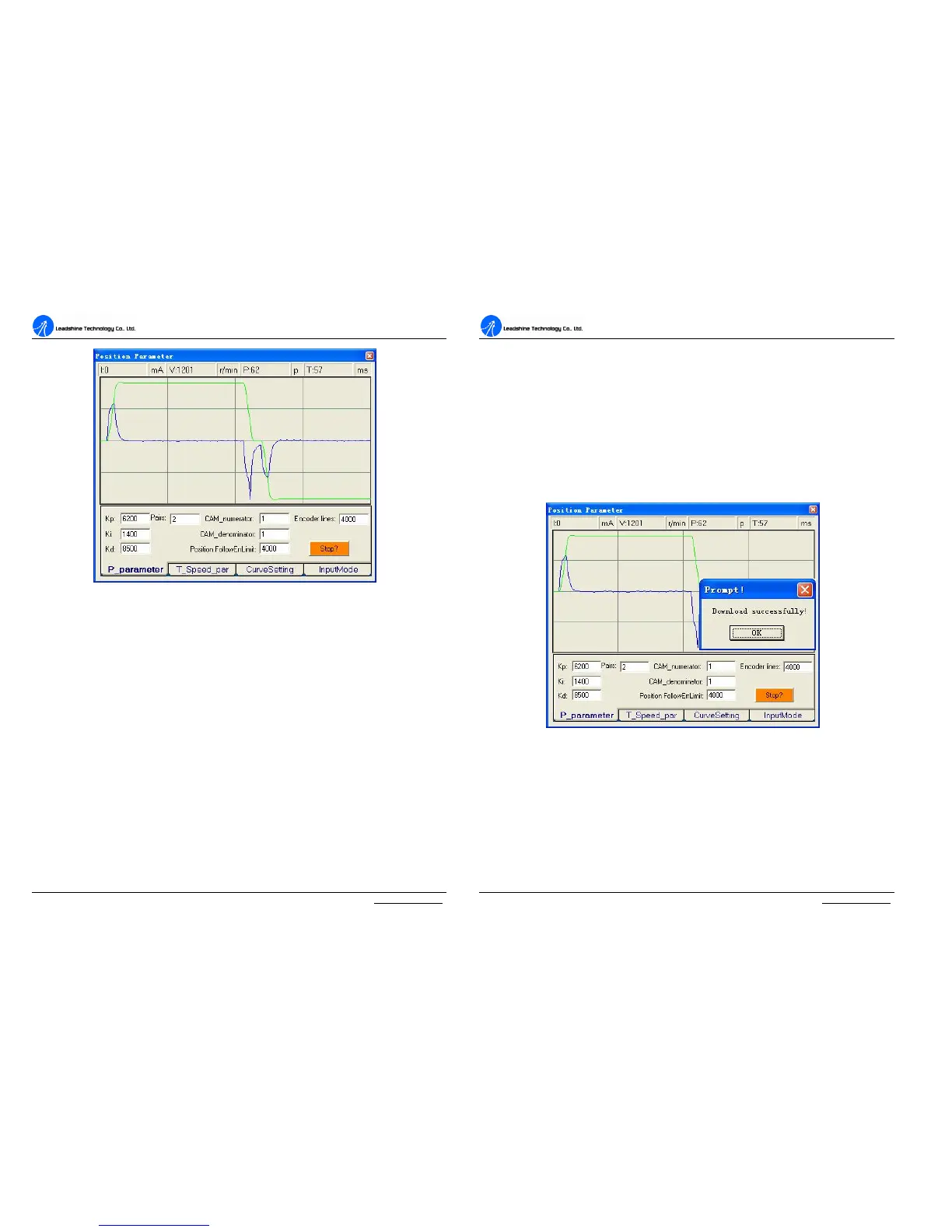
Figure 43: Position following error curve and velocity curve (Kp=6200, Ki=1400 and Kd=8500)
Tuning servo systems formed by ACS606 drives can be summarized as the
following rules.
1. If servo system is UNSTABLE, then the first thing of tuning is to stabilize the
system. You can increase Derivative Gain of Position Loop (Kd) or decrease
Proportional Gain (Kp) or Integral Gain of Position Loop (Ki).
2. If servo system is UNDER DAMPED, then increase Kd or decrease Kp or Ki.
3. If servo system is CRITICALLY DAMPED, then stop tuning and download the
parameter settings to the drive’s EEPROM.
4. If servo system is OVER DAMPED, then decrease Kd or increase Kp or Ki.
A
A
C
C
S
S
6
6
0
0
6
6
D
D
i
i
g
g
i
i
t
t
a
a
l
l
A
A
C
C
S
S
e
e
r
r
v
v
o
o
d
d
r
r
i
i
v
v
e
e
M
M
a
a
n
n
u
u
a
a
l
l
R
R
e
e
v
v
1
1
.
.
0
0
Tel: (86)755-26434369 39 Website: www.leadshine.com
Upload and Download Data
Download Data to EEPROM
A built-in EEPROM in the ACS606 is used to save the configuration data. Every
time when you finish configuration or get satisfied parameters after tuning, don’t
forget to download the data to drive’s EEPROM by select Option->SaveToDrive.
ProTuner will indicate you by a message box as shown in Figure 44 if download is
successful. The EEPROM is a nonvolatile storage, so data in EEPROM will not lose
when power is off.
Figure 44: Download to Drive EEPROM
Upload the Data from EEPROM
ProTuner will read the data form the EEPROM automatically when a specific menu
is selected. For example, the Error Check window will display the last ten errors if
click Err_check in main menu bar.



 To Next Page