EN
180
Camera operation
Setting menu items with submenu
(with triangle mark on the right)
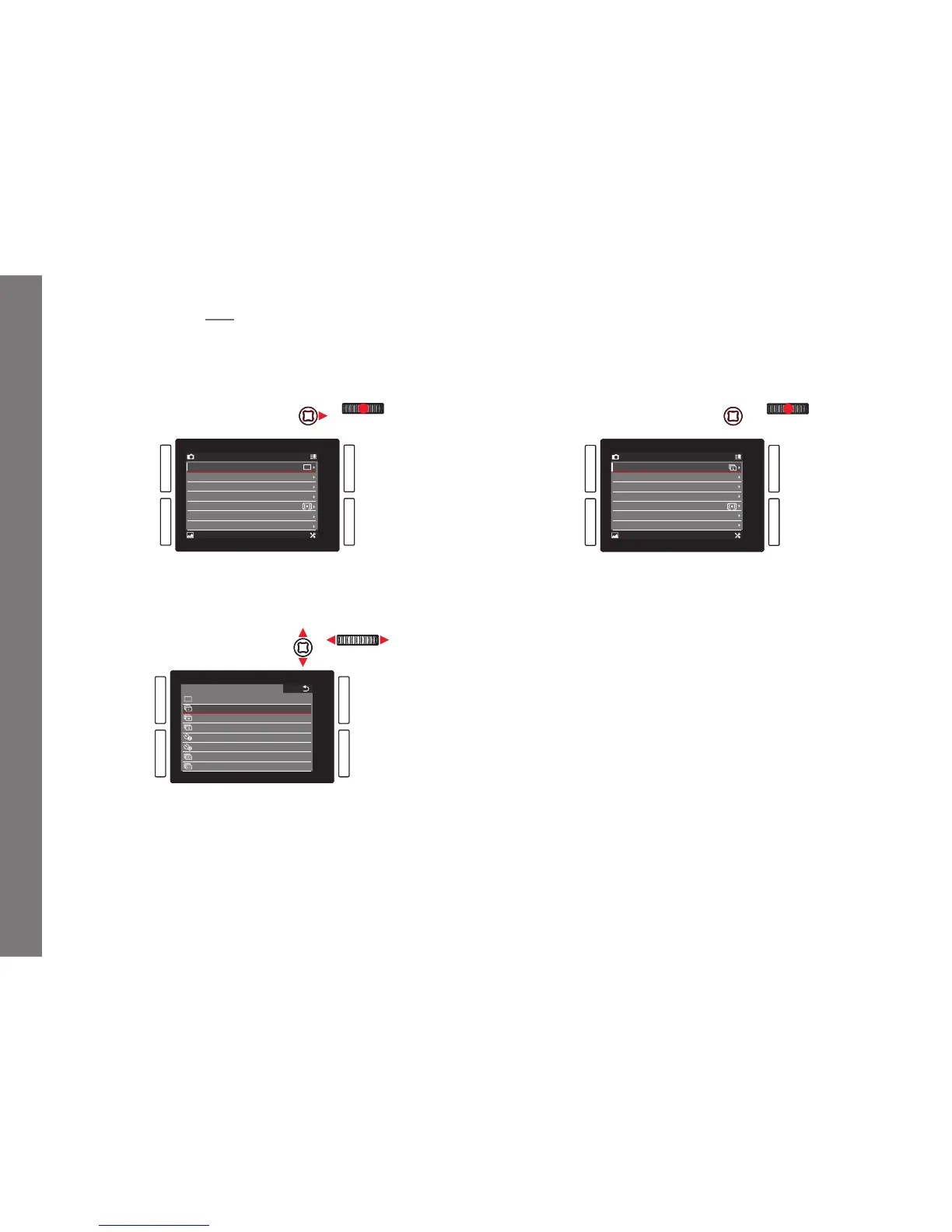
3. Press the click wheel or the joystick inwards or to the right.
• The submenu appears, listing the available options or the
values that can be set.
CAMERA FAVORITES
IMAGE SETUP
Drive Mode
Focus Mode
AF Mode
AF Field Size
Exposure Metering
Exposure Compensation
Exposure Bracketing
AFs
Static
Field
0
4. Turn the click wheel or press the joystick in the relevant
direction (diff erent depending on whether you are using a list
or a scale) to select the desired option / value.
DRIVE MODE
Single
Continuous Low Speed
Continuous Medium Speed
Continuous High Speed
Self Timer 2 s
Self Timer 12 s
Interval
Exposure Bracketing
5. Press the click wheel or the joystick inwards to confi rm the set
option / value.
• The display returns to the next higher menu level, or, for
functions that require further settings, advances to the next
option.
CAMERA FAVORITES
IMAGE SETUP
Drive Mode
Focus Mode
AF Mode
AF Field Size
Exposure Metering
Exposure Compensation
Exposure Bracketing
AFs
Static
Field
0
SL_EN.indd 180 16.09.2015 15:04:26



 To Next Page