EN
199
Basic photo settings
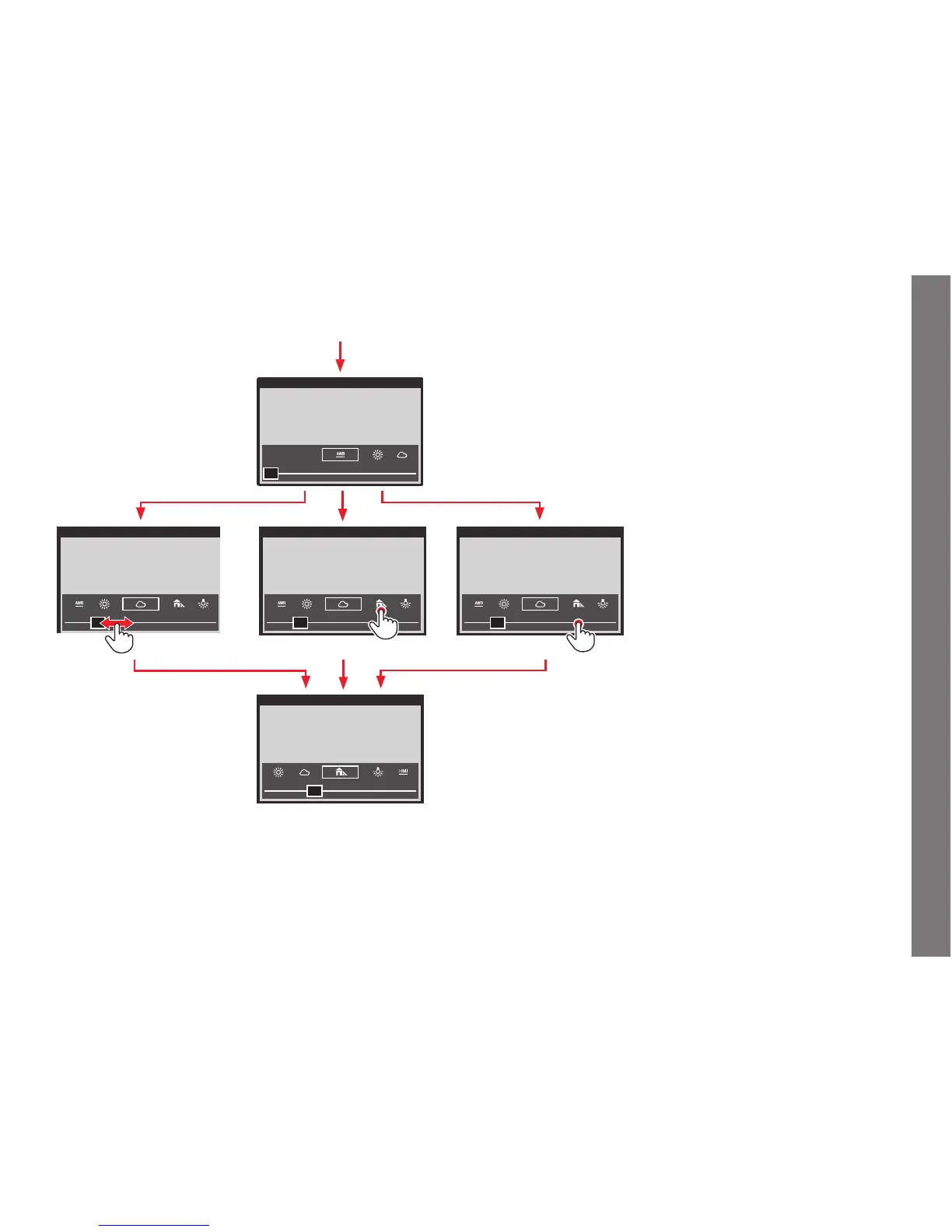
Setting the function - using direct access with gesture control
Press and hold the button you assigned the function to until the respective setting screen appears.
Notes:
• The screens disappear again a few seconds after the last setting, i.e. settings must be made within this period of time. If you want to exit
the screens earlier, press the click wheel, or the joystick, or the
BL button, or the shutter release button. In any case, the respective settings
are automatically saved.
• Even within gesture control, settings can be done with the click wheel or the joystick.
SL_EN.indd 199 16.09.2015 15:04:29


 To Next Page