www.we-are-digital.co.uk | info@we-are-digital.co.uk | +44 (0) 3333 444019
10
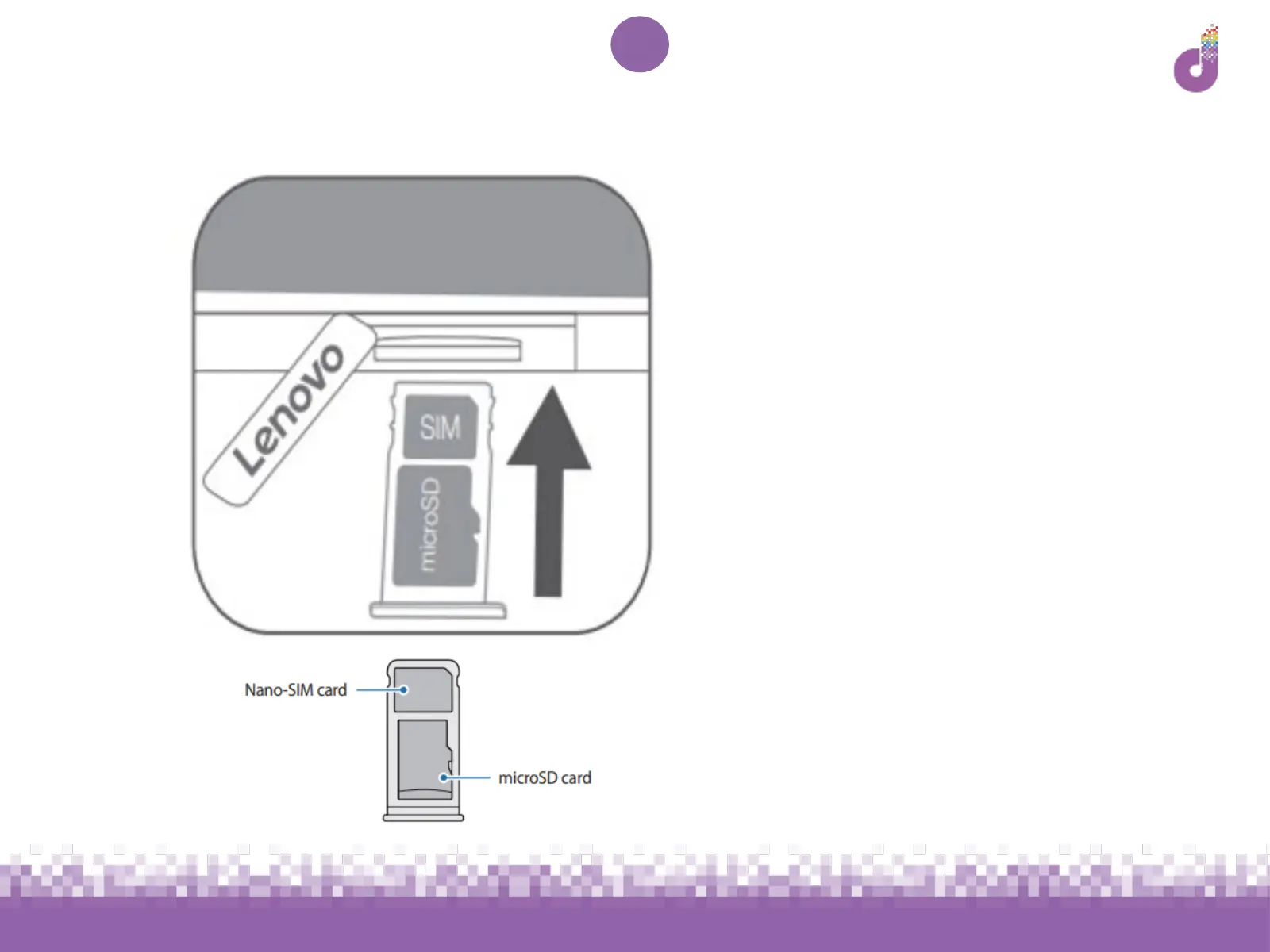
Lenovo Tab E10: Installing the SIM
1. Lift the blue Lenovo cover
(marked 9 on the diagram on
p.4)
1. Pull out the card tray
1. Insert the Nano-SIM as
pictured here, with the
metallic side facing down
(ignore the microSD card)
1. Gently push the card tray
back into the slot and replace
cover



 To Next Page