5.ClickYesintheSetupConfirmationwindow.Thebuilt-inbatteryisdisabledandthecomputerturnsoff.
Waitforthreetofiveminutestoletthecomputercool.
Replacingthebasecoverassembly
Beforeyoustart,printtheseinstructions.Readtheimportantsafetyinformationfirst.See“Important
safetyinformation”onpagevi.
Toreplacethebasecoverassembly,dothefollowing:
1.Turnoffyourcomputeranddisconnecttheacpoweradapterandallcablesfromthecomputer.
2.Disablethebuilt-inbattery.See“Disablingthebuilt-inbattery”onpage101.
3.Closethecomputerdisplayandturnthecomputerover.
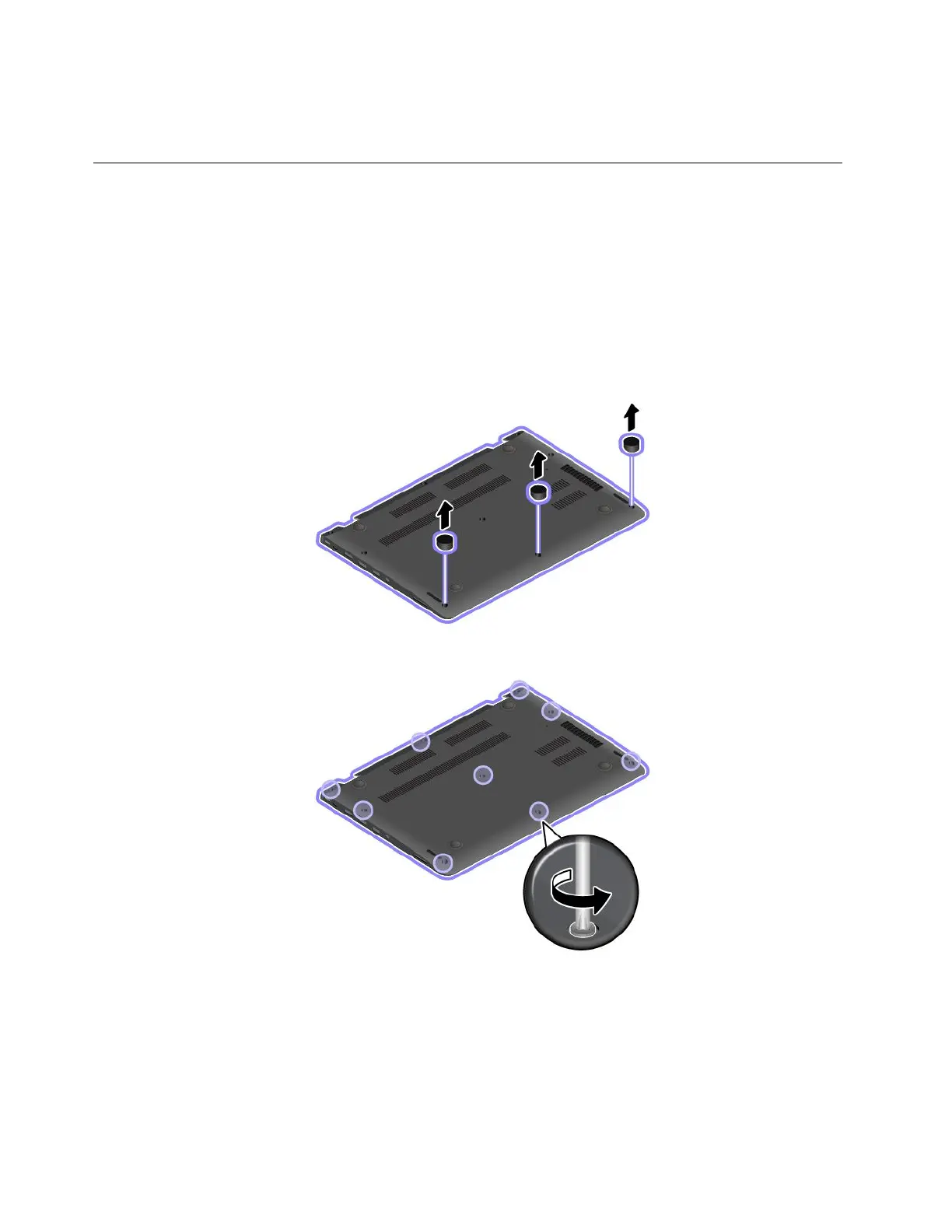
4.Removethescrewcaps.
5.Loosenthescrewsthatsecurethebasecoverassembly.
102ThinkPad13UserGuide













 To Next Page