3Powerbutton
Pressthepowerbuttontoturnonthecomputerorputthecomputerintosleepmode.Forinformationabout
howtoturnoffthecomputer,see“Frequentlyaskedquestions”onpage15
.
Ifyourcomputerisunresponsive,youcanturnoffthecomputerbypressingandholdingthepowerbutton
forfourormoreseconds.Ifthecomputercannotbeturnedoff,see“Computerstopsresponding”on
page77formoreinformation.
Youalsocandefinewhatthepowerbuttondoes.Forexample,bypressingthepowerbutton,youcanturn
offthecomputerorputthecomputerintosleeporhibernationmode.Tochangewhatthepowerbutton
does,dothefollowing:
1.GotoControlPanelandthenchangetheviewofControlPanelfromCategorytoLargeiconsorSmall
icons.
2.ClickPowerOptions➙Choosewhatthepowerbuttonsdo.
3.Followtheinstructionsonthescreen.
4System-statusindicator
TheilluminateddotintheThinkPad
®
logofunctionsasasystem-statusindicator.Formoreinformation,see
“Statusindicators”onpage6
.
5Fingerprintreader(availableonsomemodels)
Fingerprintauthenticationtechnologyprovidessimpleandsecureuseraccessbyassociatingyourfingerprint
withapassword.Formoreinformation,see“Usingthefingerprintreader”onpage49.
ThinkPadpointingdevice
6Trackpad
7TrackPointbuttons
8TrackPointpointingstick
ThekeyboardcontainstheLenovo-uniqueThinkPadpointingdevices.Pointing,selecting,anddraggingare
allpartofasingleprocessthatyoucanperformwithoutmovingyourfingersfromatypingposition.For
moreinformation,see“ThinkPadpointingdevice”onpage21
.
9Screen(multi-touchscreenonsomemodels)
Formoreinformation,see“Usingthemulti-touchscreen”onpage17.
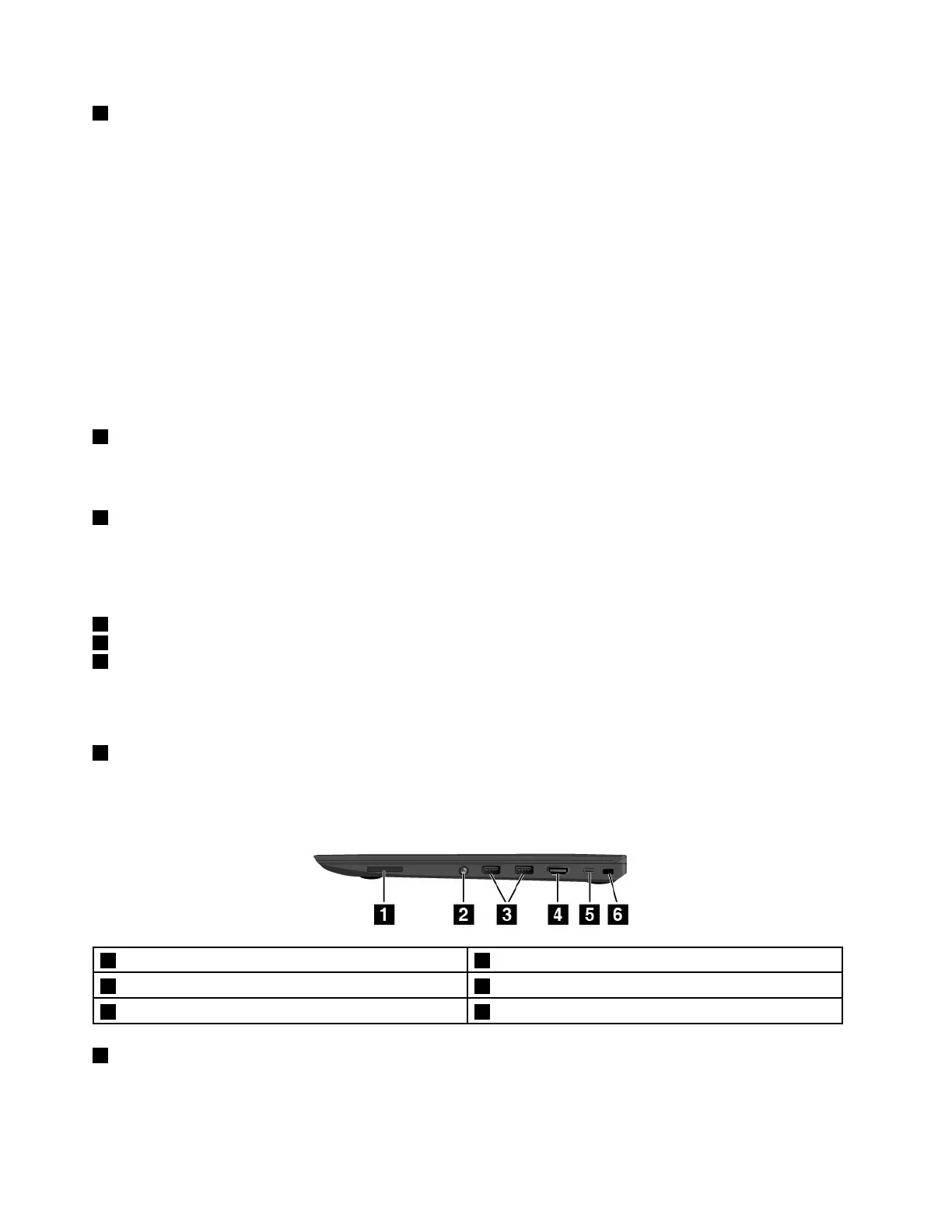
Right-sideview
1Media-cardslot2Audioconnector
3USB3.0connectors
4HDMI™connector
5USB-Cconnector6Security-lockslot
1Media-cardslot
Yourcomputerisequippedwithamediacardreader,whichprovidesamedia-cardslot.Insertyourflash
mediacardintothemedia-cardslottoreadthedataonthecard.Formoreinformationaboutthesupported
cards,see“Usingaflashmediacard”onpage33
.
2ThinkPad13UserGuide














 To Next Page