Chapter3.Enhancingyourcomputer
Thischapterprovidesinstructionsonhowtousehardwaredevicestoexpandyourcomputercapabilities.It
includesthefollowingtopics:
•“FindingThinkPadoptions”onpage35
•“ThinkPadOneLink+Dock”onpage35
FindingThinkPadoptions
Ifyouwanttoexpandthecapabilitiesofyourcomputer,Lenovohasanumberofhardwareaccessoriesand
upgradestomeetyourneeds.Optionsincludememorymodules,storagedevices,networkcards,docking
stations,batteries,poweradapters,printers,scanners,keyboards,mice,andmore.
YoucanshopatLenovo24hoursaday,7daysaweekdirectlyovertheWorldWideWeb.Allyouneedisan
Internetconnectionandacreditcard.
ToshopatLenovo,goto
http://www.lenovo.com/essentials
ThinkPadOneLink+Dock
TheThinkPadOneLink+Dock(hereafterreferredtoasdock)isanoptionaldevicethatLenovodesigned
specificallyforyourcomputer.Thedockprovidesconvenienceandmakesyourcomputereasiertouse
forwork,study,andentertainment.Ifyourcomputerdoesnotcomewiththedock,youcanpurchaseone
fromLenovoathttp://www.lenovo.com/accessories.
Thistopicprovidesbasicinformationaboutthedock.Fordetailedinformationaboutusingthedock,refer
tothedocumentationthatcomeswiththedock.
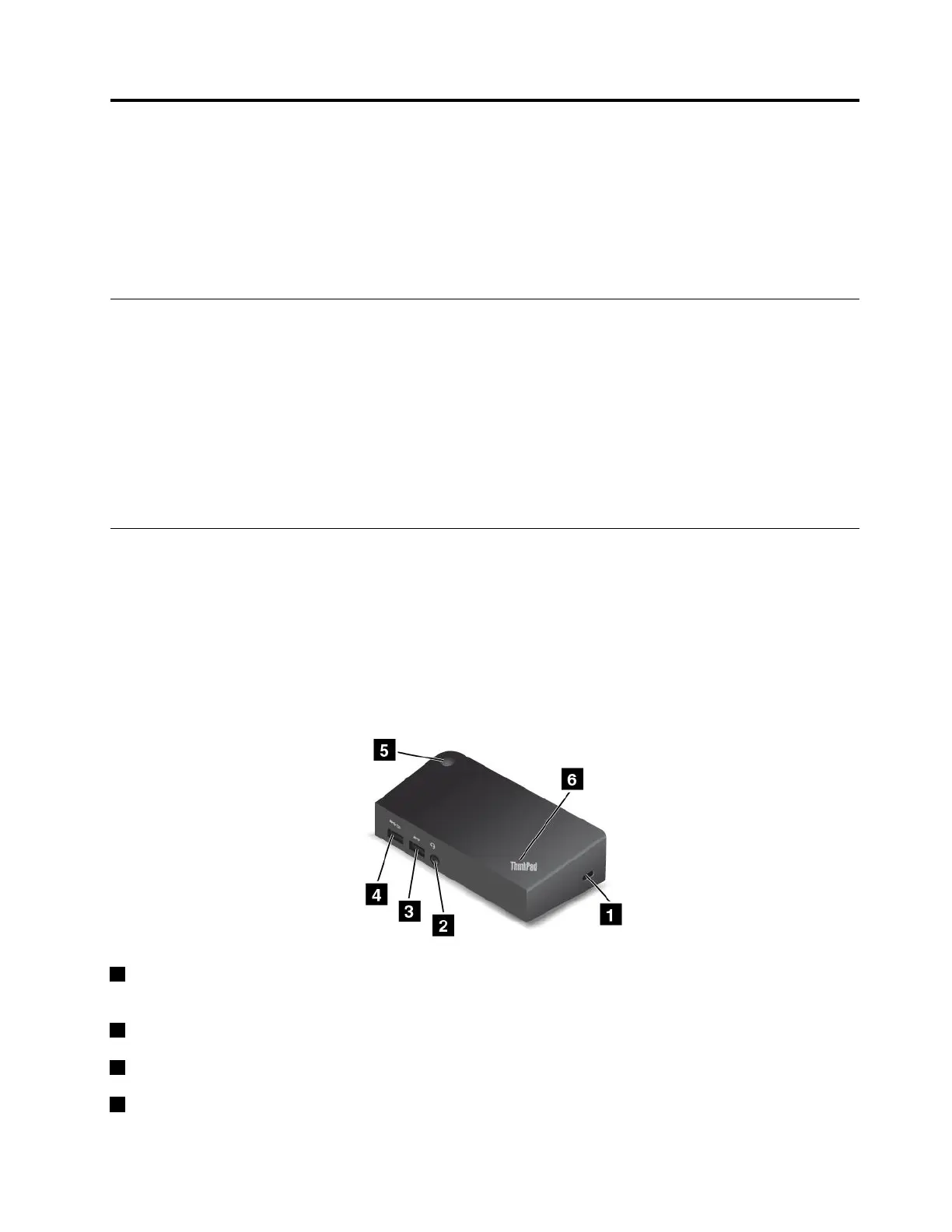
Frontview
1Security-lockslot:Toprotectyourdockfromtheft,purchaseasecuritycablelockthatfitsthis
security-lockslottolockyourdocktoastationaryobject.
2Audioconnector:Usedtoconnectheadphonesoraheadsetthathasa3.5-mm(0.14-inch),4-poleplug.
3USB3.0connector:UsedtoconnectdevicesthatarecompatiblewithUSB3.0andUSB2.0.
4AlwaysOnUSBconnector:Bydefault,theAlwaysOnUSBconnectorenablesyoutochargesome
mobiledigitaldevicesandsmartphoneswhenthedockisinthefollowingsituations:
©CopyrightLenovo2016
35














 To Next Page