4Camera-statusindicator
Whenthecamera-statusindicatorison,thecameraisinuse.
6CapsLockindicator
Whentheindicatorison,itindicatesthatCapsLockmodeisenabled.Youcantypeallalphabeticcharacters
(A-Z)inuppercasedirectly.
57System-statusindicators
TheindicatorintheThinkPadlogoonthelidandtheindicatorinthecenterofthepowerbuttonshowthe
system-statusofthecomputer.
•Blinksforthreetimes:Thecomputerisinitiallyconnectedtopower.
•Solidon:Thecomputerison(innormalmode).
•Blinksfast:Thecomputerisenteringsleeporhibernationmode.
•Blinksslowly:Thecomputerisinsleepmode.
•Off:Thecomputerisofforinhibernationmode.
8acpower-satusindicator
Theacpower-statusindicatorshowstheacpowerchargingstatusofthecomputer.
•Green:Connectedtoacpower(charging80%–100%)
•Amber:Connectedtoacpower(charging1%–80%)
•Off:Notconnectedtoacpower(nocharging)
Locatingimportantproductinformation
Thissectionprovidesinformationtohelpyoulocatethemachinetypeandmodellabel,theFCCIDandIC
Certificationlabel,andtheGenuineMicrosoft
®
label.
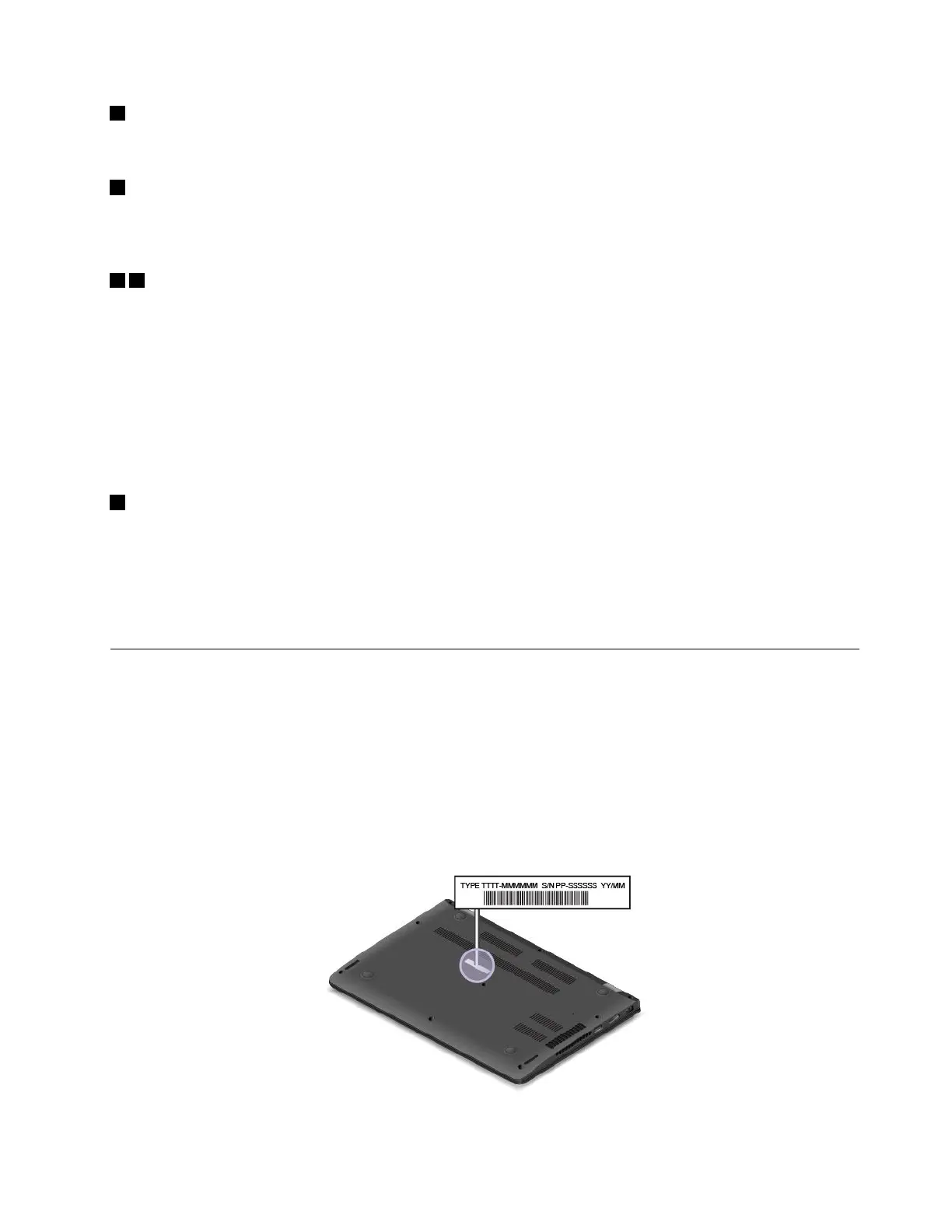
Machinetypeandmodelinformation
Themachinetypeandmodellabelidentifiesyourcomputer.WhenyoucontactLenovoforhelp,themachine
typeandmodelinformationhelpssupporttechnicianstoidentifyyourcomputerandprovidefasterservice.
Thefollowingillustrationshowsthelocationofthemachinetypeandmodelofyourcomputer.
Chapter1.Productoverview7














 To Next Page