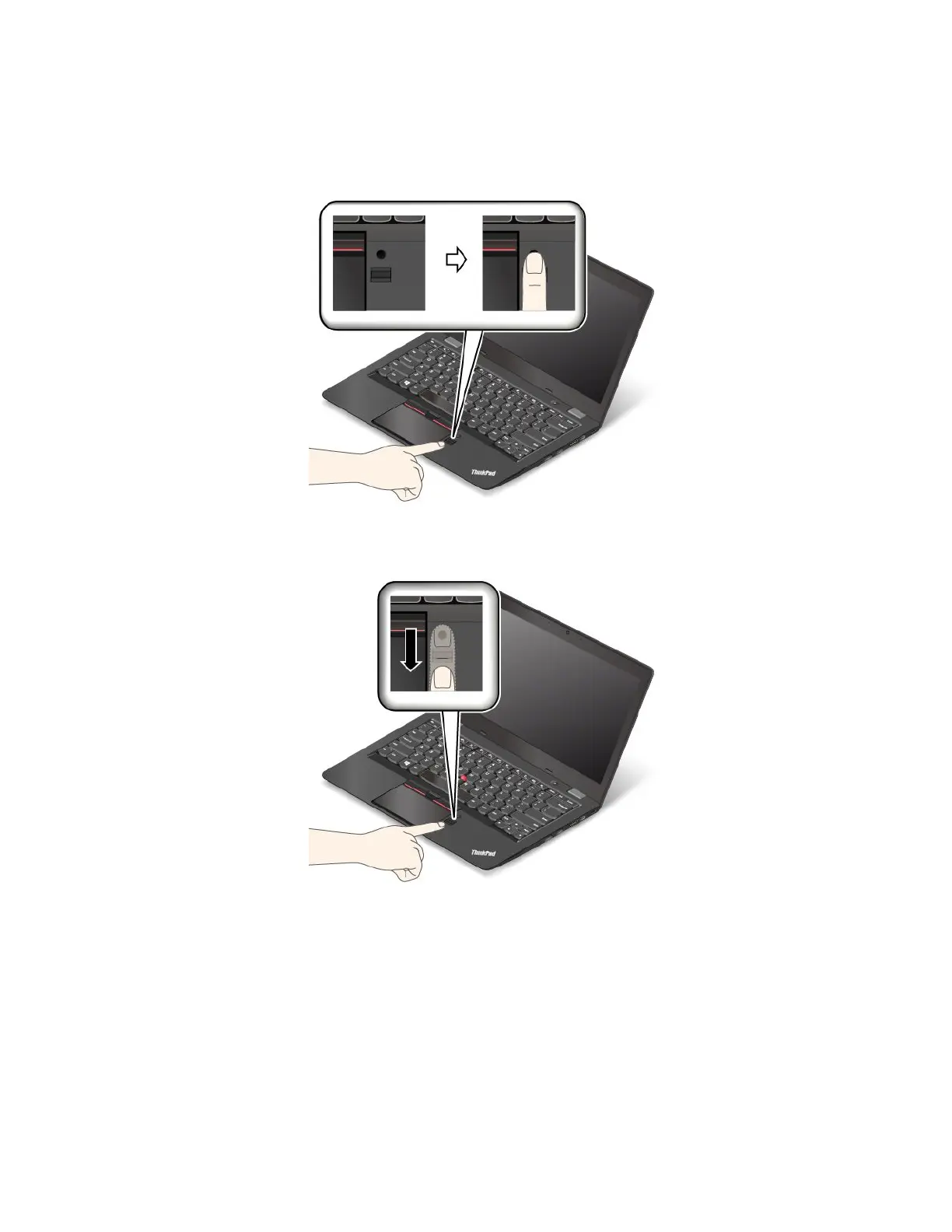
Swipingyourfingeroverthefingerprintreader
Toswipeyourfingeroverthereader,dothefollowing:
1.Placethetopjointofyourfingeronthefingerprintreader.
2.Applylightpressureandswipeyourfingertowardyouacrossthereaderinonesmoothmotion.Donot
liftyourfingerwhenyouareswipingit.
Maintainingthefingerprintreader
Thefollowingactionscoulddamagethefingerprintreaderorcauseitnottoworkproperly:
•Scratchingthesurfaceofthereaderwithahard,pointedobject
•Scrapingthesurfaceofthereaderwithyourfingernailoranythinghard
•Usingortouchingthereaderwithadirtyfinger
Ifyounoticeanyofthefollowingconditions,gentlycleanthesurfaceofthereaderwithadry,soft,lint-free
cloth:
•Thesurfaceofthereaderisdirtyorstained.
50ThinkPad13UserGuide














 To Next Page