4. Check the battery status icon again. If the same error still exists, replace the system board.
Checking the coin-cell battery
Do the following:
1. Power off the computer, and unplug the ac power adapter from it.
2. Turn the computer upside down.
3. Remove the battery pack (see “1020 Internal battery” on page 71).
4. Remove the coin-cell battery (see “1080 Coin-cell battery” on page 76).
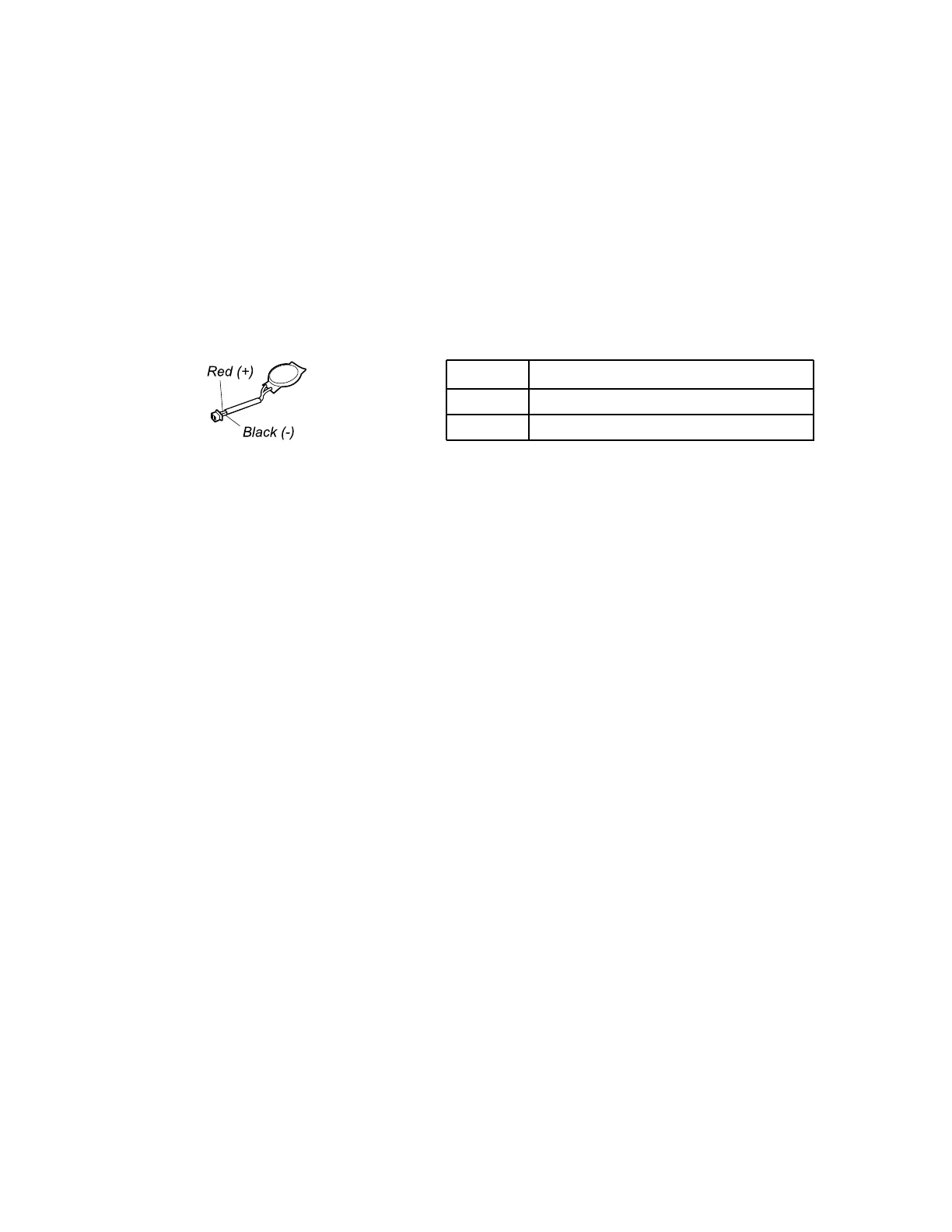
5. Measure the voltage of the battery. See the following figure.
Wire
Voltage (V dc)
Red +2.5 to +3.2
Black
Ground
• If the voltage is correct, replace the system board.
• If the voltage is not correct, replace the coin-cell battery.
• If the coin-cell battery discharges quickly after replacement, replace the system board.
34
ThinkPad E580 and E585 Hardware Maintenance Manual














 To Next Page