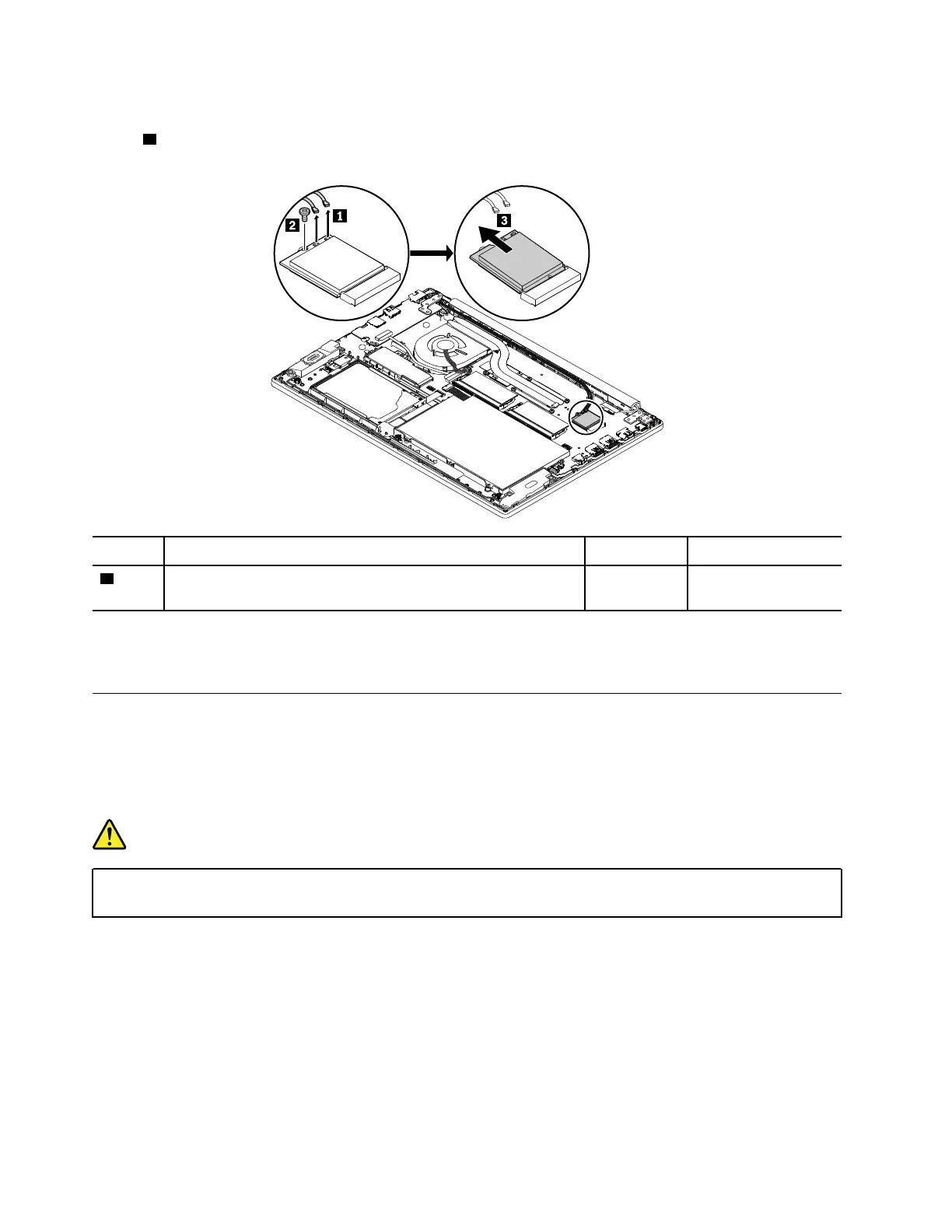
Removal steps of the wireless LAN card
In step
1 , unplug the connectors by using the antenna RF connector removal tool or pick the connectors
with your fingers and gently unplug them as shown.
Step Screw (quantity) Color Torque
2
M2 × 3 mm, wafer-head, nylon-coated (1) Silver 0.294 Nm
(3 kgf-cm)
When installing: Plug the gray cable into the main connector, and the black cable into the auxiliary
connector on the card.
1080 Coin-cell battery
For access, remove these FRUs in order:
• “1010 Base cover assembly” on page 69
Removal steps of the coin-cell battery
DANGER
Use only the authorized battery specified for your computer. Any other battery could ignite or
explode.
76
ThinkPad E580 and E585 Hardware Maintenance Manual














 To Next Page