1150 LCD unit
For access, remove these FRUs in order:
• “1010 Base cover assembly” on page 69
• “1020 Internal battery” on page 71
• “1030 M.2 solid-state drive” on page 71
• “1040 Thermal fan assembly” on page 72
• “1050 Memory module” on page 74
• “1060 Internal storage drive” on page 74
• “1070 Wireless LAN card” on page 75
• “1080 Coin-cell battery” on page 76
• “1090 Keyboard” on page 77
• “1100 USB card with cable” on page 80
• “1110 Speaker assembly” on page 81
• “1120 Fingerprint reader” on page 82
• “1130 Touch pad” on page 84
• “1140 System board and keyboard bezel” on page 85
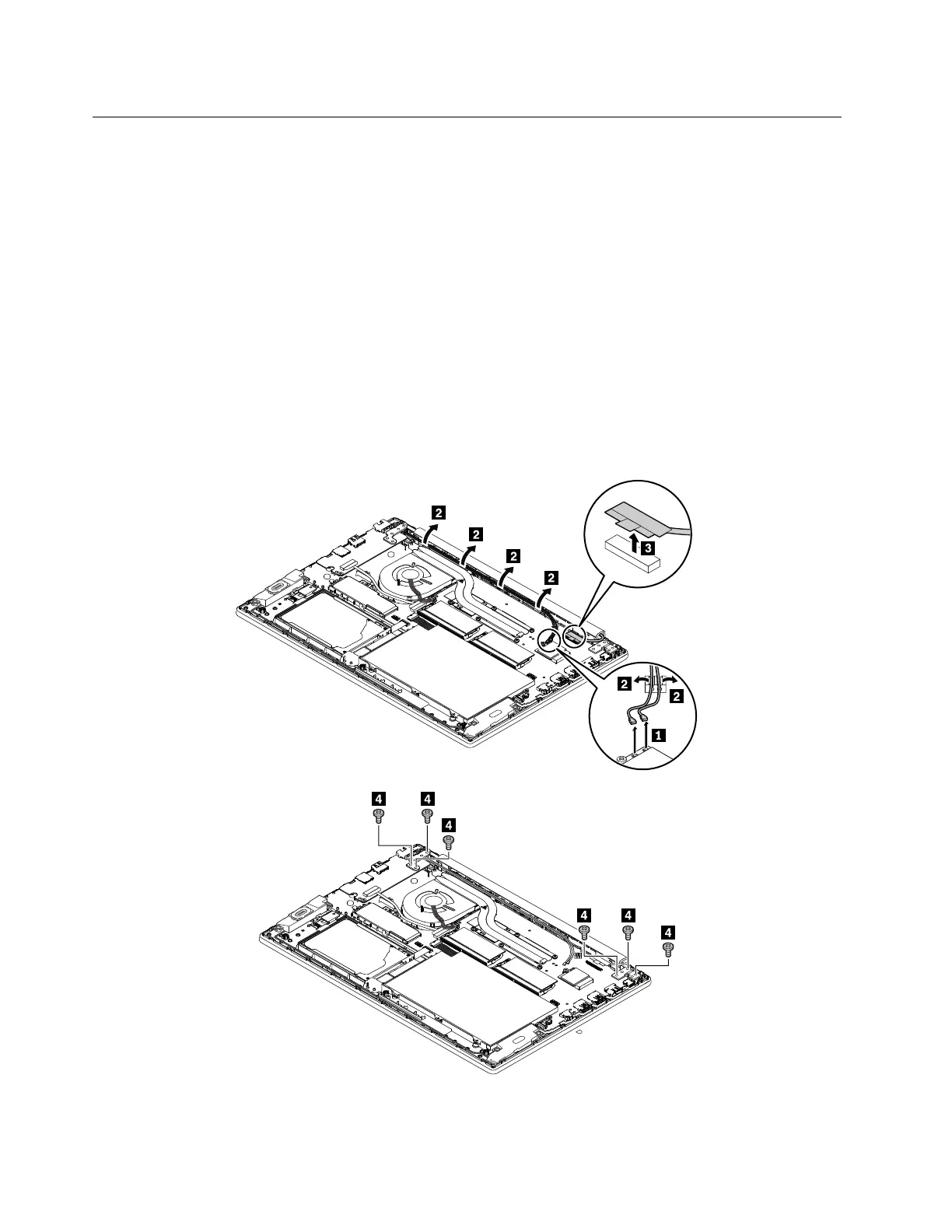
Removal steps of the LCD unit
88 ThinkPad E580 and E585 Hardware Maintenance Manual














 To Next Page