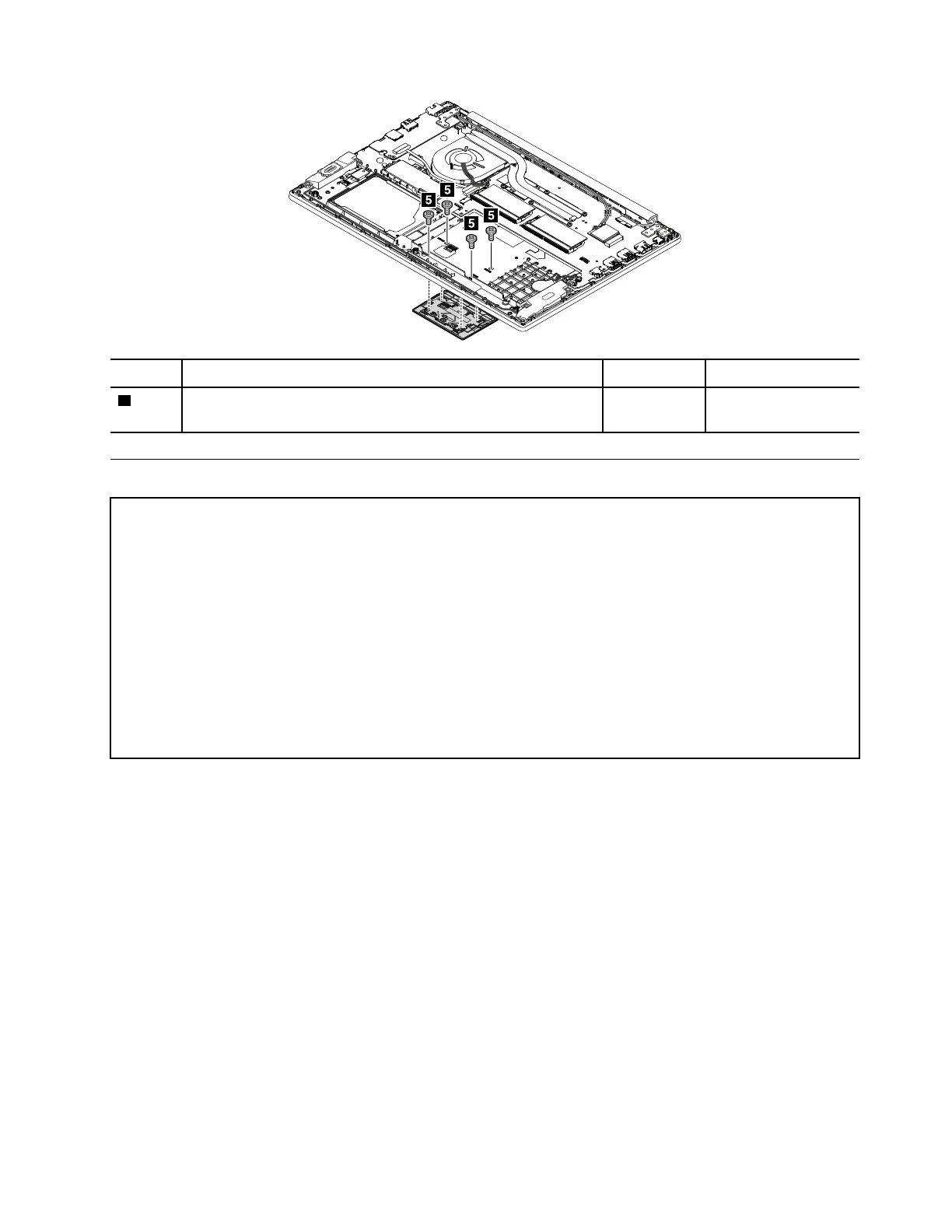
Step Screw (quantity) Color
Torque
5
M2 × 1.8 mm, wafer-head, nylon-coated (4)
Black 0.294 Nm
(3 kgf-cm)
1140 System board and keyboard bezel
Important notices for handling the system board:
When handling the system board, read the following:
• The system board has an accelerometer, which can be broken when several thousands of G-forces are applied.
Note: Dropping a system board from a height of as little as 6 inches so that it falls flat on a hard bench can subject
the accelerometer to as much as 6000 G's of shock.
• Be careful not to drop the system board on a bench top that has a hard surface, such as metal, wood, or
composite.
• Avoid rough handling of any kind.
• At every point in the process, be sure not to drop or stack the system board.
• If you put a system board down, be sure to put it only on a padded surface such as an ESD mat or a corrugated
conductive surface.
For access, remove these FRUs in order:
• “1010 Base cover assembly” on page 69
• “1020 Internal battery” on page 71
• “1030 M.2 solid-state drive” on page 71
• “1040 Thermal fan assembly” on page 72
• “1050 Memory module” on page 74
• “1060 Internal storage drive” on page 74
• “1070 Wireless LAN card” on page 75
• “1080 Coin-cell battery” on page 76
• “1090 Keyboard” on page 77
• “1100 USB card with cable” on page 80
• “1110 Speaker assembly” on page 81
• “1120 Fingerprint reader” on page 82
• “1130 Touch pad” on page 84
Chapter 9. Removing or replacing a FRU 85














 To Next Page